The article describes how to solve the problem with the Supervisor occurring during the startup of a Windows PC when an error message with error number 7000 pops up saying that a timeout of the Niagara service occurred, causing the deamon of the platform to fail to start on its own.
If the problems described above occur, do the following:
-
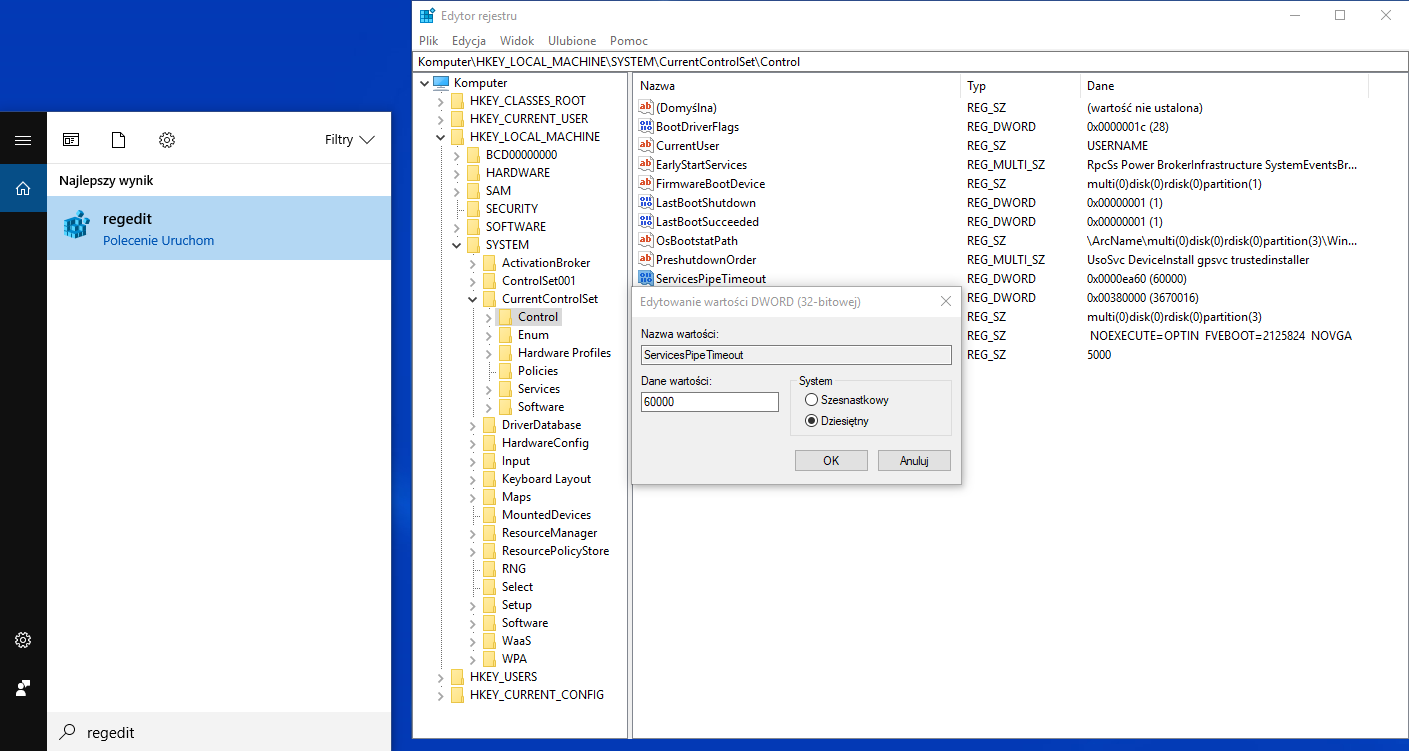
Run the "regedit" program in Windows.
-
In the program navigator, go to "HKEY_LOCAL_MACHINE\SYSTEM\CurrentControlSetControl".
-
Double-click on the "ServicesPipeTimeout" register.
-
In the pop-up window, change the value to 60 000 ms (milliseconds) or more.
-
After approving the changes, restart the computer.