
Issue
A component of a JAR module dedicated to the iSMA-B-MAC36 controllers family does not work properly upon installing it on the MAC36PRO controller.
Possible causes and solutions
-
The iSMA_IO module displays the Invalid Hardware error
-
Moduł iSMA_IO wyświetla nieprawidłową temperaturę
-
HDMI panel wyświetla błąd 404 pomimo poprawnego skonfigurowania
The iSMA_IO module displays the Invalid Hardware error
After installing the iSMA_IO module and adding the IsmaIoNetwork component to the Config/Drivers location, the component is highlighted in orange and the Invalid Hardware’ error is displayed.
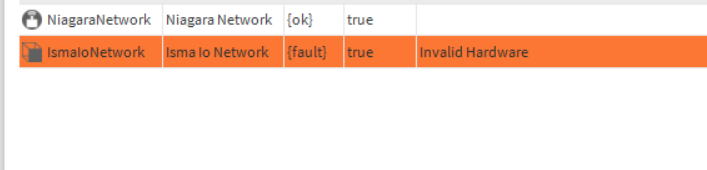
The MAC36PRO controller has been added to the iSMA_IO module as a supported hardware from the 2.4.0.2. version. All earlier iSMA_IO module versions will mark the MAC36PRO controller as an Invalid Hardware.
Solution
To solve the problem, exchange the outdated iSMA_IO module version in Workbench for the 2.4.0.2 version and then install it on the MAC36PRO controller.
The iSMA_IO module displays wrong termperature
After adding UniversalInput components to the MAC36PRO controller’s station, configuring them for relevant channels, and adding sensors, components display the temperature correctly. However, after disconnecting universal inputs terminals in the UniversalInput components, the same temperature is displayed instead of -3276,8.
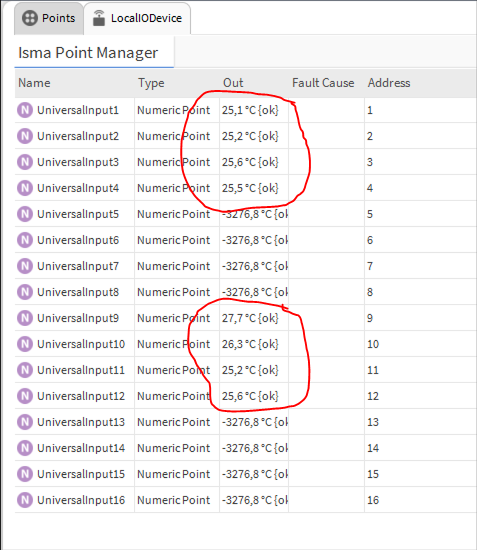
In the iSMA_IO module, between versions 2.4.0.0 and 2.4.0.4, there was a bug concerning NTC10 temperature reading and MAC36PRO controller.
Solution
To solve the problem, download a more recent iSMA_IO version (2.4.0.5 or newer) and install it on the MAC36PRO controller.
HDMI panel displays a 404 error despite a correct configuration
After adding the iSMAHDMI service from the iSMA_HDMI module to the MAC36PRO controller’s station and connecting the iSMA-D-PD panel with HDMI, the following error is displayed:
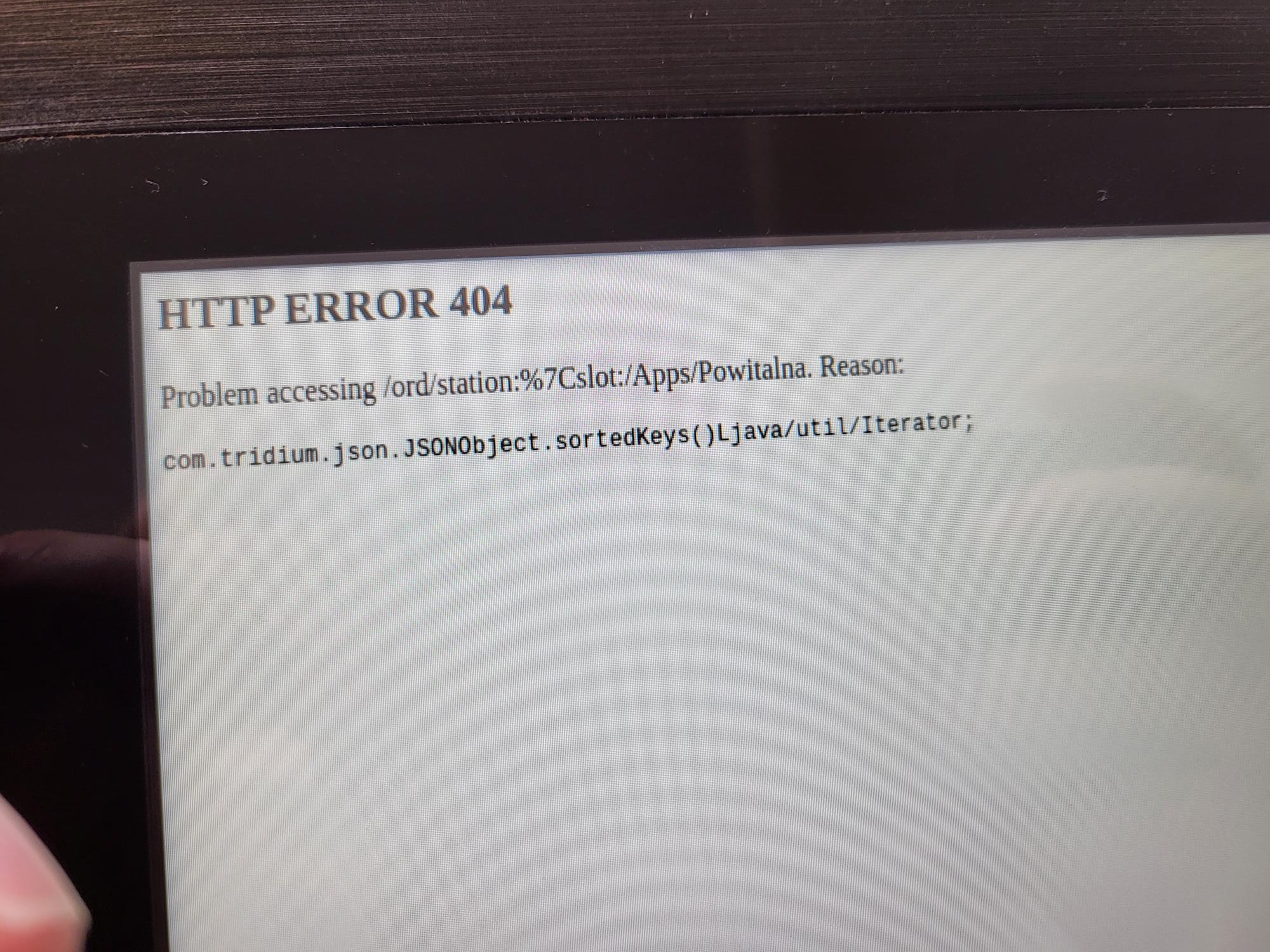
The first Niagara version (4.10u6) supported by the MAC36PRO controller has an active bug of the HDMI display, which is why, among other reasons, the 4.10u6 version is no longer a Golden Image for MAC36PRO.
Solution
To solve a problem, upload a new Golden Image to the SD card. The instruction and a zipped image file (unzip it first) are available here:https://support.ismacontrolli.com/02%20Small%20%26%20Medium%20BMS/iSMA-B-MAC36/iSMA-B-SD-PRO/.
WARNING: Before uploading a new Golden Image, first, copy the station, as the upload overwrite the configuration.