
Issue
After connecting the MAC36PRO via USB, the NDIS device failed to initialize correctly and is not being recognized by the PC.
Solution
First we need to troubleshoot the issue.
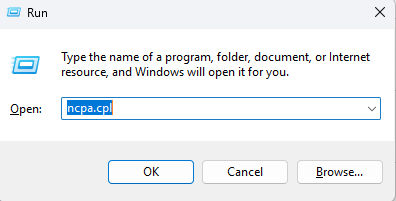
Open Network Connections in the Control Panel. To do that, press the Windows Key + R, type in ncpa.cpl, and press Enter.
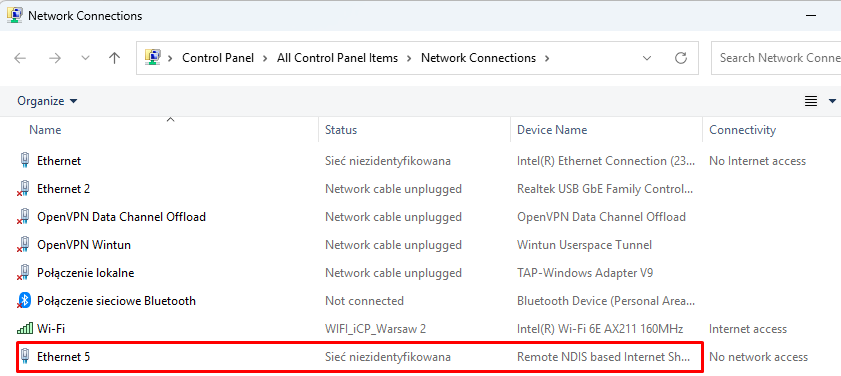
If the network connection shown in the attached image does not appear in your list of network connections, proceed to the next step.
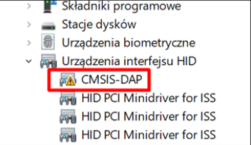
Open the Device Manager. To do that, press the Windows Key + R, type in devmgmt.msc, and press Enter.
If you see the issue shown in the image below, follow these steps
-
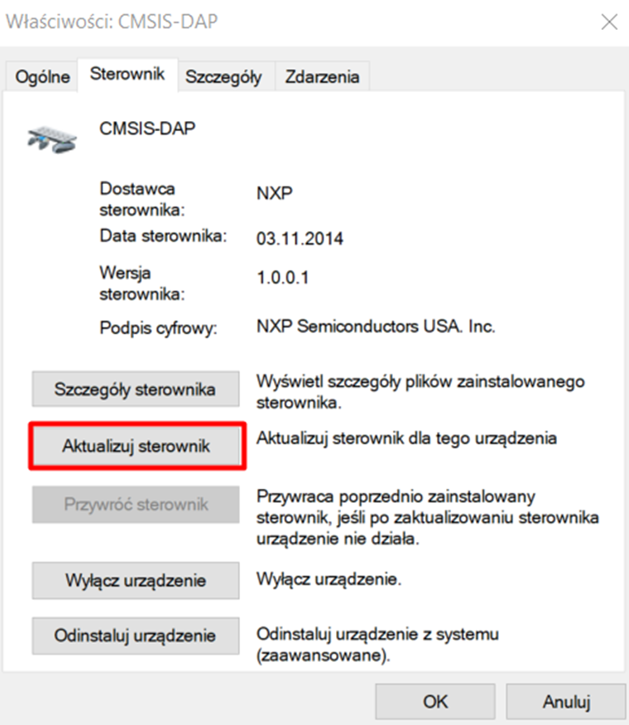
Open the device's Properties.
-
Go to the Driver tab
-
Click Update Driver
Changing the USB port on your computer may cause the same problem. If this happens, repeat the steps above.