
Issue
iC Tool cannot establish communication with the AAC20 controller despite having uploaded a default application and kits using the AAC20 Updater.
Solution
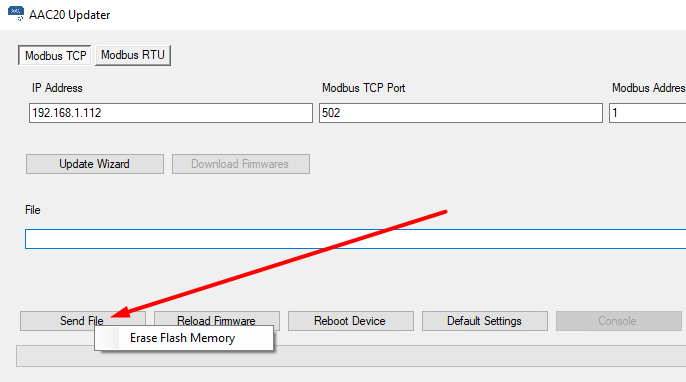
Before starting to upload the default application and kits, it is required to erase the Flash memory.
-
In the AAC20 Updatera, right-click on
Send Fileand selectErase Flash Memory.
-
By the end of the procedure, the success notification confirms formatting.

-
Next, perform a standard procedure of uploading the default
app.sabandkits.scodefiles.

After completing the above steps, the communication in iC Tool should be correctly established.