
Issue
In firmware 6.5, the size of the kits used by applications running on the controller has been increased. For applications that use the kits.scode file, whose size is close to the device’s memory limit, this update may prevent Sedona VM from starting correctly.
As a result, problems with connecting to the controller can occurs after an upgrade, particularly, displaying the 43 VM error in logs. More info available here: https://icdocs.ismacontrolli.com/kb/article/aac20-logs-vm-error-codes.
Solution
If the kits.scode file size exceeds 230 kB, it is required to optimize the application before performing and upgrade.
1. Removing unused kits from the .sax file
Kits are declared in the <schema></schema> section of the .sax file, even if they are not directly used by the application. Such kits use up the controller’s memory and should be removed.
Open the .sax file in a text editor, for example, Notepad++. Find the <schema></schema> section, containing the lists of kits (at the beginning of the text file).
To verify, if the kits is really unused, select the Find function and search for the name of the kit in the whole document. If the kit only appears in the declaration section, and it is not used by any of the application’s components, it can be safely removed.
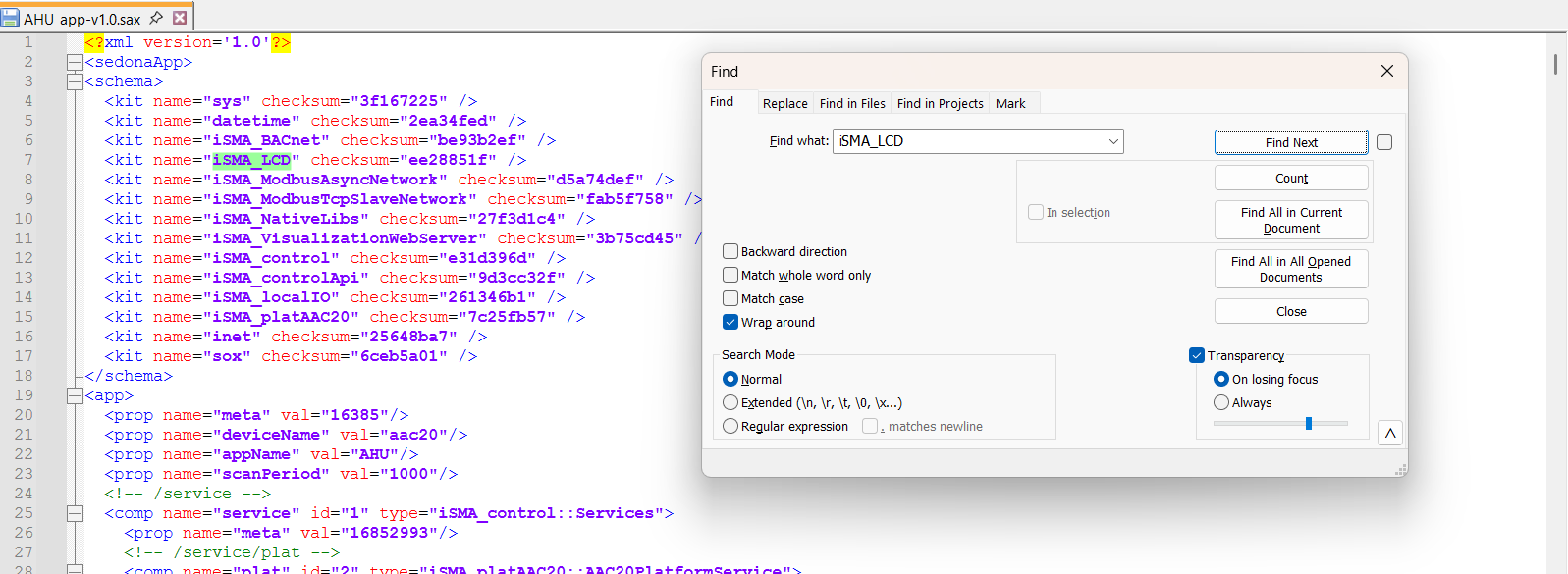
After removing unnecessary kits, it is required to re-compile the application and check the size of the generated kits.scode file in the iC Tool’s console.
2. Reducing a number of kits in use by removing the sets containing the same components
In many projects, kits such as control, logic, hvac, func, and types are installed, even though most of the required components are already available in a kit such as isma_control.
Each additional kit uses the controller’s memory, so before the update it is worth analyzing the list of kits in use and removing those that are not essential.
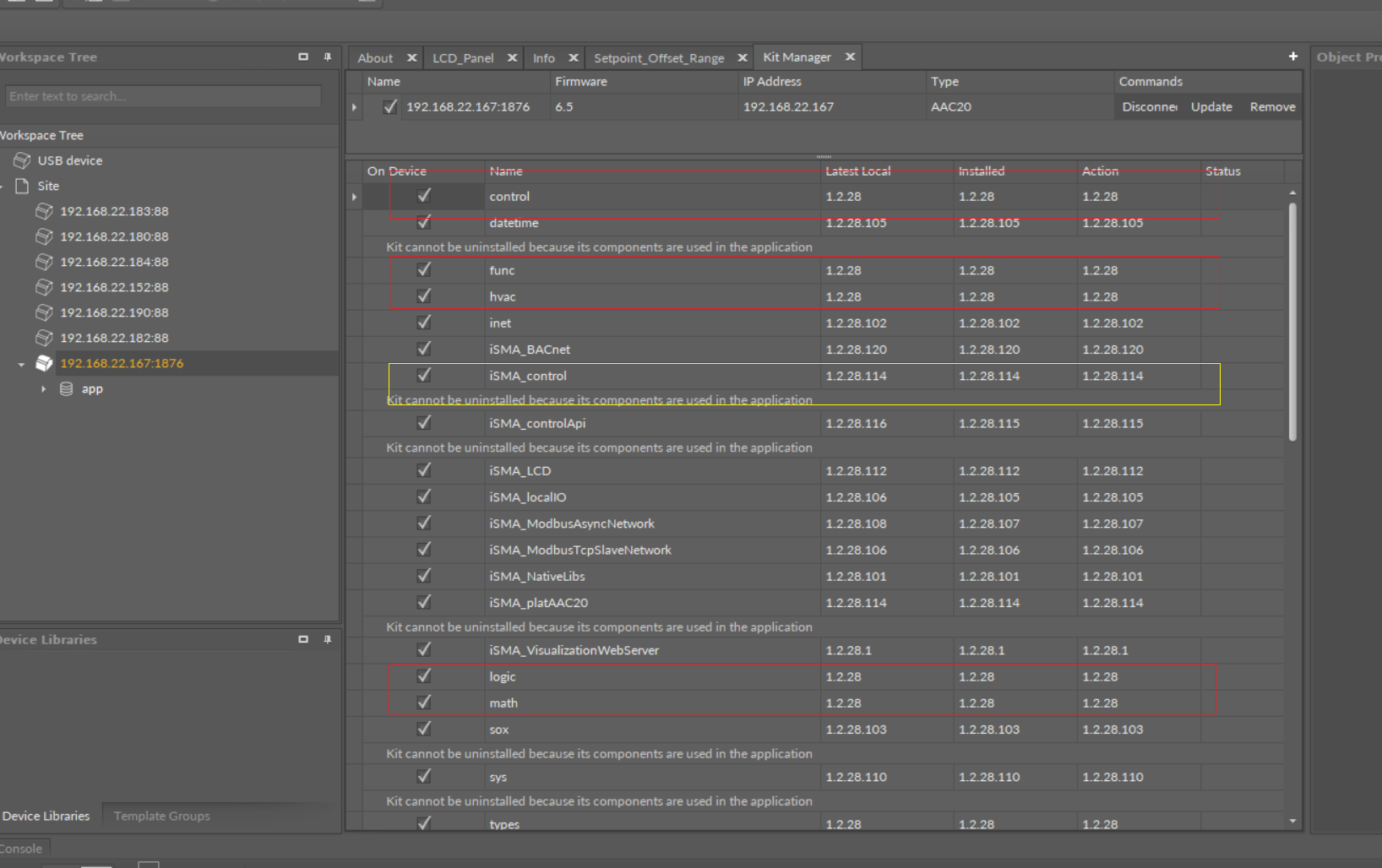
After making the changes, recompile the application and verify the size of the kits.scode file.
Recommendations before updating firmware
Before updating the firmware to version 6.5, check the size of the kits.scode file generated when compiling the application in iC_Tool.
If the size of the kits.scode file does not exceed 230 kB, the update can be performed without any additional actions.

192620 B / 1024 = 188.11 kB
Summary
Before updating the controller to firmware 6.5, check the size of the generated kits.scode file.
If its size does not exceed 230 kB, the update can be installed together with the firmware and kit updates without any additional actions. If the size is larger, the application should be optimized by removing unused kits and reducing the number of unnecessary kits/components.
Leaving only the essential kits reduces the controller’s memory usage and lowers the risk of VM 43 errors occurring after the firmware update.