
Issue
Despite the FCU controller being correctly connected to the computer and visible in FCU Updater, it is not possible to upload the application. The problem may occur after opening the old FCU Updater for the first time and downloading the new firmware, which may result in the firmware being downloaded with an error.
Possible solution
-
Check if the latest version of FCU Updater is being used and that the latest firmware is installed. If not, install the latest versions of both FCU Updater and FCU firmware.
-
Install a proper version of Java following the below instructions (if any Java version has already been installed, it is required to uninstall it):
-
download the file from https://support.ismacontrolli.com/Software%20%26%20Tools/iSMA%20Tool/Software%20Bundle/
Go to System / About / Advanced
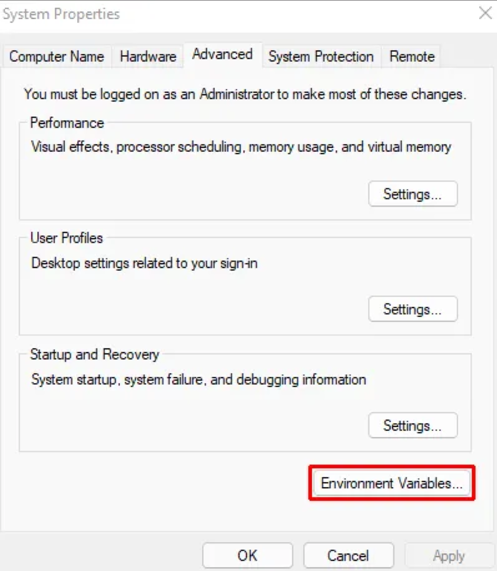
-
Find the Java location on the computer (folder bin) and paste it in the place indicated on the screenshots:
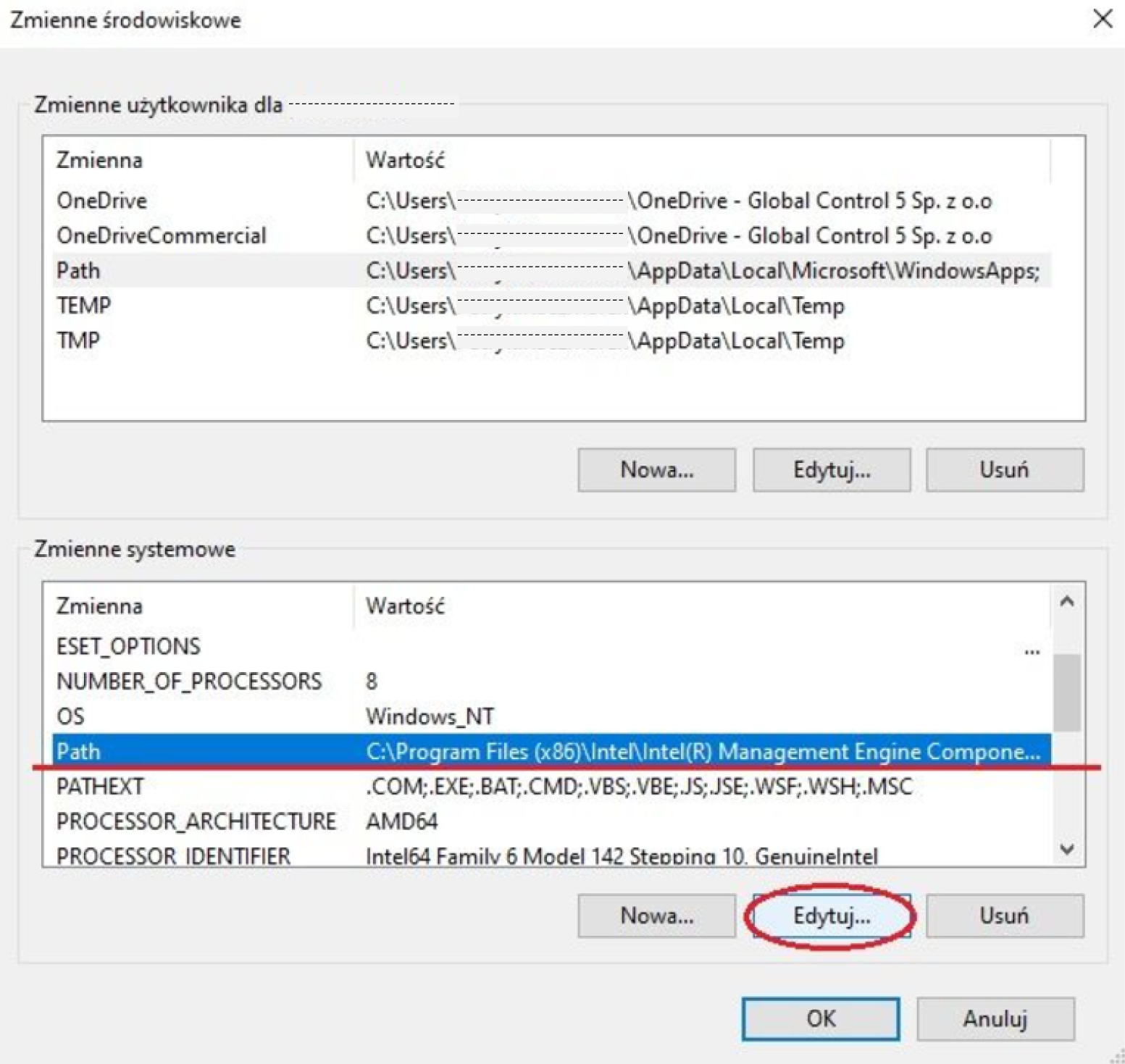
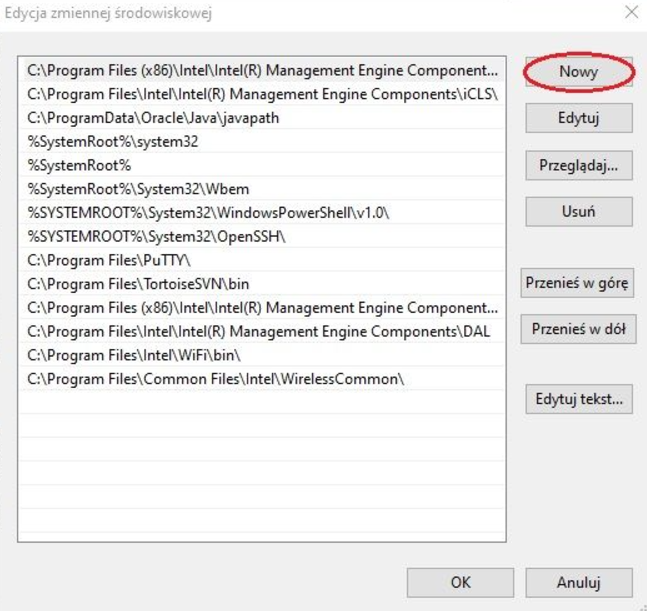
-
-
If the application is uploaded via the RS485 port using the BACnet protocol, set the DIP switch to the BACnet Master position.
-
Clear the folder C:\Users\your_user\AppData\Roaming\GC5\FCU_Updater\2.0 (it is possible to copy the contents of the folder to a backup folder), then open the new FCU Updater from iSMA-B-FCU_Software_Bundle_X, and then upload the application to the controller.