Issue
The process of uploading applications to multiple FCU controllers simultaneously via FCU Updater using serial communication, Modbus RTU or BACnet MS/TP, takes an exceptionally long time.
Possible cause and solutions
Automatic backups enabled
When transferring the application, FCU Update automatically creates a backup before and after uploading the application, which can significantly increase the application upload time when using serial communication.
Solution 1
For version 2.2 of FCU Updater, run FCU Updater in the NoBackup mode using the Windows Console. Opening the program in this way and selecting an option such as “Upload custom application (and firmware if outdated)” will upload the application without creating backups.

Solution 2
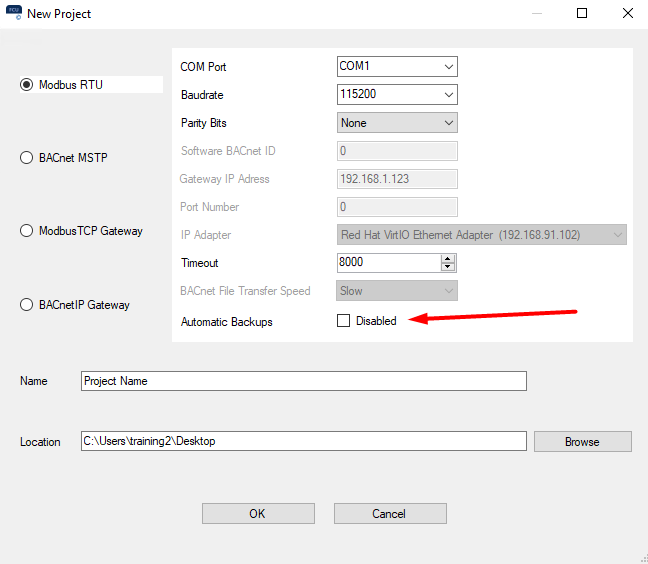
Starting with version 2.3 of FCU Updater, automatic backups can be disabled when creating a project.