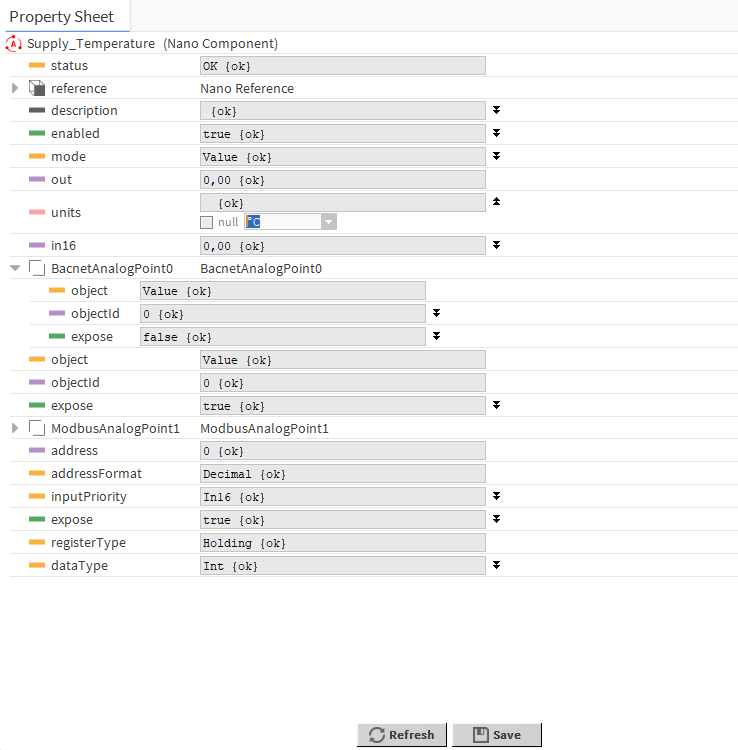
Data Points are universal components that represent a value in the application logic. The available Data Points:
-
AnalogDataPoint with native BACnetAnalogPoint and ModbusAnalogPoint extensions;
-
BinaryDataPoint with native BACnetBinaryPoint and ModbusBinaryPoint extensions;
-
MultistateDataPoint with native BACnetMultistatePoint and ModbusMultistatePoint extensions.
To learn more about Data Points, please refer to the nano EDGE ENGINE Programming user manual.
Adding Data Points
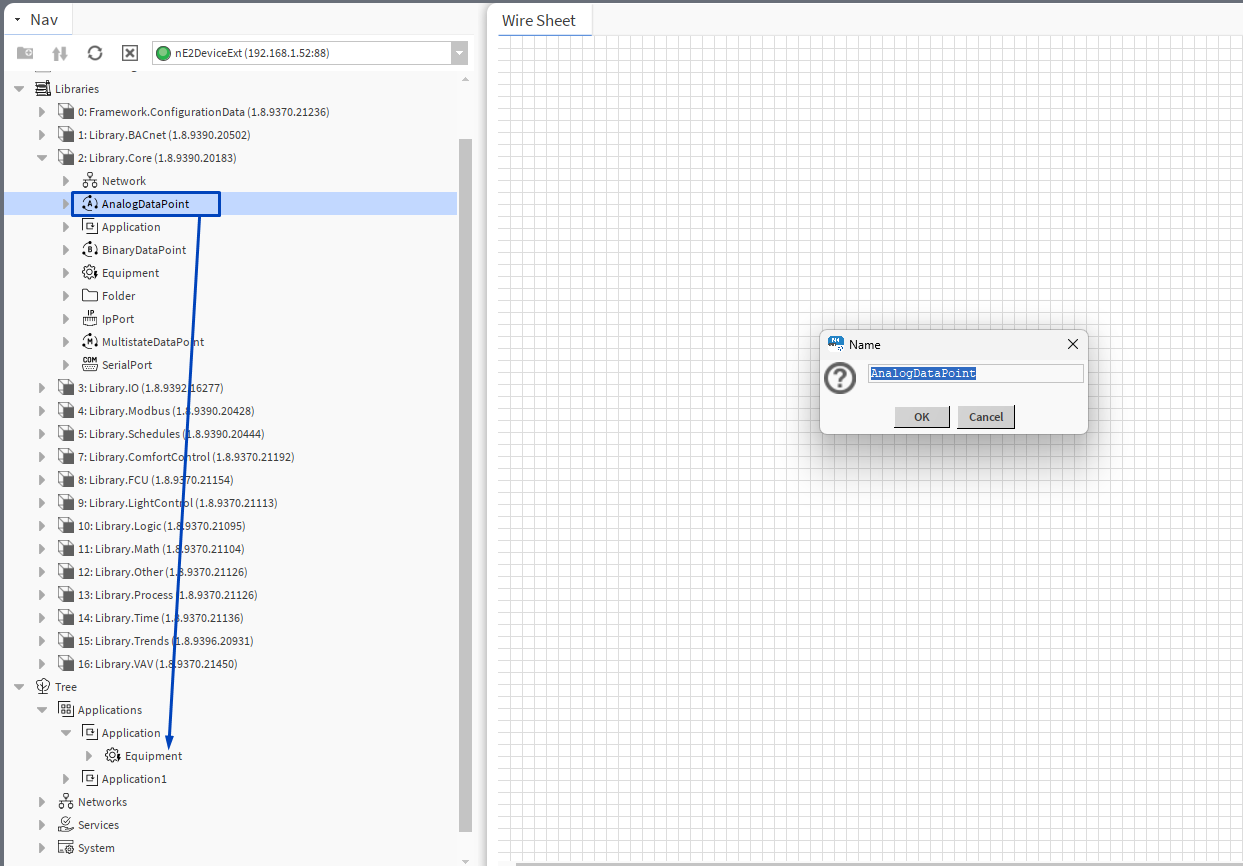
To add a Data Point to the application, drag and drop the relevant component (AnalogDataPoint, BinaryDataPoint, or MultistateDataPoint) from the Library.Core to the application.
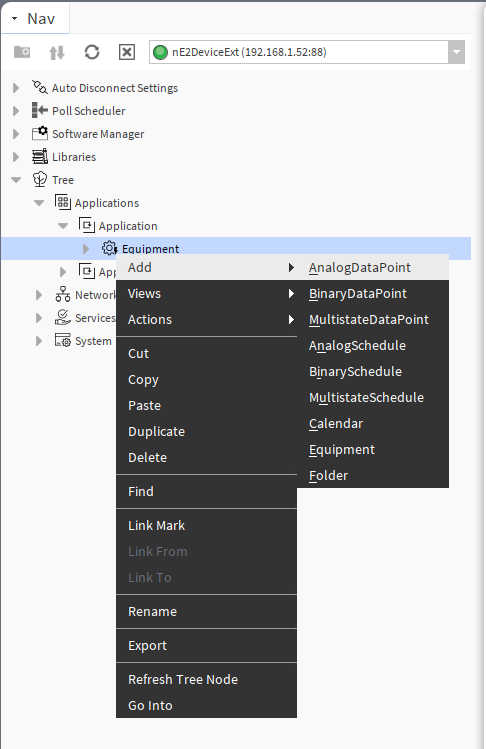
It is also possible to add Data Points directly from the context menu of the Application component:
Each Data Point has 3 actions available from the Actions menu. Actions are related with the type of the Data Point and its extensions.
-
Set: allows entering a value to set the In16 slot;
-
SetId: sets a BACnet object Id of the Data Point (exposed in the BACnetPoint extension);
-
SetAddress: sets a Modbus address of the Data Point (exposed in the ModbusPoint extension).
All slots and options are described in the nano EDGE ENGINE Programming user manual: AnalogDataPoint, BinaryDataPoint, MultistateDataPoint.
Data Points Configuration
To configure the added Data Point, go to its Property Sheet. Standard Data Point slots will be visible. The Property Sheet view allows to configure the following parameters:
-
mode;
-
units;
-
extensions;
-
other points available for the selected component.