Note
Please note that if the switch 1 on the S3 DIP switch is on, than configuration of the fan, reheater, and perimeter type from any other source is blocked (Control Point VAV), as well as any changes made to the referring parameters (for example, Heater Priority) will not be written to the device.
Warning!
Before using the Control Point VAV panel with the VAV14-IP controller, make sure to upgrade its firmware to version V2.5.
Instructions how to upgrade firmware: iSMA Configurator.
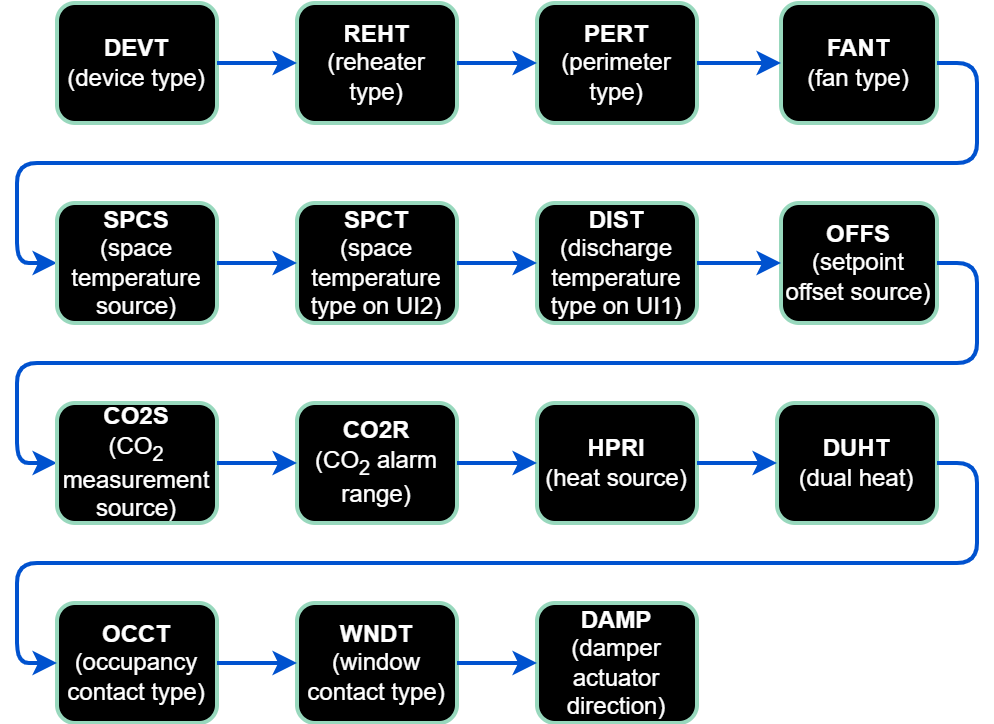
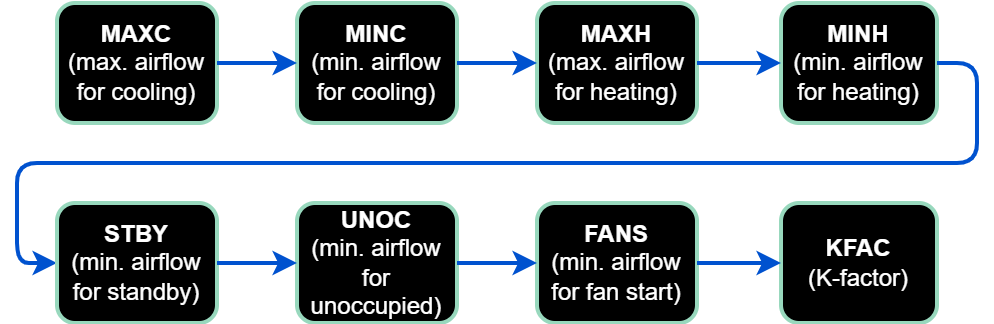
The configuration of the VAV14-IP device is possible directly from the Control Point VAV panel. To do that, it is required to connect the panel to the controller with an RJ45-RJ45 cable.
Parameters available to configure are contained in the panel’s submenu. In order to enter the submenu:
-
long-press the OK button;
-
edit PIN (default: 0000);
-
short-press the OK button.
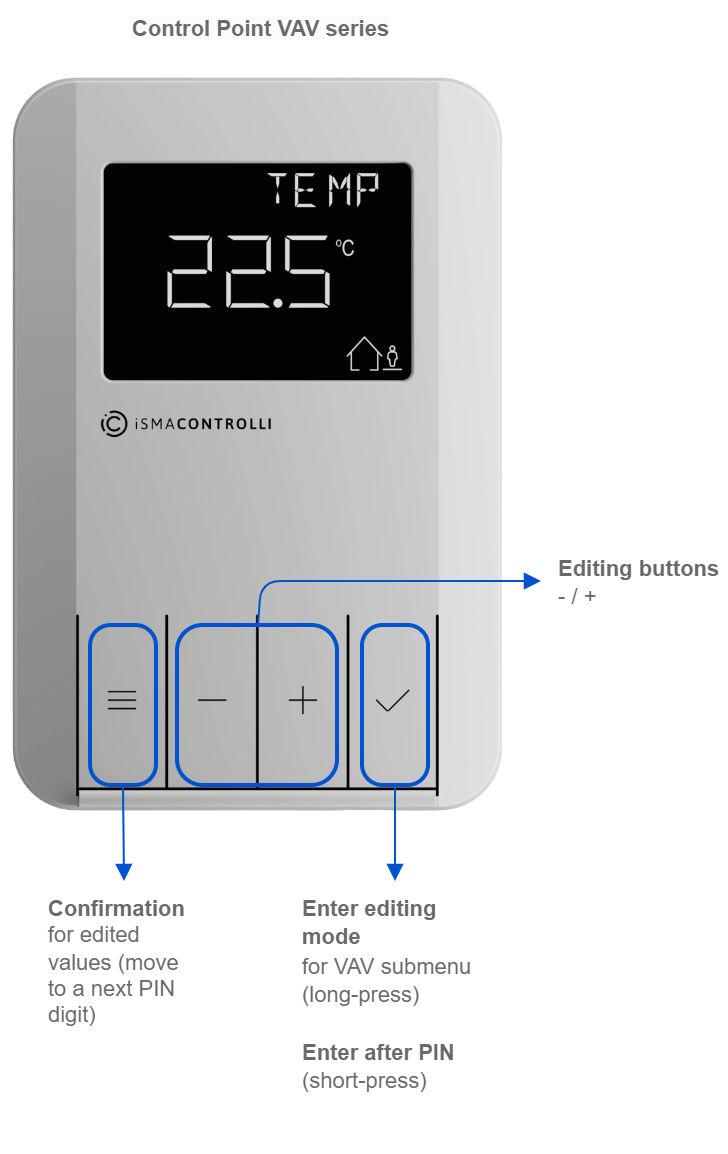
VAV Submenu
In the Control Point panel’s VAV submenu, it is possible to configure parameters of the VAV controller in two areas: