Change IP Network Settings
The IP address and other network settings are part of the Ethernet configuration in the Platform component in the System container.
To learn more about the System container, please refer to the nano EDGE ENGINE Programming user manual.
To change the network Settings:
-
navigate to the Platform component in the System container;
-
double-click on the Ethernet1 component.
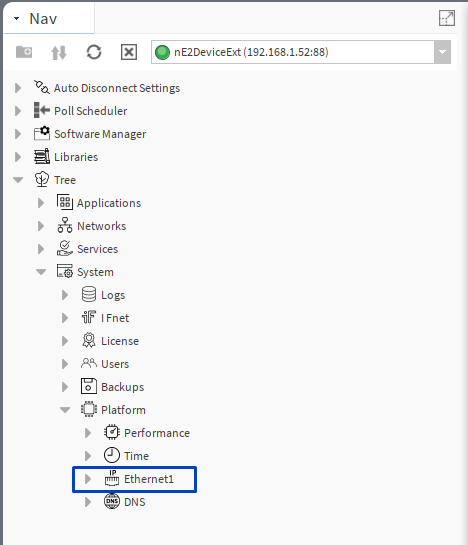
The Ethernet1 properties sheet will open on the main screen.
-
Expand the IPAddress slot and type the new IP address, mask and gateway, or enable the DHCP mode.
-
Confirm the new configuration with the Save button.
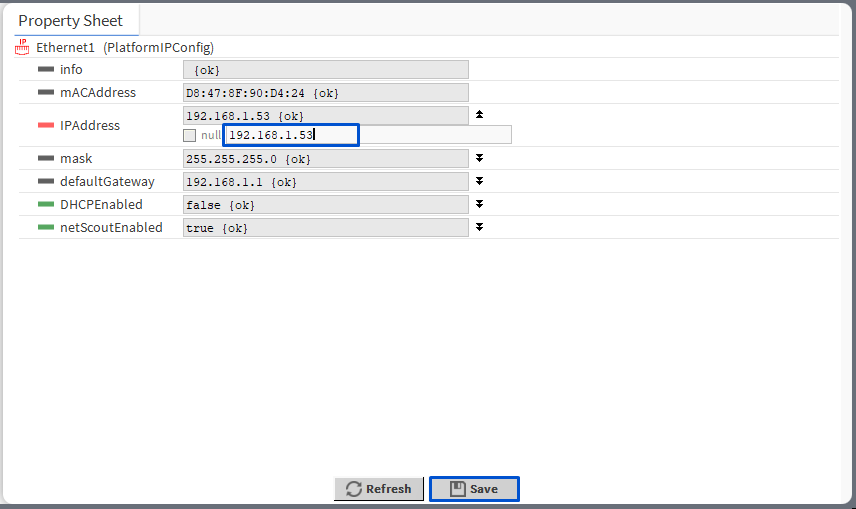
To learn more about Ethernet1, please refer to the nano EDGE ENGINE Programming user manual.
-
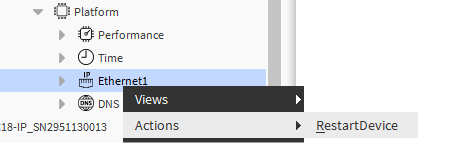
After changing the device address, right-click on Ethernet1 and go to Actions -> RestartDevice;
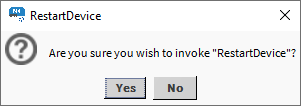
The device will be rebooted after confirming the RestartDevice prompt:
-
Reconnect to the device by changing the IP address in the nE2DeviceExt using the Connect action.