
The LTE extension can be mounted in two ways:
-
using a DIN rail adapter included in the set and a direct USB cable connection,
-
using a USB hub with external power supply (USB hub is not included in the set).
Direct Installation on DIN Rail
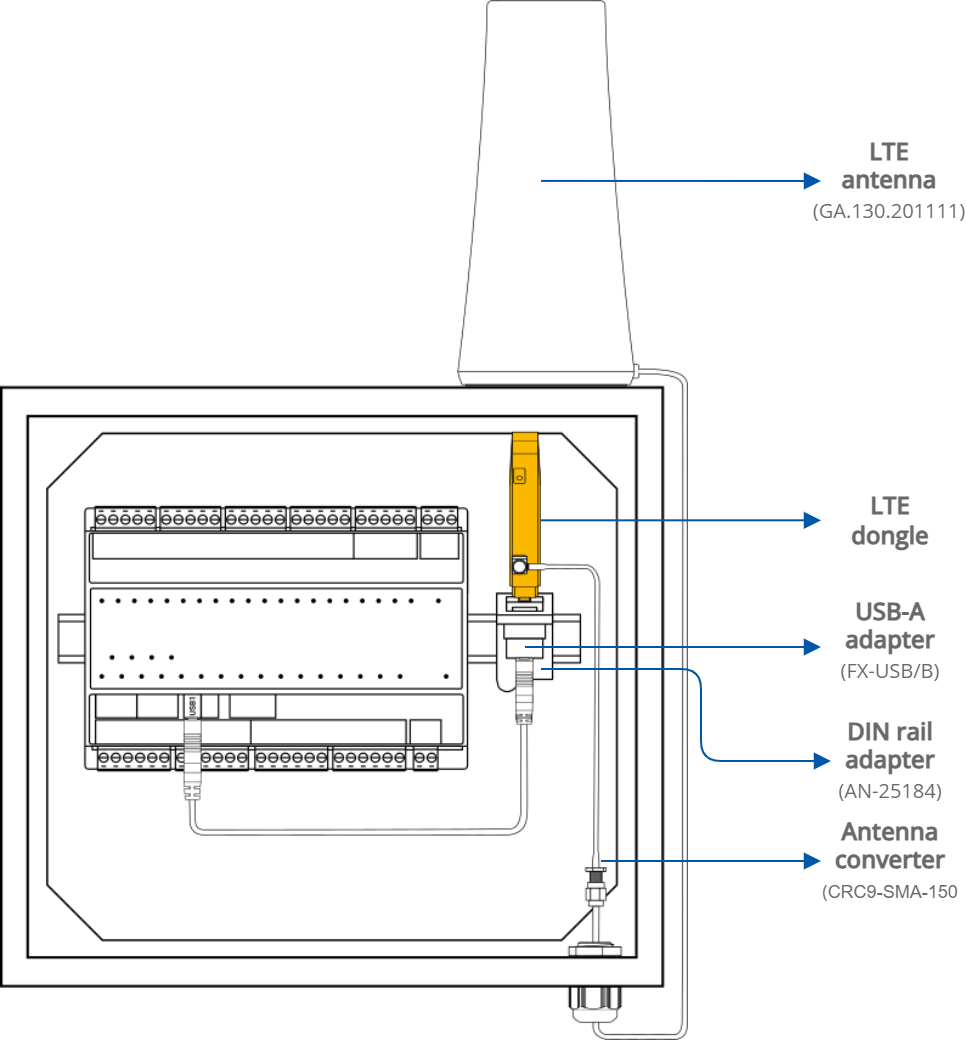
A direct installation on the DIN rail involves the following actions
-
mounting the DIN rail adapter,
-
attaching the USB-A adapter on the DIN rail adapter,
-
connecting the LTE dongle to the USB-A adapter and then directly to the MAC36PRO controller’s USB1 port,
-
connecting the LTE antenna to the LTE modem using the antenna converter,
-
mounting the LTE antenna on the cabinet (magnetic mount for metal cabinets, double-sided tape for plastic cabinets),
-
insert a SIM card to the LTE dongle (SIM card is not included in the set).
Installation with the USB Hub
USB Hub
Please note that the USB hub is not included in the LTE-DIN-EXT-SET.
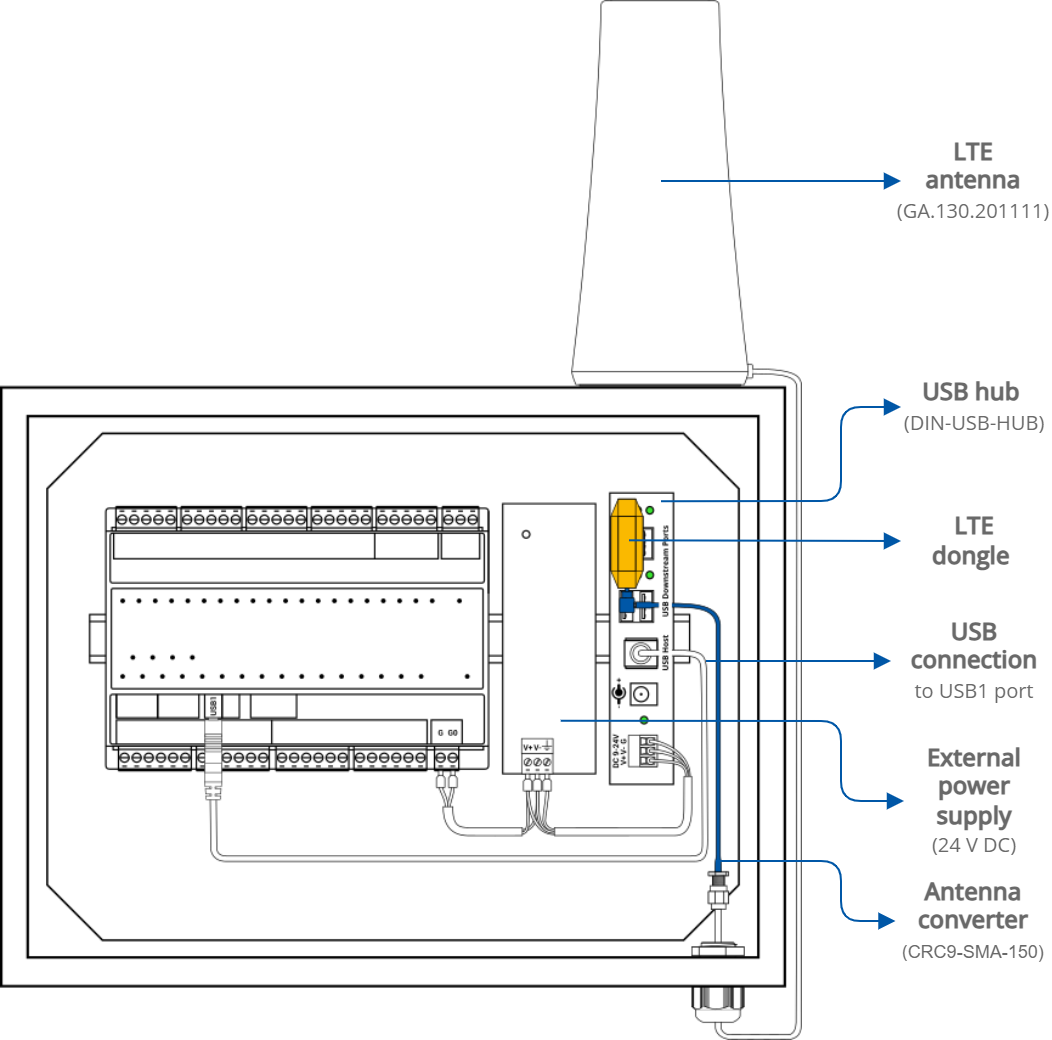
The installation with the use of the USB hub involves the following actions:
-
mounting the external power supply on the DIN rail, connected to the MAC36PRO controller and the USB hub,
-
mounting the USB hub on the DIN rail (or using mounting brackets),
-
connecting the LTE dongle to the USB hub to any of the downstream USB ports,
-
connecting the LTE antenna to the LTE modem using the antenna converter,
-
mounting the LTE antenna on the cabinet (magnetic mount for metal cabinets, double-sided tape for plastic cabinets)
-
connecting the USB host on the USB hub to the USB1 port on the MAC36PRO controller,
-
insert a SIM card to the LTE dongle (SIM card is not included in the set).