
The DALI Device Discover view allows to automatically discover devices available in the DALI-2 network.
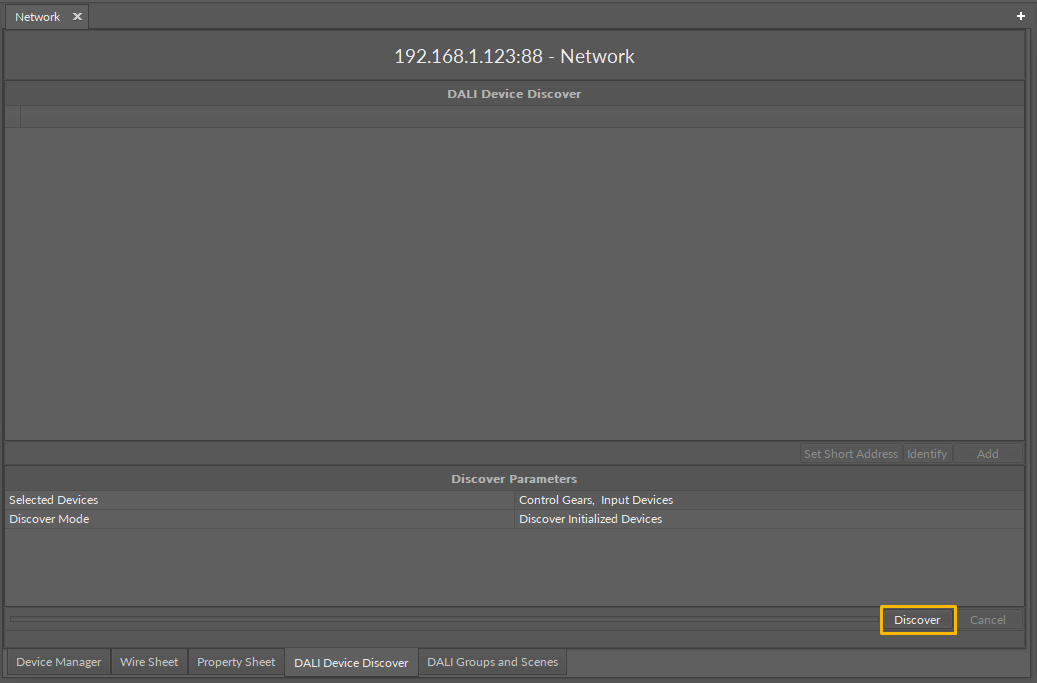
The DALI Device Discover view is available for the Network component (upon double-click on the component).
It is structured with two windows, lower window which allows to set the discover parameters and initiate the discovering action (the Discover button). Next to the Discover button, there is a progress bar, which indicates how advanced is the discovering action.
Discovering parameters in the DALI-2 network include:
-
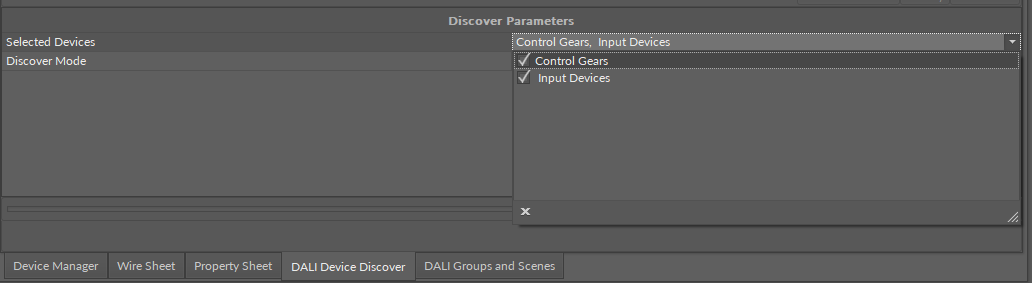
Selected Devices: allows to select a type of devices to discover,
-
Available settings: control gear, input devices;
-
-
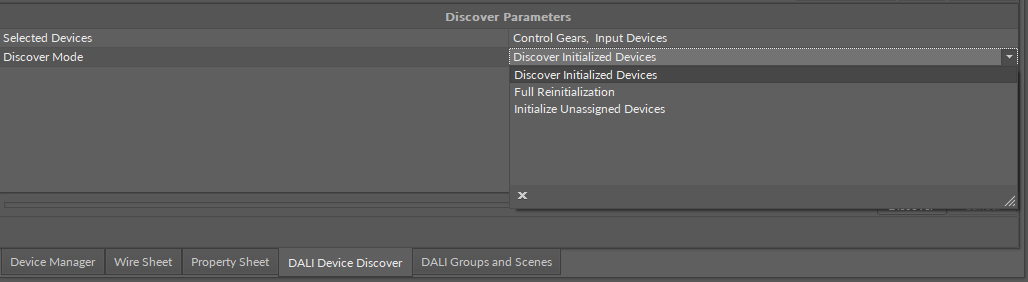
Discover Mode: allows to select a mode of discovering:
-
Available settings:
-
Discover Initialized Devices: discovers all devices which have a short address assigned,
-
Full Reinitialization: discovers all devices on the bus, clears assigned short addresses, and assigns new short addresses to discovered devices,
-
Initialize Unassigned Devices: discovers devices on the bus with an unassigned short address and assigns a first free short address to the(se) device(s).
-
-
After setting the discover parameters, confirm the process with the Discover button.
Once the discover process is completed, the upper part of the view shows a list of discovered devices.
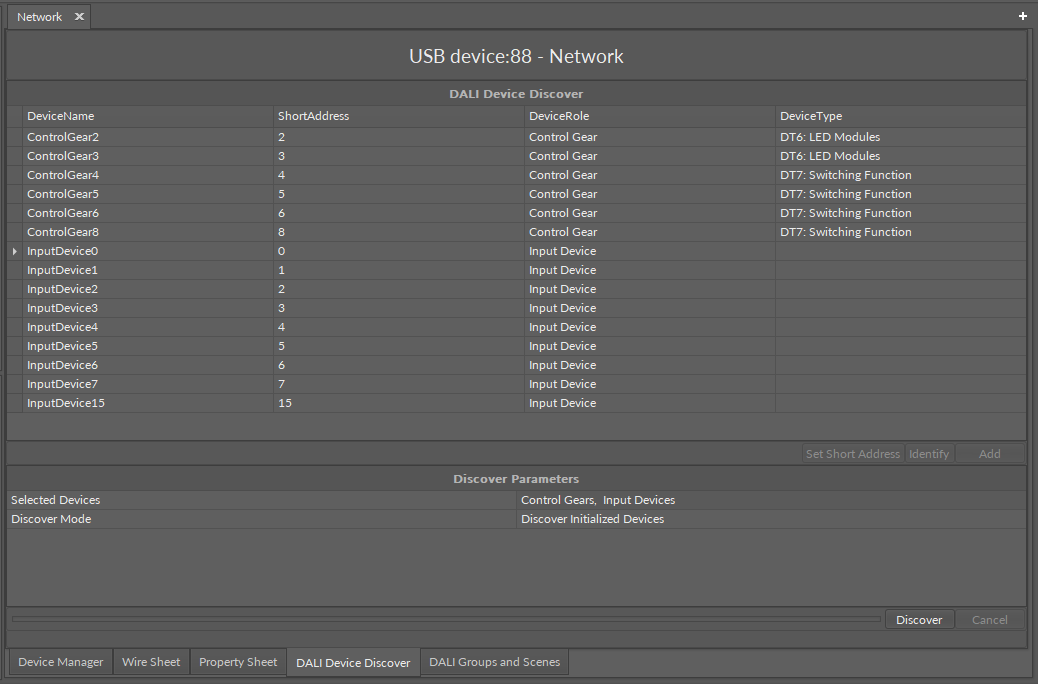
It displays the following information in five columns:
-
DeviceName: shows a discovered device’s name;
-
ShortAddress: shows a device’s assigned DALI short address;
-
DeviceRole: shows a DALI-2 device type, control gear or input device;
-
DeviceType: (applicable for control gear) identifies a DALI-2 type of discovered control gear (DT0-DT8).
Discovered devices can be easily added to the Network component. Select the devices on the list and click the Add button.
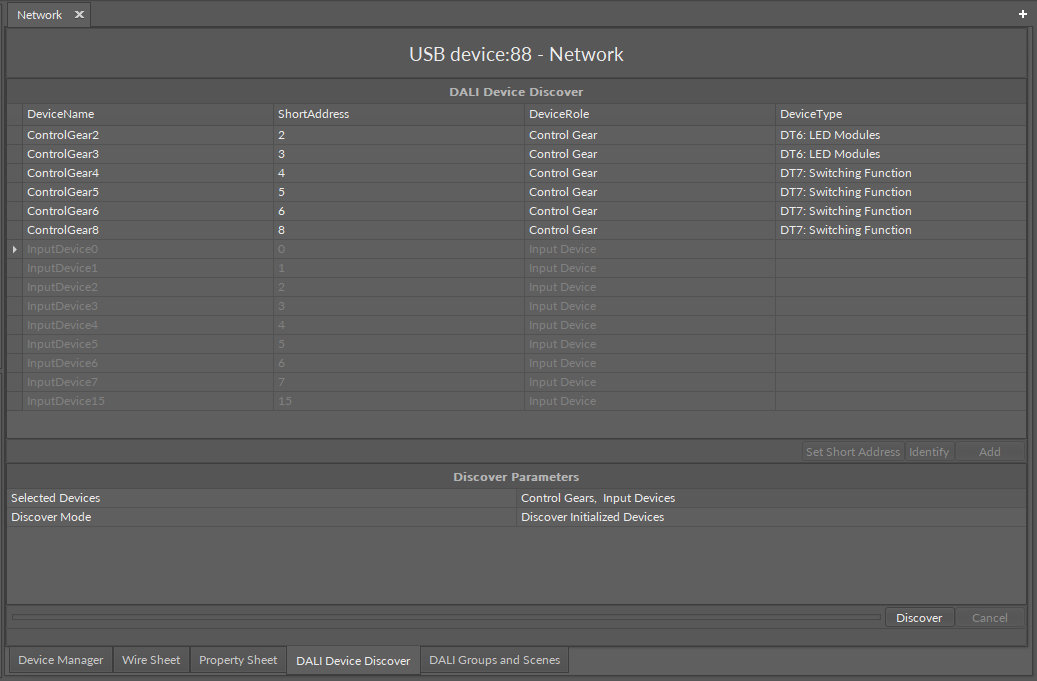
For discovered devices, the DALI Device Discover view has the following actions:
-
Set Short Address: allows to set a new short address to the discovered device,
Note
The Set Short Address action in the DALI Device Discover view is the only way to assign a short address to a remote device. Device-class components (ControlGear, InputDevice) have the Short Address slots, however, values entered in these slots are applied only locally, in the controller’s logic, they are not sent to the remote device. If short addresses in the remote device and corresponding component are different, the communication is broken and the component goes into the Down status. The only way to effectively change the short address in the remote device is to set it from the DALI Device Discover view.
-
Identify: sends the Identify DALI command to a remote device for identification,
Note
Once the Identify DALI command is successfully sent to the device, it starts blinking.
-
Add: adds the device to the DALI-2 network in the Workspace Tree.
To add the input devices’s instances, proceed to the DALI Instance Discover view.
To add points to the control gear components, proceed to the Point Manager available on a double-click on a component.