
Emergency Mode
The system and application(s) of the nano EDGE ENGINE controllers are stored on an SD card. If the SD card is not detected in the device or the device detects frequent reboots (at least 5 times in 6 minutes), which prevent correct operation, the device enters an emergency mode.
What Causes the Emergency Mode?
-
No SD card is detected in the device.
-
The diagnostic process reveals error in I/Os.
-
Storage limit is exceeded.
-
Required files are missing during a start-up of the device.
-
Libraries or files are corrupted.
Operation in Emergency Mode
In the emergency mode, the device operation is limited:
-
libraries are not loaded;
-
the SD card configuration is not loaded;
-
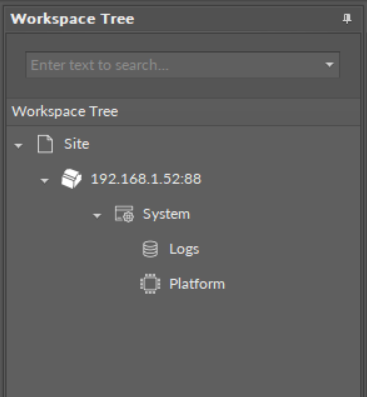
only the System container with limited options (only Logs and Platform components) is displayed in the Workspace Tree;
-
the ALM LED is lit continuously;
-
the iFnet runs with an IP/port taken from a flash storage;
Note: The flash storage must be synchronized to configuration slots when available.
-
no authorization or credentials are taken from the flash storage (like IP/port).
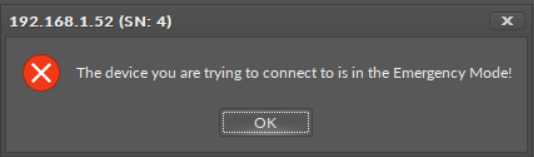
When connecting to a device, which is in the emergency mode, a notification is displayed:
Possible Actions
When the device enters the emergency mode, take one of a few possible actions:
-
read logs from the SD card if available;
-
reboot;
-
restore to defaults (restore in the iC Tool): remove files from the SD card (if available and formatted) excluding only files with IP, port, and credentials (libraries must be also removed);
-
restore to factory defaults (restoring with S1 6th DIP switch): format the SD card (if available), restore default credentials, IP, mask, gateway, iFnet port.
Warning - Factory Default Deletes Application
The process of bringing back factory default settings erases the application from the controller. In such a case, it is required to restore the application from the available backup.