
The Equipment Manager is a special view that allows to manage the Equipment components, Data Points, and Folder components added to a specific Application component.
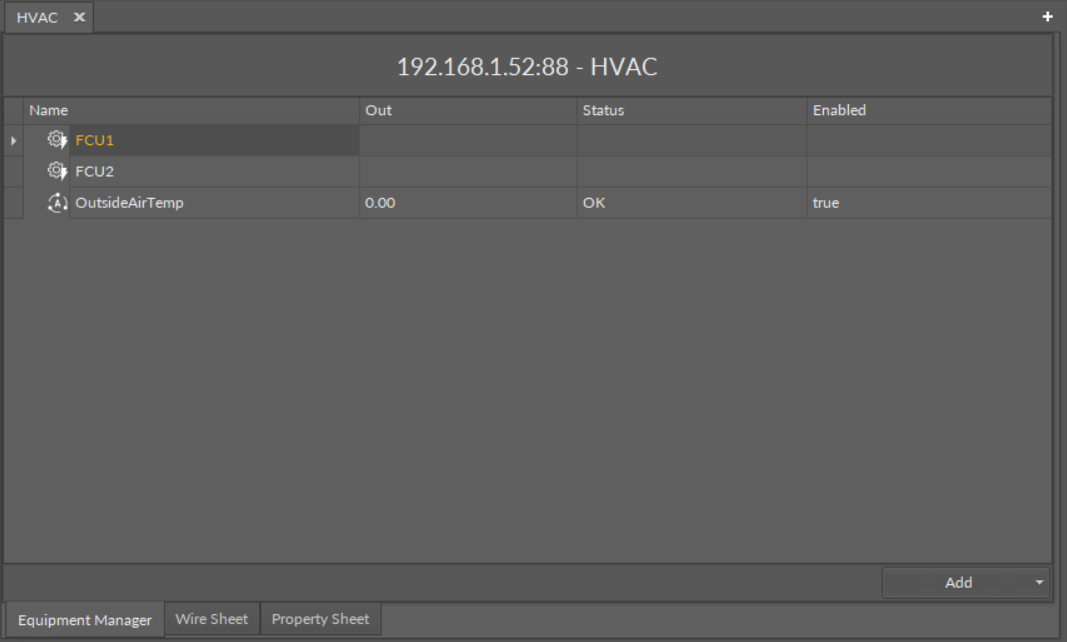
The Equipment Manager
The Equipment Manager lists all Equipment components and Data Points used in the specific Application component. The view shows the following fields:
-
name of the Data Point;
-
value on the Out slot;
-
Data Point's status;
-
enabled or disabled status.
The Equipment Manager view is not editable; however, it allows to add, remove, duplicate, and rename Equipment components, Data Points (withing the Equipment components and directly in the Application component), and Folder components, which help organize components in the application.
Once a specific Data Point is clicked in the Equipment Manager view, it is displayed in the Object Properties window, where it can be freely edited. Also, the view allows for multiediting of compatible Data Points–if compatible Data Points are selected in the Application Manager, their common slots are available for multiedition in the Object Properties window.
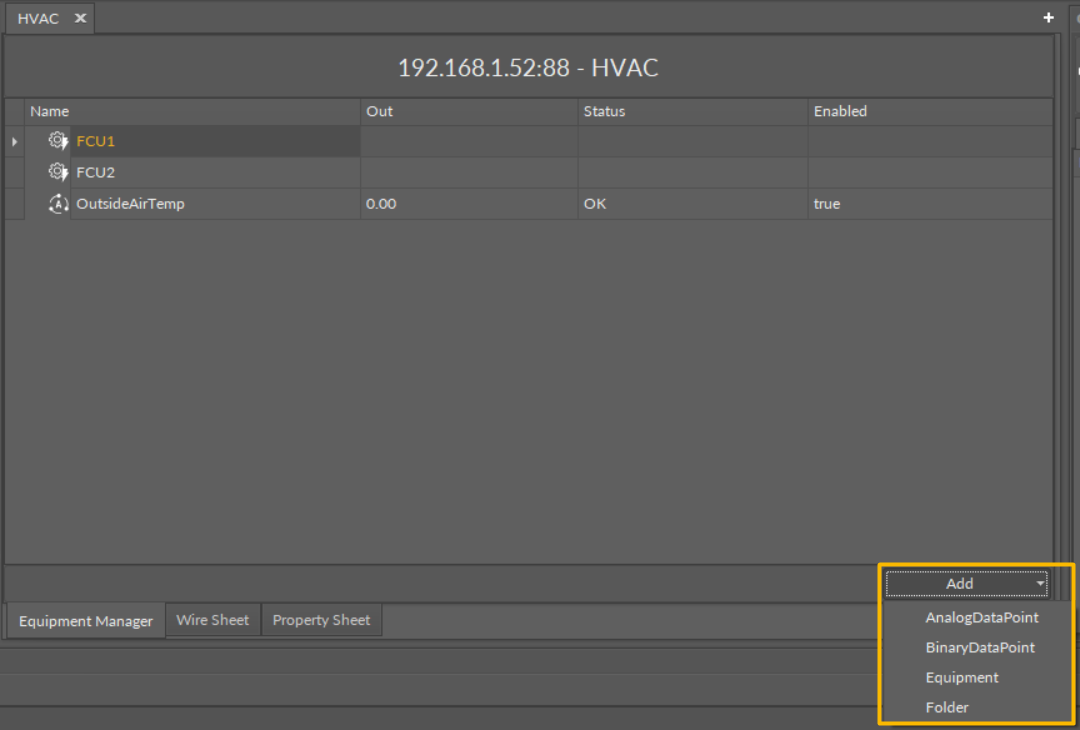
Options in the Equipment Manager
Opening the Equipment Manager
The Equipment Manager view is accessible in the context menu of the Application component.
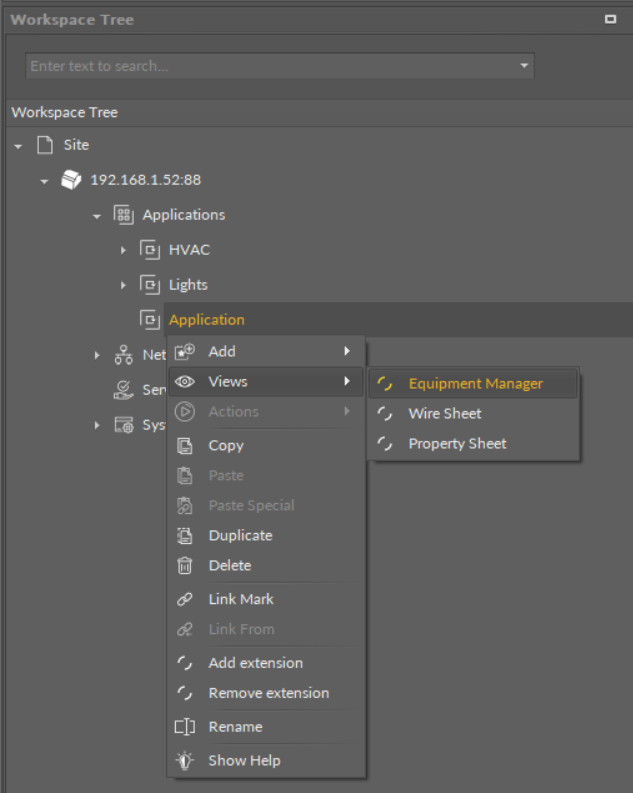
Accessing the Application Manager from the Applications container context menu
The Equipment Manager view is also automatically opened if either the Application component is double-clicked in the Workspace Tree window.
Licensing
The license for the new generation of iSMA CONTROLLI controllers driven by the nano EDGE ENGINE is constructed against the number of Data Points: each device based on the nano EDGE ENGINE is granted a specified number of license points (Data Points in this case), which can be used within applications. Therefore, the licensing system is only of quantitative, not functional, character–only the real number of Data Points in applications is taken into account, regardless of how many communication protocols are used to expose them, or how many network points are controlled. With the nano EDGE ENGINE-generation devices it is possible to create as big an application (or applications) as the number of licensed Data Points. No elements in the Networks, Services, or System containers are subject to license limitations, other than Data Points in the Applications container.
Note: In order to check the number of license points, please refer to the License in the device.