
This section outlines all details regarding hardware specification of the Touch Point 2.0 panel.
Panel Versions
Touch Point 2.0
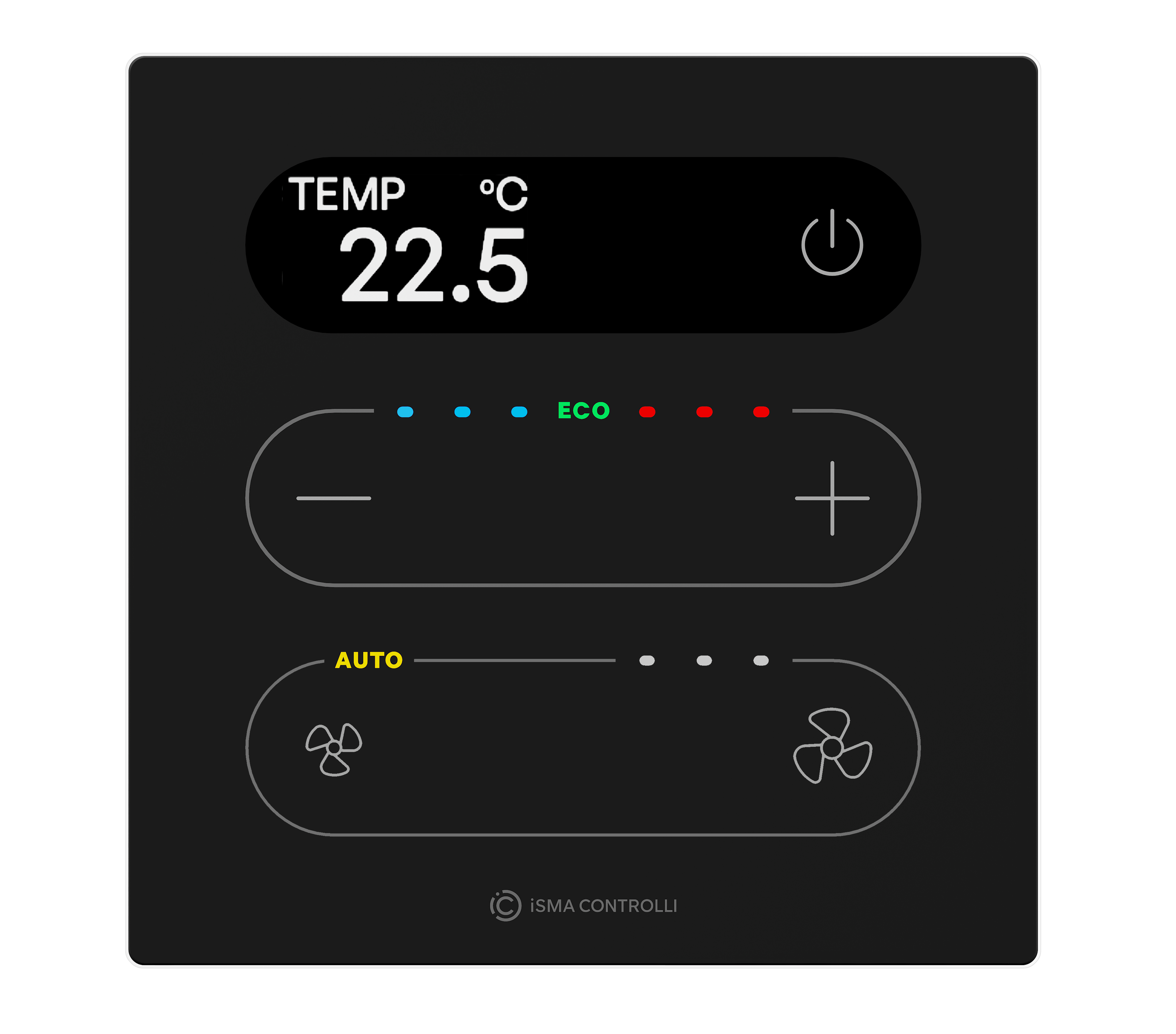
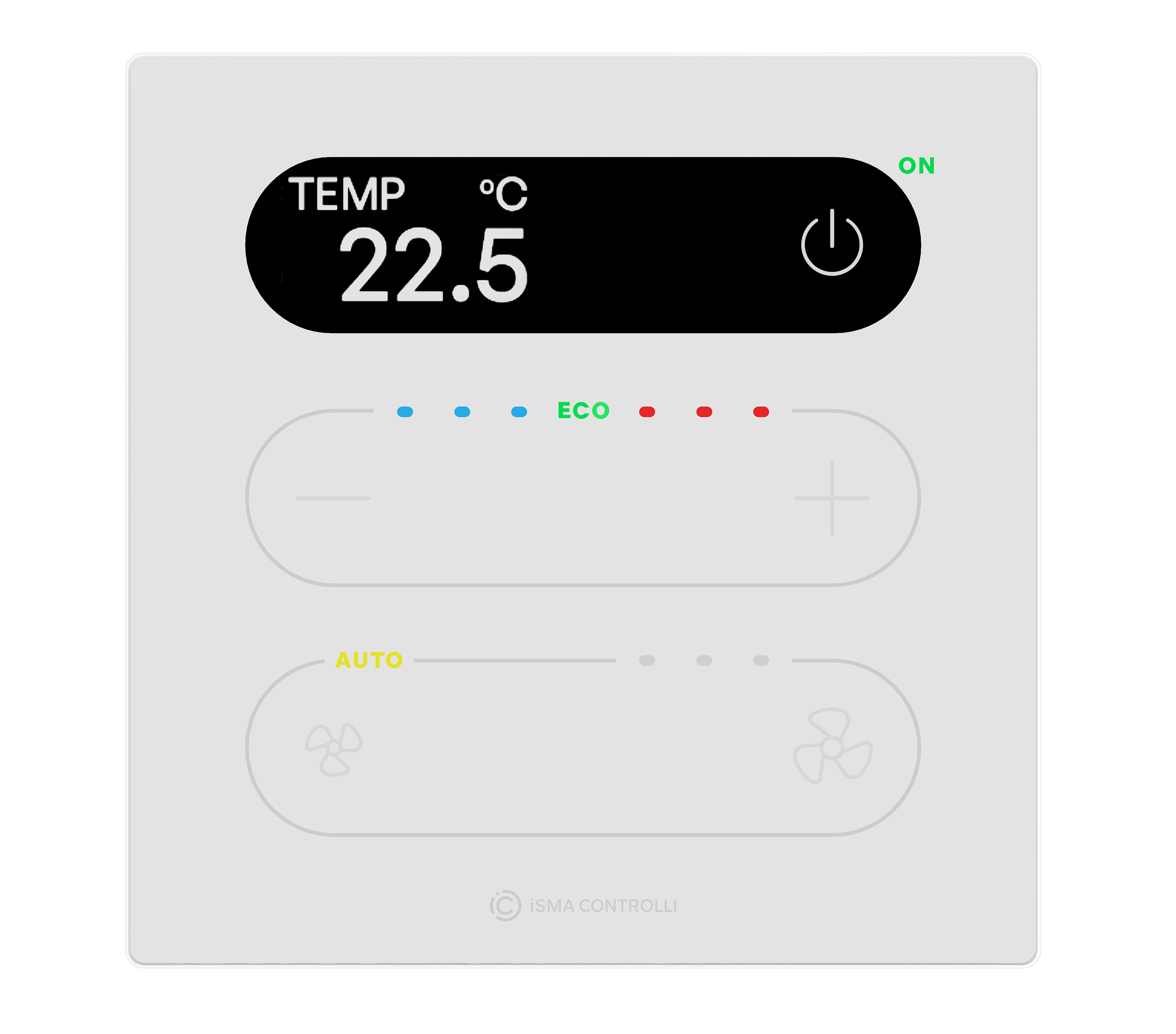
Touch Point 2.0 series - basic line of the Touch Point 2.0 generation panels:
-
equipped with a display,
-
with occupancy, setpoint control, and fan control buttons,
-
with LED indicators,
-
available in different configurations of sensors (temperature, CO2, and humidity),
-
available in different configurations of colors (black or white).
|
Touch Point 2.0 |
Sensors |
Display |
Color |
|||
|---|---|---|---|---|---|---|
|
Panel code |
Temperature |
Humidity |
CO2 |
Yes |
Black |
White |
|
TP-DISP-B-2 |
|
|
|
|
|
|
|
TP-DISP-W-2 |
|
|
|
|
|
|
|
TP-H-DISP-B-2 |
|
|
|
|
|
|
|
TP-H-DISP-W-2 |
|
|
|
|
|
|
|
TP-C-DISP-B-2 |
|
|
|
|
|
|
|
TP-C-DISP-W-2 |
|
|
|
|
|
|
|
TP-HC-DISP-B-2 |
|
|
|
|
|
|
|
TP-HC-DISP-W-2 |
|
|
|
|
|
|
Touch Point ONE 2.0
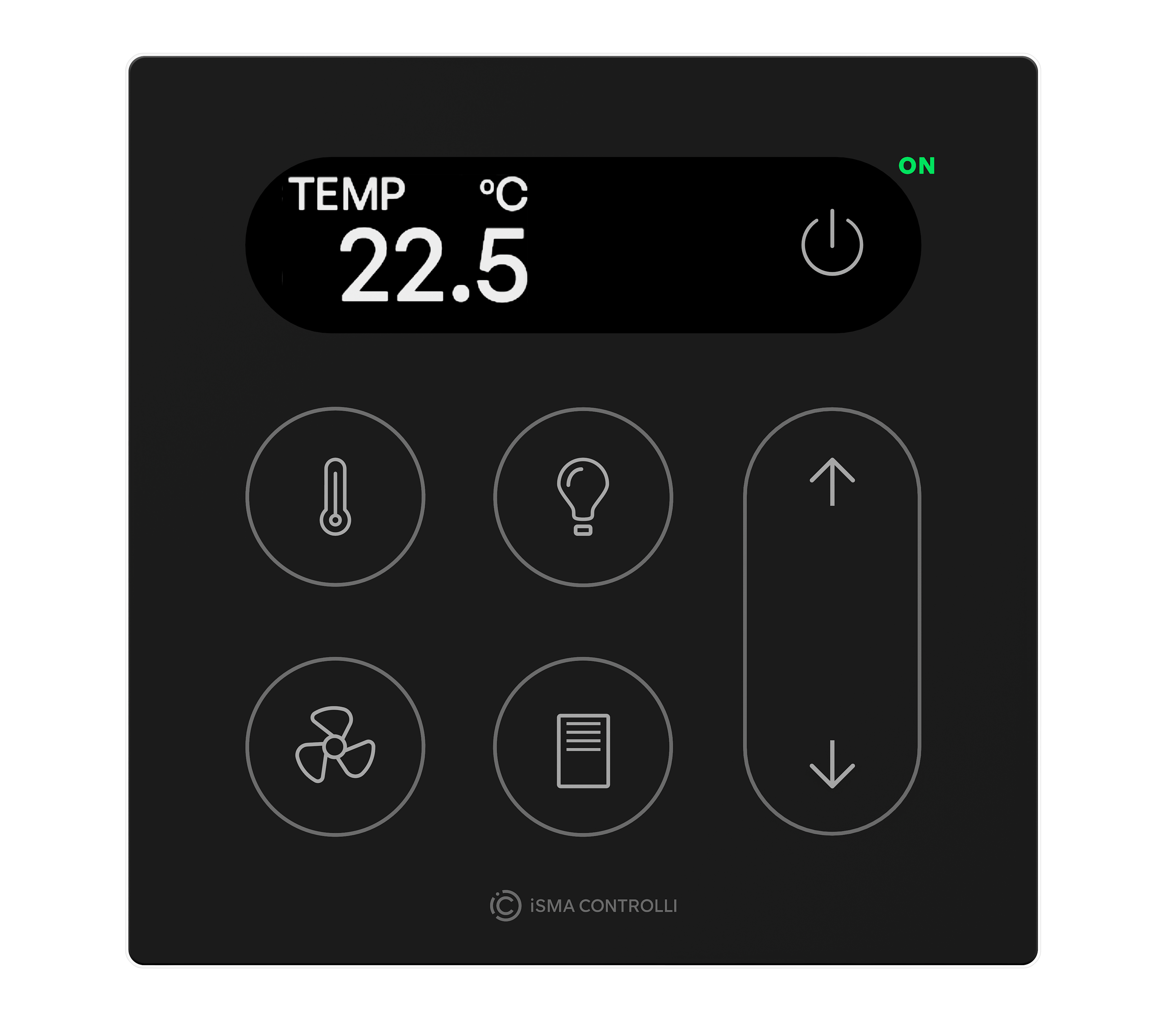
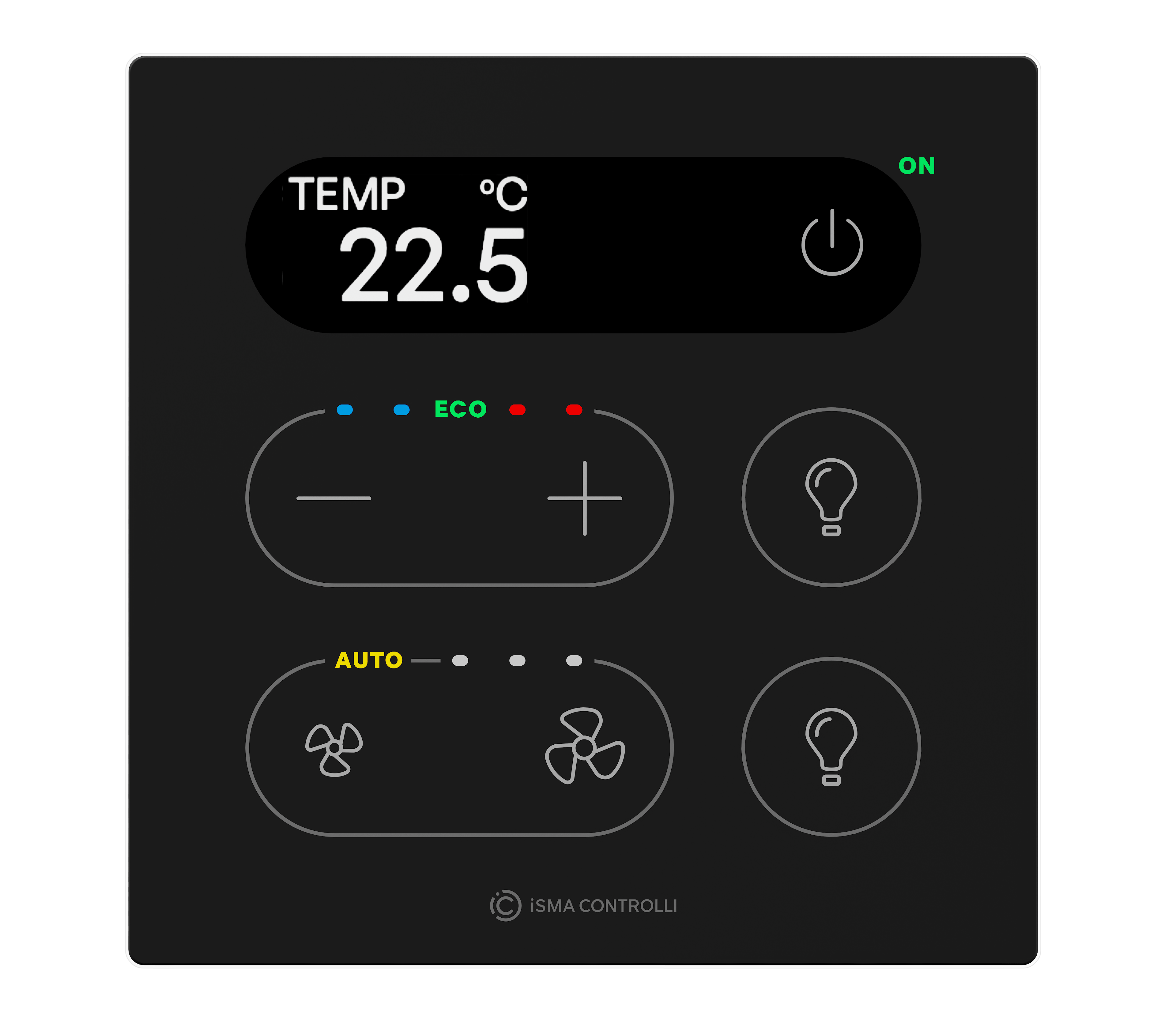
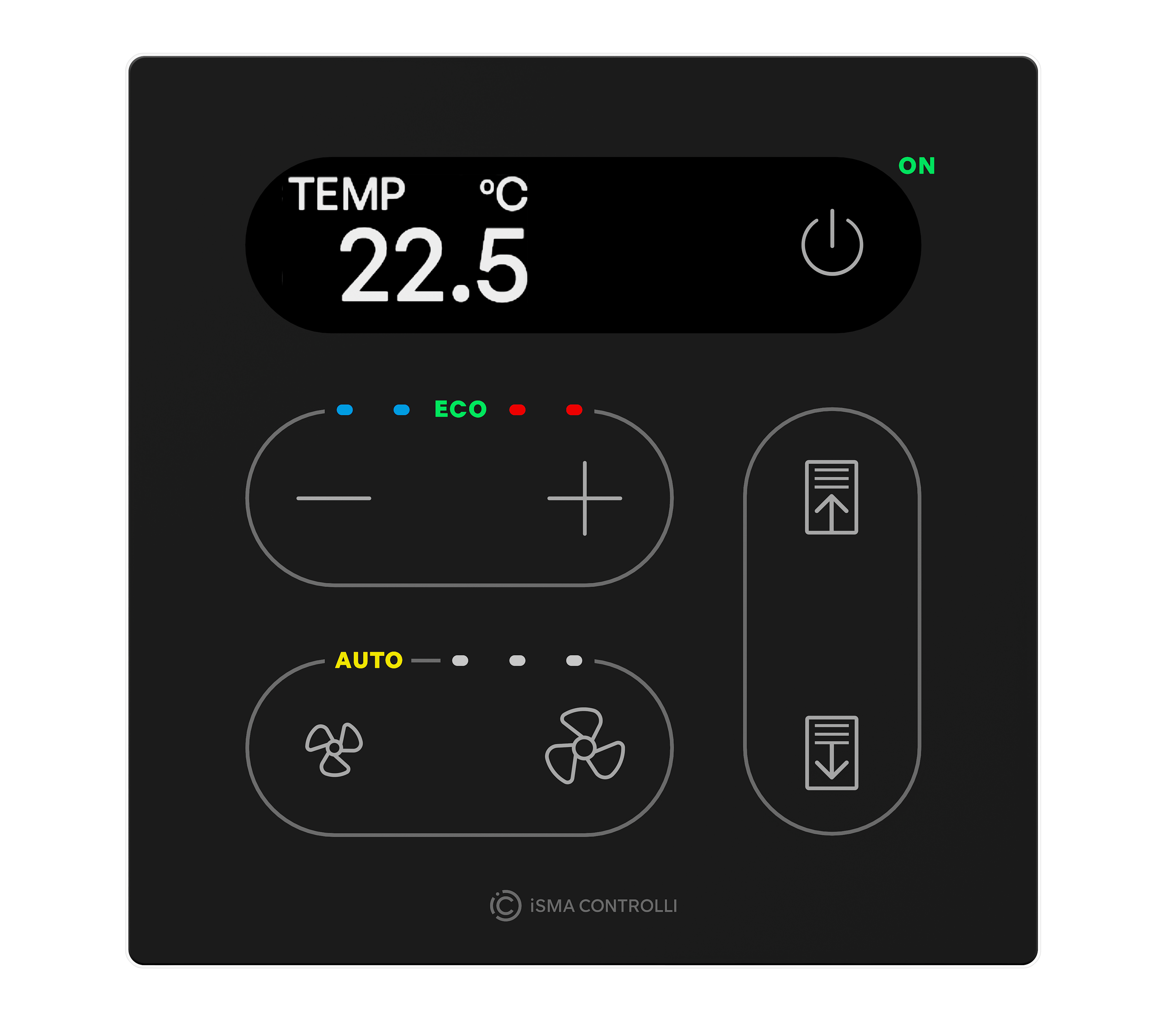
Touch Point ONE 2.0 series - line of all-in-one room control Touch Point 2.0 panels:
-
equipped with a display,
-
with occupancy control button,
-
TP ONE 2.0: with 6 generic buttons,
-
TP ONE 2L/1B 2.0: with setpoint and fan control dedicated buttons and 2 generic buttons,
-
with LED indicators,
-
available in different configurations of sensors (temperature, CO2, and humidity),
-
available in different configurations of colors (black or white).
|
Touch Point ONE 2.0 |
Sensors |
Display |
Color |
|||
|---|---|---|---|---|---|---|
|
Panel code |
Temperature |
Humidity |
CO2 |
Yes |
Black |
White |
|
TP-ONE-DISP-B-2 |
|
|
|
|
|
|
|
TP-ONE-DISP-W-2 |
|
|
|
|
|
|
|
TP-ONE-H-DISP-B-2 |
|
|
|
|
|
|
|
TP-ONE-H-DISP-W-2 |
|
|
|
|
|
|
|
TP-ONE-C-DISP-B-2 |
|
|
|
|
|
|
|
TP-ONE-C-DISP-W-2 |
|
|
|
|
|
|
|
TP-ONE-HC-DISP-B-2 |
|
|
|
|
|
|
|
TP-ONE-HC-DISP-W-2 |
|
|
|
|
|
|
|
TP-ONE-DISP-2L-B-2 |
|
|
|
|
|
|
|
TP-ONE-DISP-2L-W-2 |
|
|
|
|
|
|
|
TP-ONE-H-DISP-2L-B-2 |
|
|
|
|
|
|
|
TP-ONE-H-DISP-2L-W-2 |
|
|
|
|
|
|
|
TP-ONE-C-DISP-2L-B-2 |
|
|
|
|
|
|
|
TP-ONE-C-DISP-2L-W-2 |
|
|
|
|
|
|
|
TP-ONE-HC-DISP-2L-B-2 |
|
|
|
|
|
|
|
TP-ONE-HC-DISP-2L-W-2 |
|
|
|
|
|
|
|
TP-ONE-DISP-1B-B-2 |
|
|
|
|
|
|
|
TP-ONE-DISP-1B-W-1 |
|
|
|
|
|
|
|
TP-ONE-H-DISP-1B-B-2 |
|
|
|
|
|
|
|
TP-ONE-H-DISP-1B-W-2 |
|
|
|
|
|
|
|
TP-ONE-C-DISP-1B-B-2 |
|
|
|
|
|
|
|
TP-ONE-C-DISP-1B-W-2 |
|
|
|
|
|
|
|
TP-ONE-HC-DISP-1B-B-2 |
|
|
|
|
|
|
|
TO-ONE-HC-DISP-1B-W-2 |
|
|
|
|
|
|
Touch Point VAV 2.0
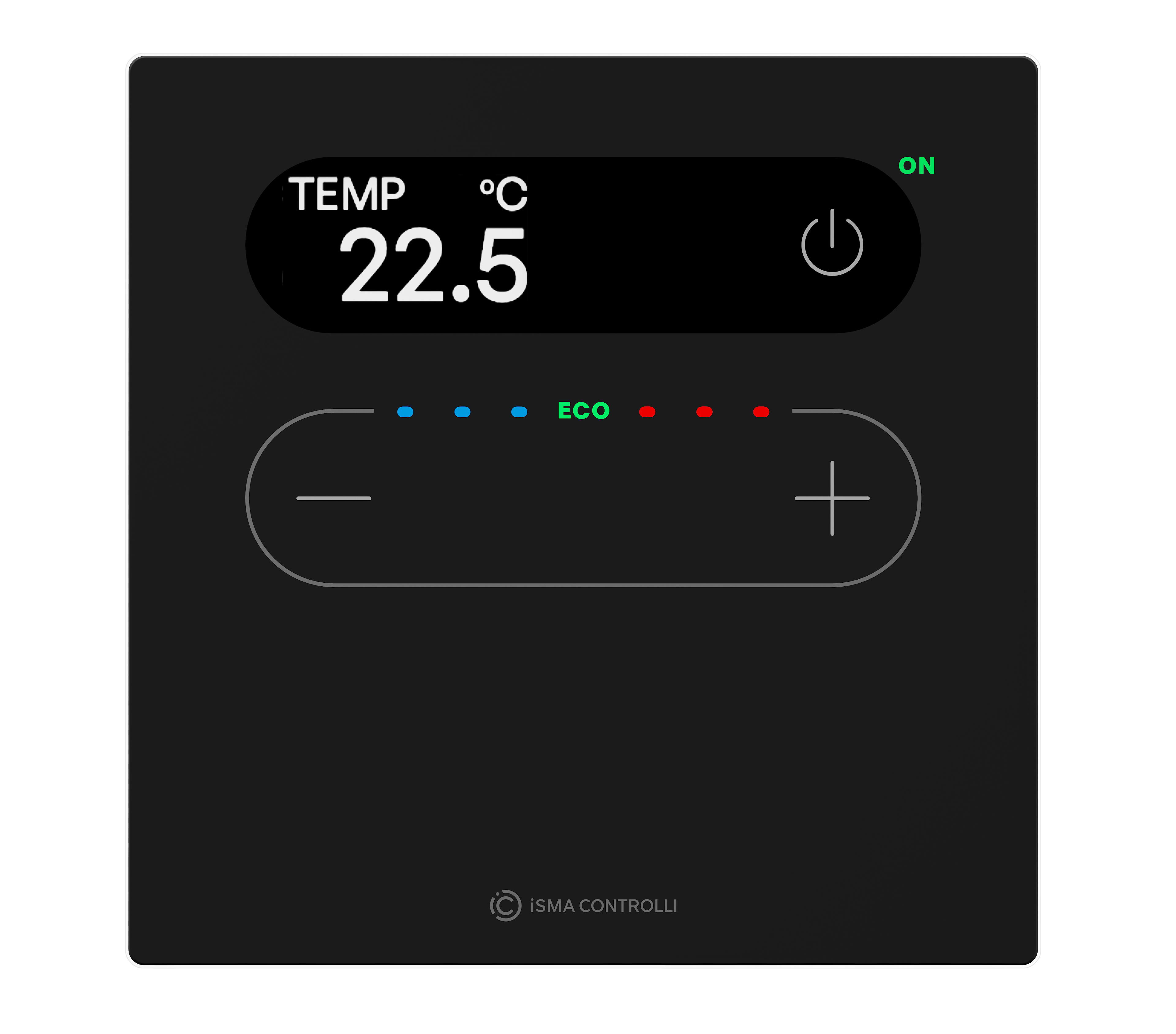
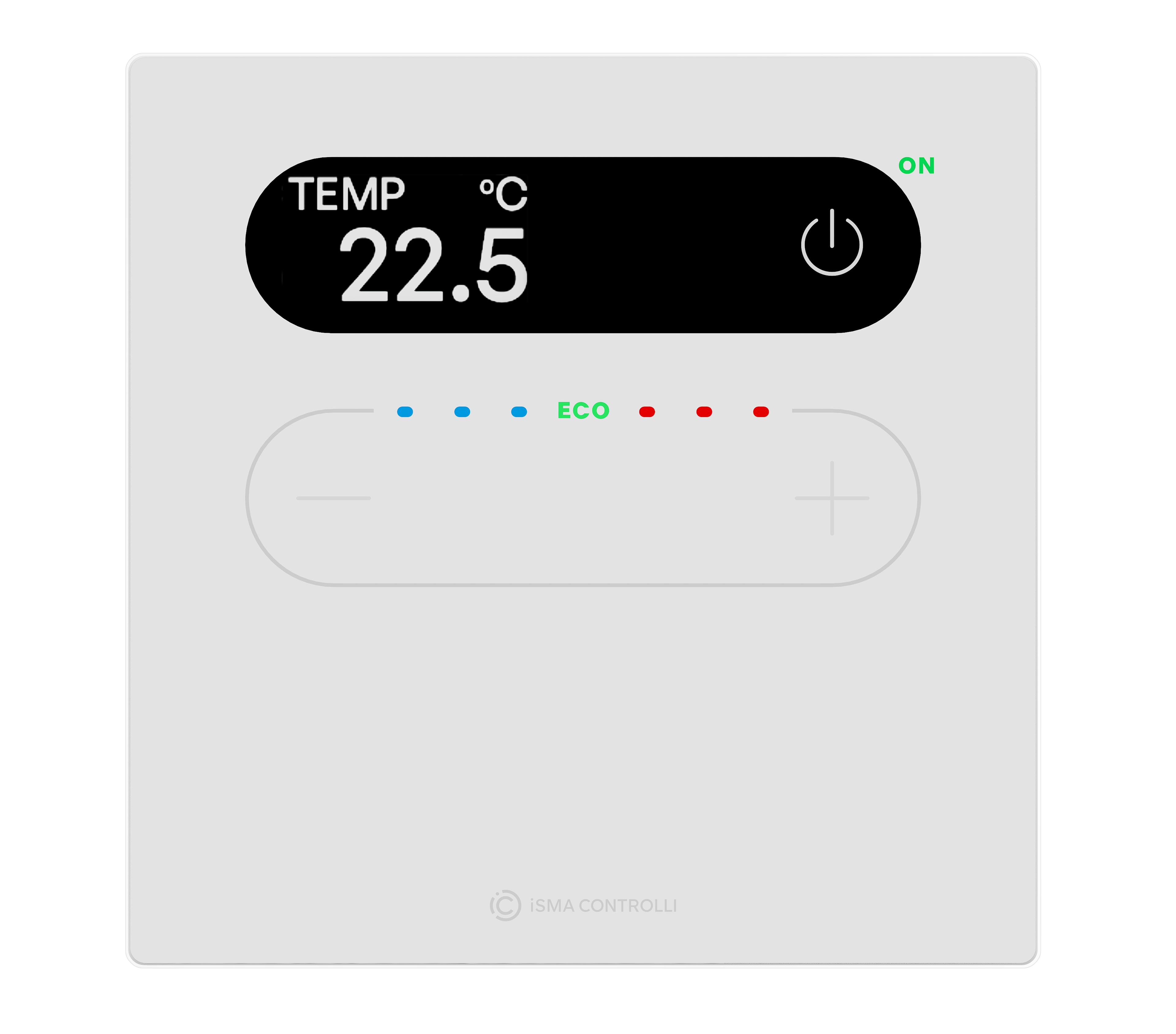
Touch Point VAV 2.0 series - line of the Touch Point 2.0 panels with no fan control buttons:
-
equipped with a display,
-
with occupancy and setpoint control buttons,
-
with LED indicators,
-
available in different configurations of sensors (temperature, CO2, and humidity),
-
available in different configurations of colors (black or white).
|
Touch Point VAV 2.0 |
Sensors |
Display |
Color |
|||
|---|---|---|---|---|---|---|
|
Panel code |
Temperature |
Humidity |
CO2 |
Yes |
Black |
White |
|
TP-VAV-DISP-B-2 |
|
|
|
|
|
|
|
TP-VAV-DISP-W-2 |
|
|
|
|
|
|
|
TP-VAV-H-DISP-B-2 |
|
|
|
|
|
|
|
TP-VAV-H-DISP-W-2 |
|
|
|
|
|
|
|
TP-VAV-C-DISP-B-2 |
|
|
|
|
|
|
|
TP-VAV-C-DISP-W-2 |
|
|
|
|
|
|
|
TP-VAV-HC-DISP-B-2 |
|
|
|
|
|
|
|
TP-VAV-HC-DISP-W-2 |
|
|
|
|
|
|
Touch Point Network Sensor 2.0


Touch Point Network Sensor 2.0 series - line of the Touch Point 2.0 multisensor panels:
-
glass front without a display or buttons,
-
one navigation LED,
-
available in different configurations of sensors (temperature, CO2, and humidity),
-
available in different configurations of colors (black or white).
|
Touch Point Network Sensor 2.0 |
Sensors |
Color |
|||
|---|---|---|---|---|---|
|
Panel code |
Temperature |
Humidity |
CO2 |
Black |
White |
|
TP-NS-B-2 |
|
|
|
|
|
|
TP-NS-W-2 |
|
|
|
|
|
|
TP-NS-H-B-2 |
|
|
|
|
|
|
TP-NS-H-W-2 |
|
|
|
|
|
|
TP-NS-C-B-2 |
|
|
|
|
|
|
TP-NS-C-W-2 |
|
|
|
|
|
|
TP-NS-HC-B-2 |
|
|
|
|
|
|
TP-NS-HC-W-2 |
|
|
|
|
|
Touch Point Light & Blind 2.0
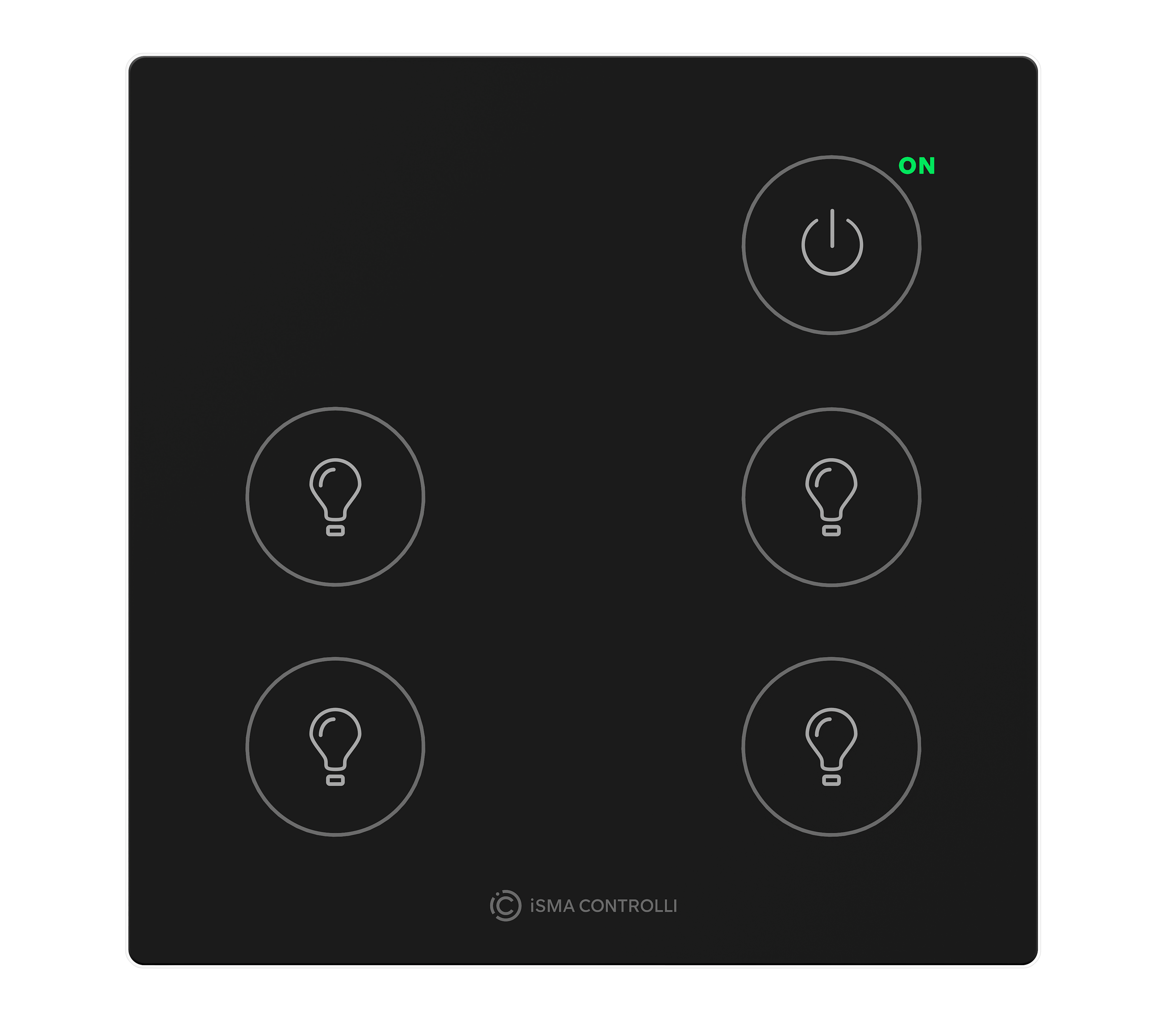
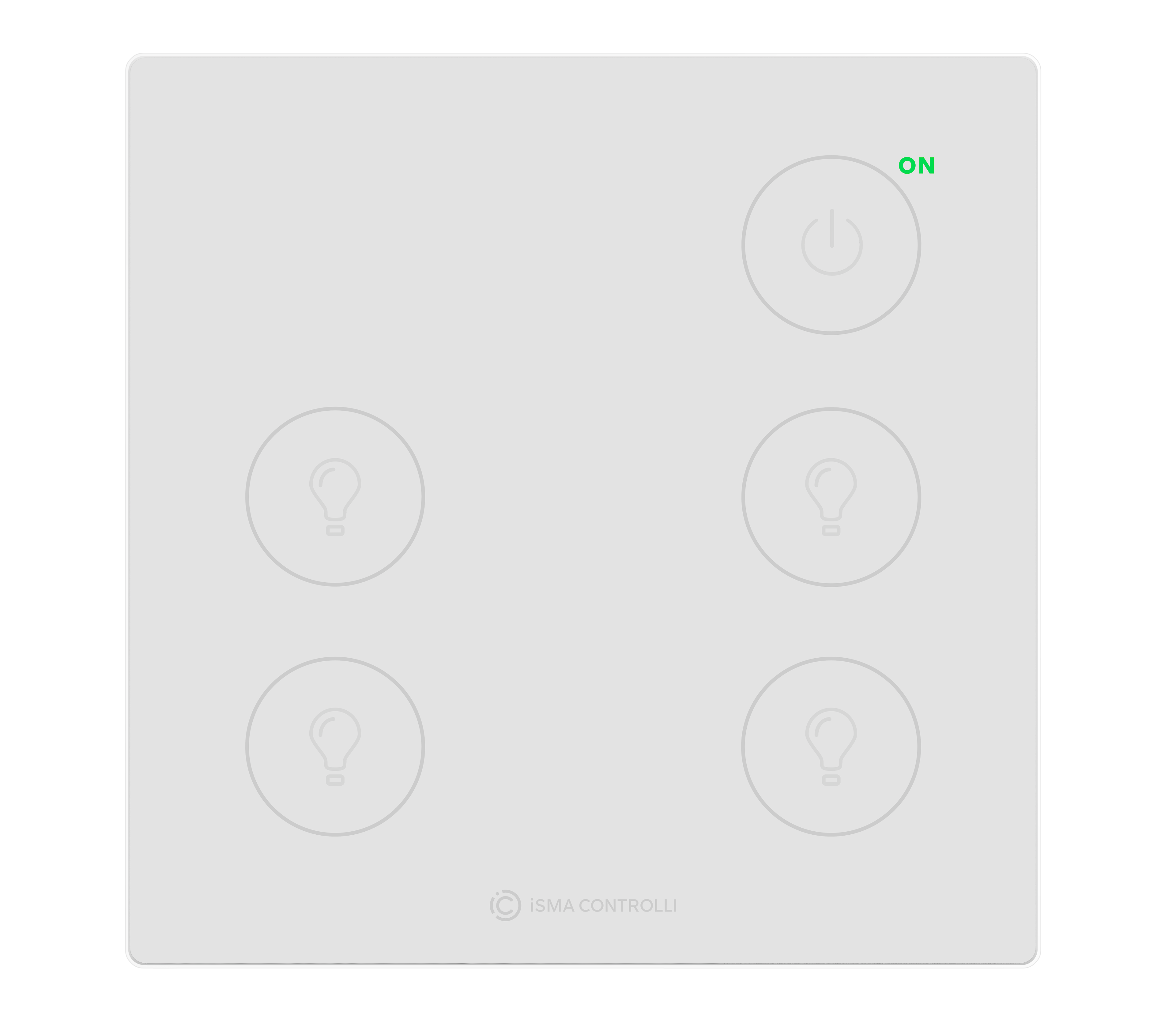
Touch Point Light & Blind 2.0 series - line of the Touch Point 2.0 panels with light and blind control buttons:
-
glass front without a display,
-
with master power button programmable for light and blind control,
-
with generic buttons,
-
with LED indicators,
-
available in different configurations of colors (black or white).
|
Touch Point Light & Blind 2.0 |
Color |
|
|---|---|---|
|
Panel code |
Black |
White |
|
TP-4L-B-2 |
|
|
|
TP-4L-W-2 |
|
|
|
TP-4L1B-B-2 |
|
|
|
TP-4L1B-W-2 |
|
|
Legend:
-
H - with temperature and humidity sensors
-
C - with temperature and CO2 sensors
-
HC - with temperature, humidity, and CO2 sensors
-
xL - with light control buttons
-
xB - with blind control buttons
-
B - black version
-
W - white version
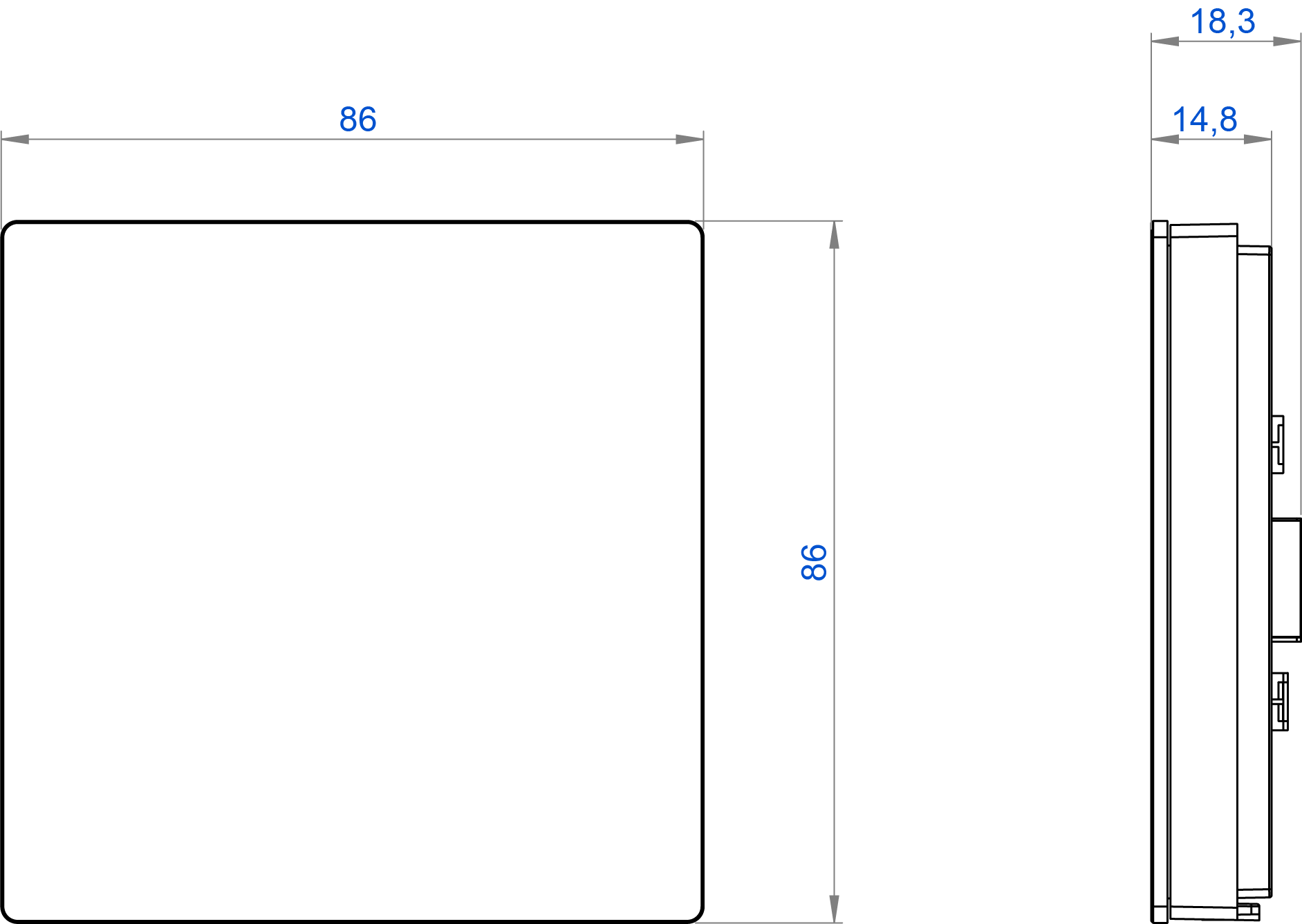
Dimensions [mm]
|
Touch Point 2.0 dimensions |
[mm] |
[in] |
|---|---|---|
|
Height |
86.00 |
3.39 |
|
Length |
86.00 |
3.39 |
|
Width |
14.80 |
0.58 |
Touch Panel
Warning!
This section does not apply to the Touch Point Network Sensor 2.0 series, which is not equipped with a touch panel and LEDs.
The only exception is the navigation LED, which works in all Touch Point 2.0 series.
Control Buttons
Auto-calibration
Touch buttons are cyclically auto-calibrated. During the process, buttons are not responsive; in such a case, wait a few seconds and press the button again.
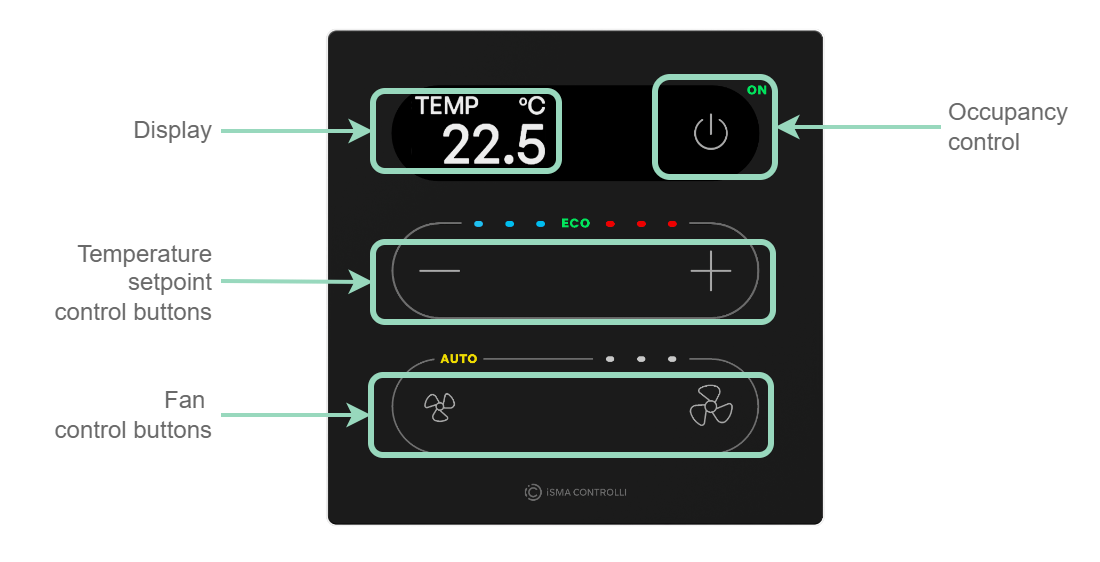
Touch Point 2.0
-
1 button for occupancy control,
-
2 buttons for temperature setpoint (–/+) control,
-
2 buttons for fan control.
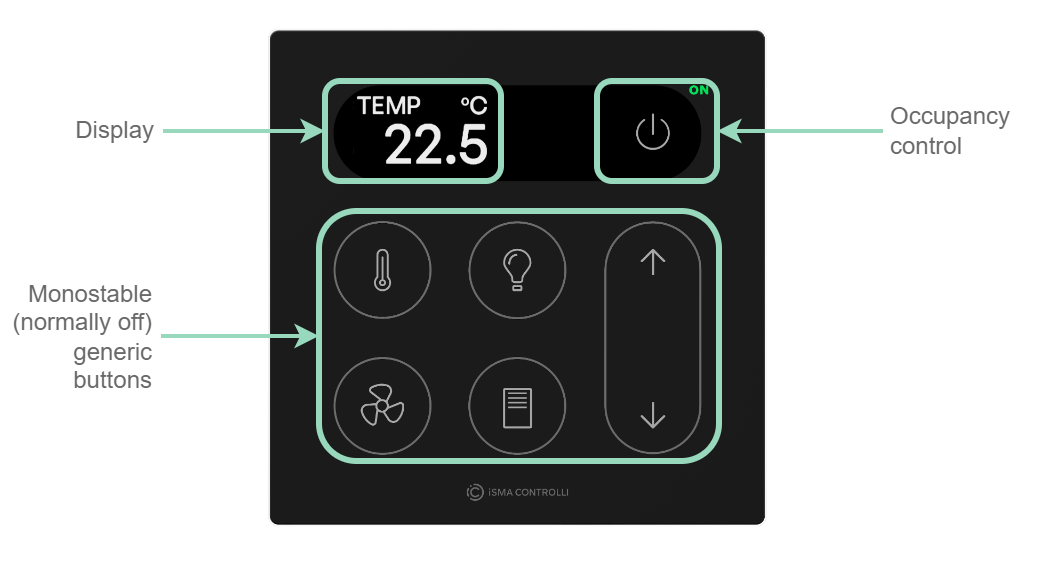
Touch Point ONE 2.0
-
1 button for occupancy control,
-
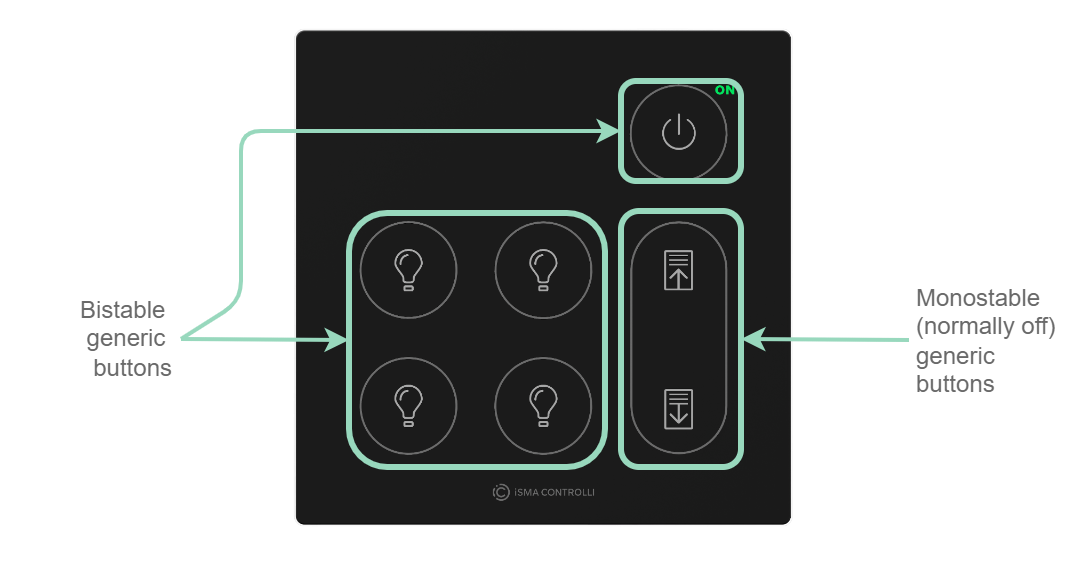
6 generic buttons (by default, in a monostable (normally off) mode).
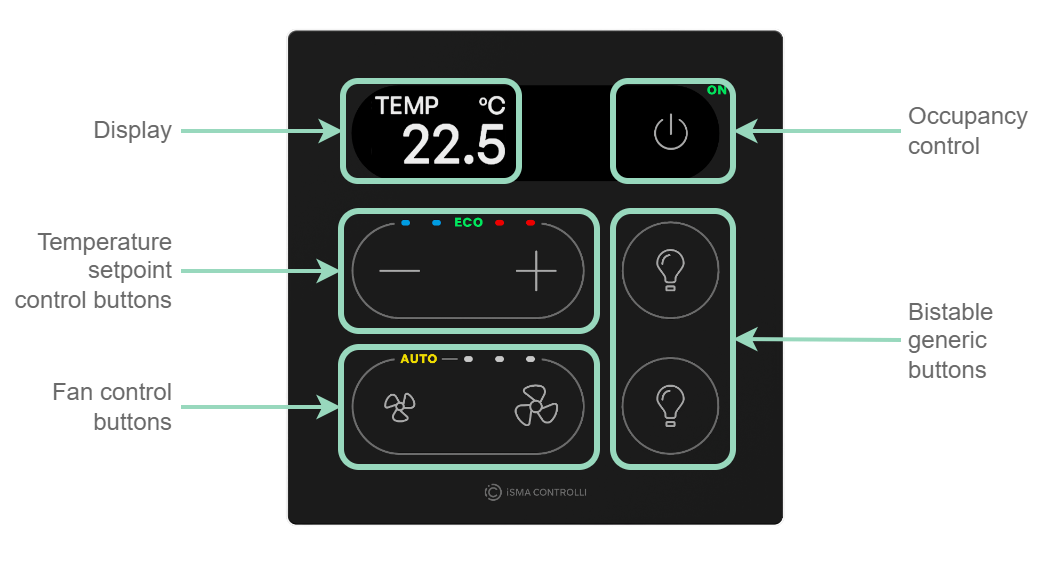
-
1 button for occupancy control,
-
2 buttons for temperature setpoint (–/+) control,
-
2 buttons for fan control,
-
2 generic buttons (by default, in a bistable mode).
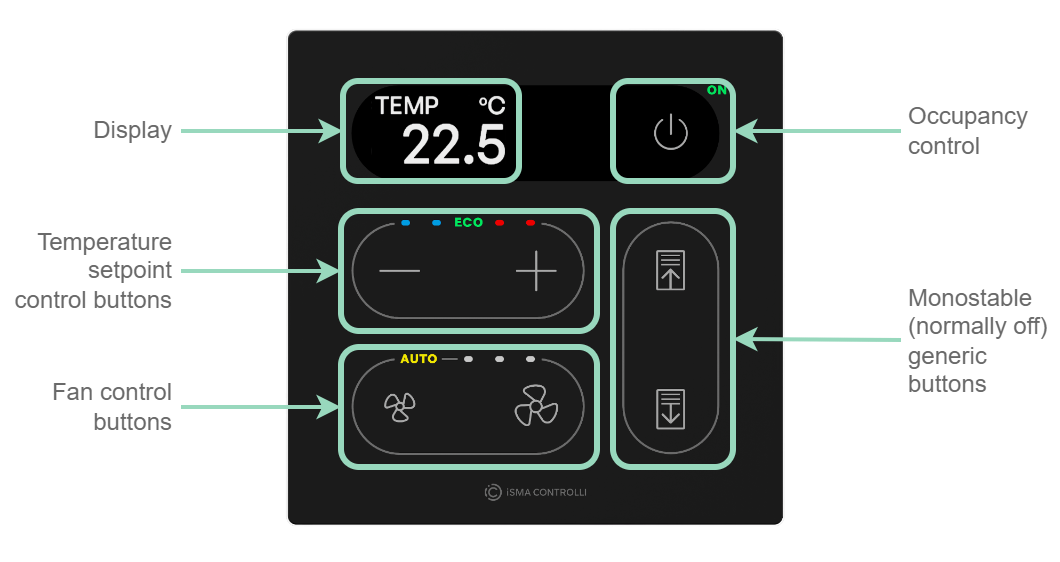
-
1 button for occupancy control,
-
2 buttons for temperature setpoint (–/+) control,
-
2 buttons for fan control,
-
2 generic buttons (by default, in a monostable (normally off) mode).
Touch Point VAV 2.0
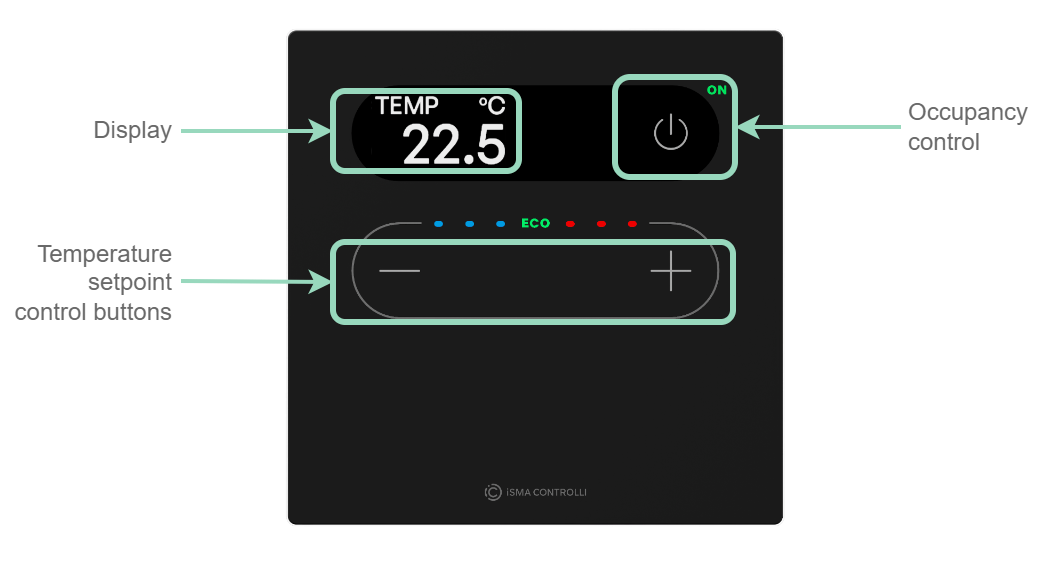
-
1 button for occupancy control,
-
2 buttons for temperature setpoint (–/+) control.
Touch Point Light & Blind 2.0
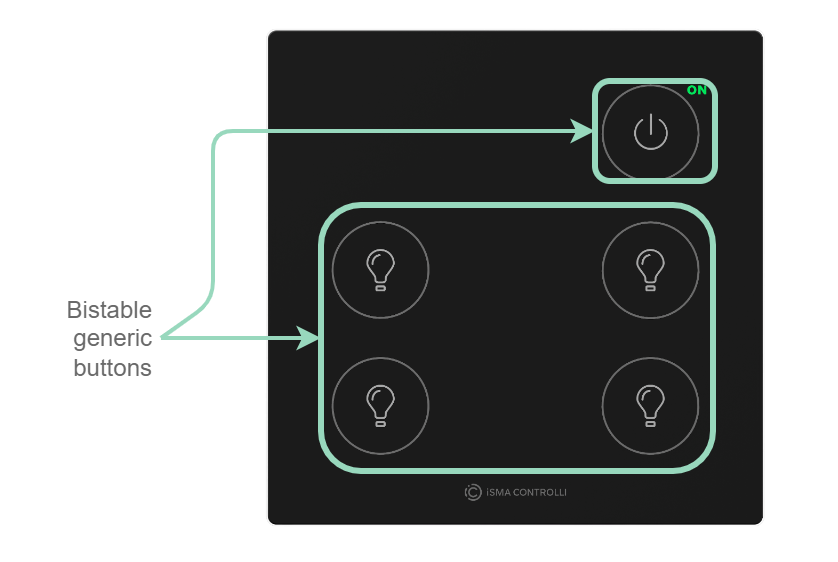
-
1 icon for occupancy status,
-
5 generic buttons (by default, in a bistable mode).
-
1 icon for occupancy status,
-
5 generic buttons (by default, in a bistable mode),
-
2 generic buttons (by default, in a monostable (normally off) mode).
LCD Display
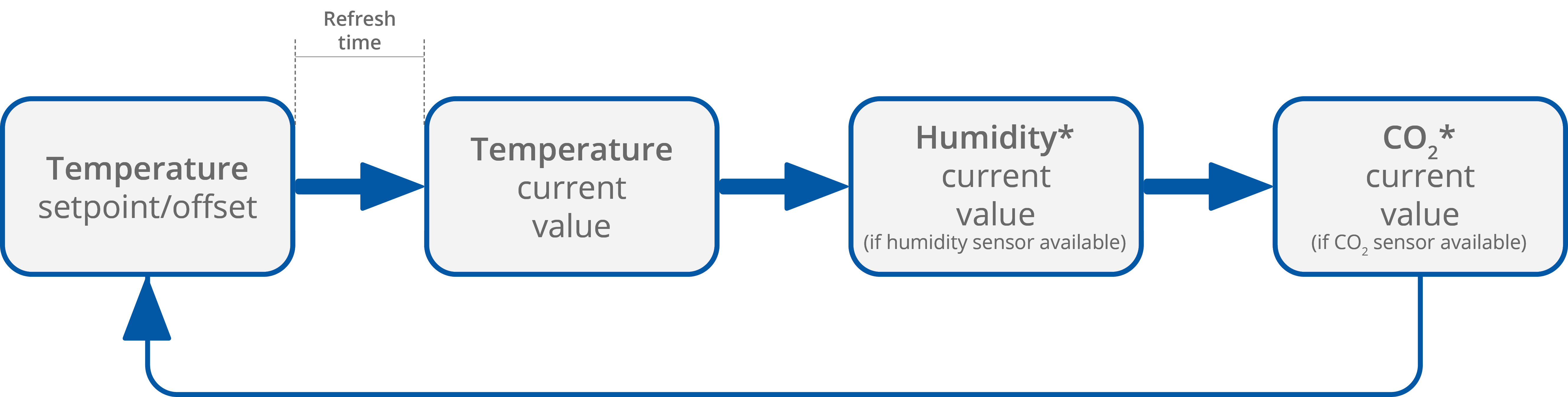
The LCD display shows following information:
-
temperature setpoint or offset (after pushing a + or – button, according to configuration);
-
temperature current value with unit;
-
humidity current value with unit (optionally);
-
CO2 current value with unit (optionally).
Note: Currently displayed parameters change with a frequency set in the 40217 register.
LEDs
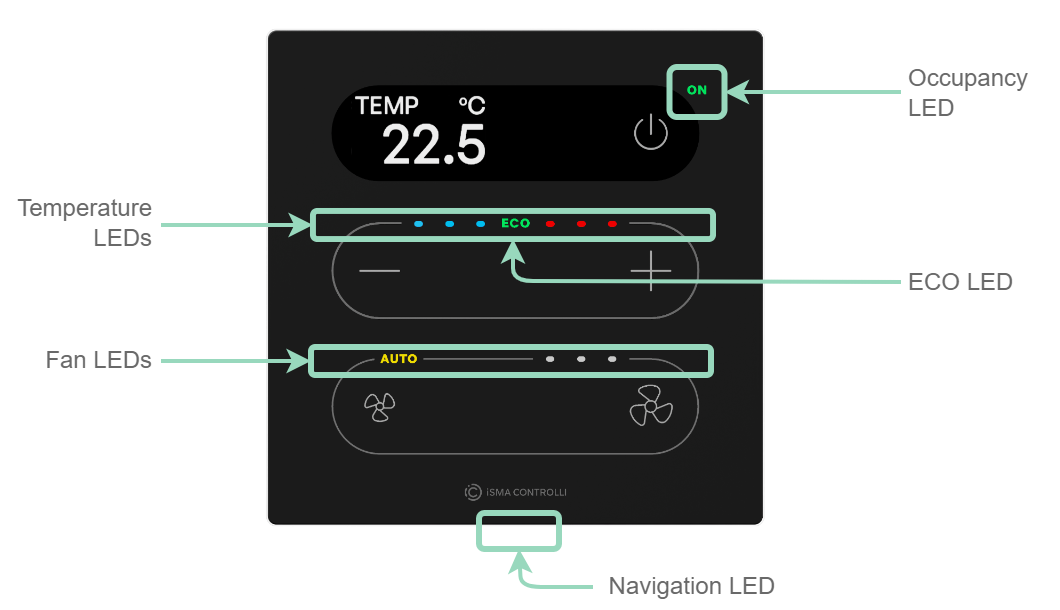
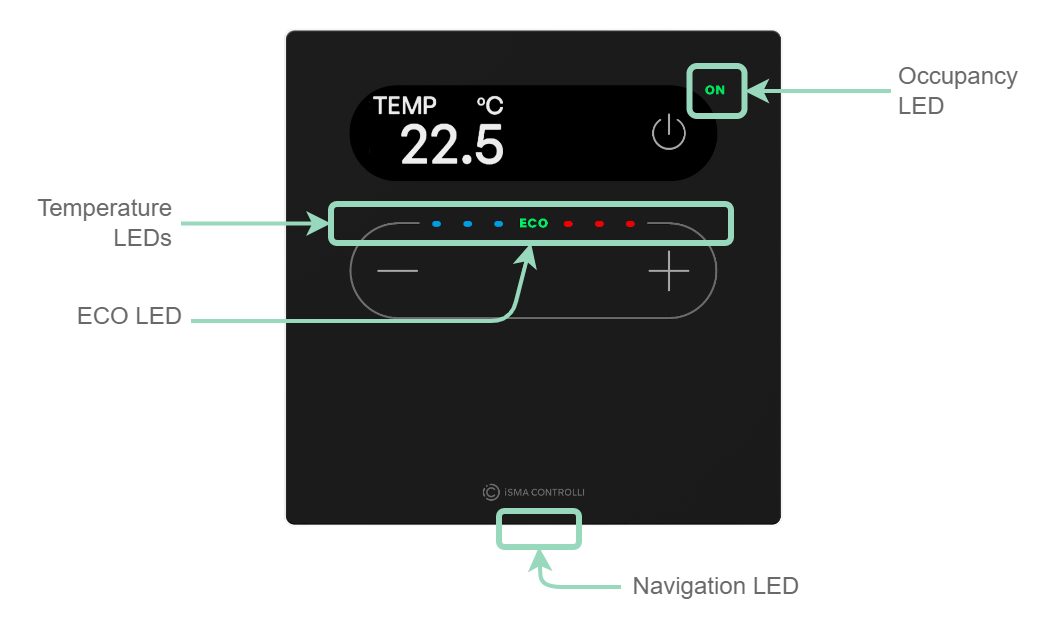
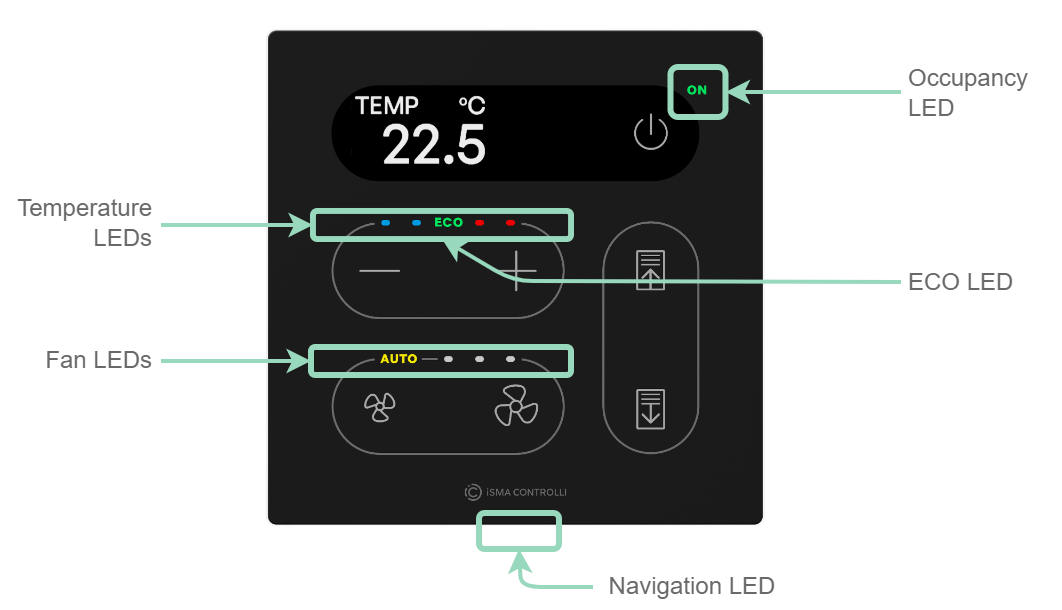
The Touch Point 2.0, Touch Point VAV 2.0, and Touch Point ONE 2L and 1B 2.0 panels are equipped with:
-
1 green LED for signalizing occupancy status;
-
3 blue and 3 red LEDs for temperature signalization (cooling or heating);
-
1 ECO LED;
-
1 navigation LED to localize the panel in the dark.
Additionally, in Touch Point 2.0 and Touch Point ONE 2L and 1B 2.0 panels:
-
4 white LEDs for fan modes indication.
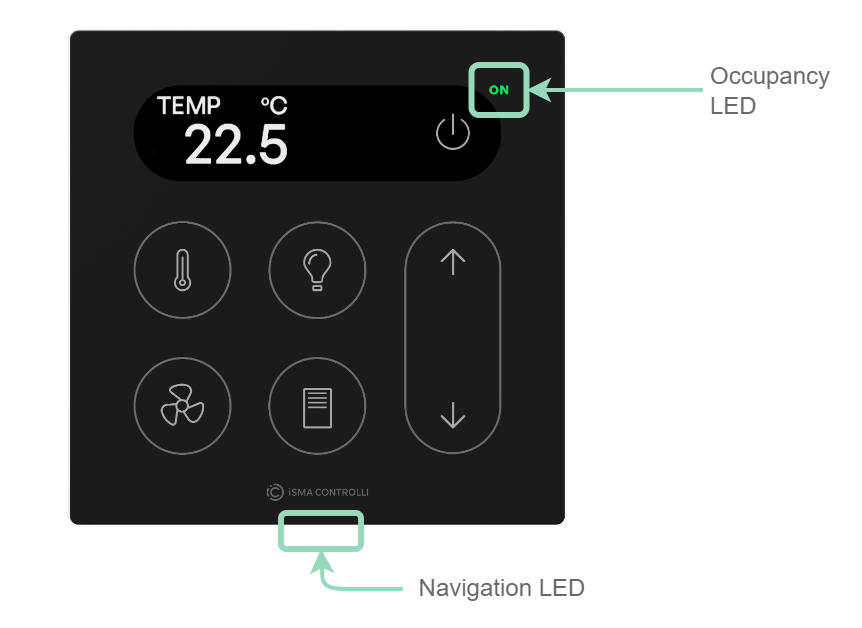
The Touch Point ONE 2.0 and Touch Point L&B 2.0 panels are equipped with:
-
1 green LED for signalizing occupancy status;
-
1 navigation LED to localize the panel in the dark.
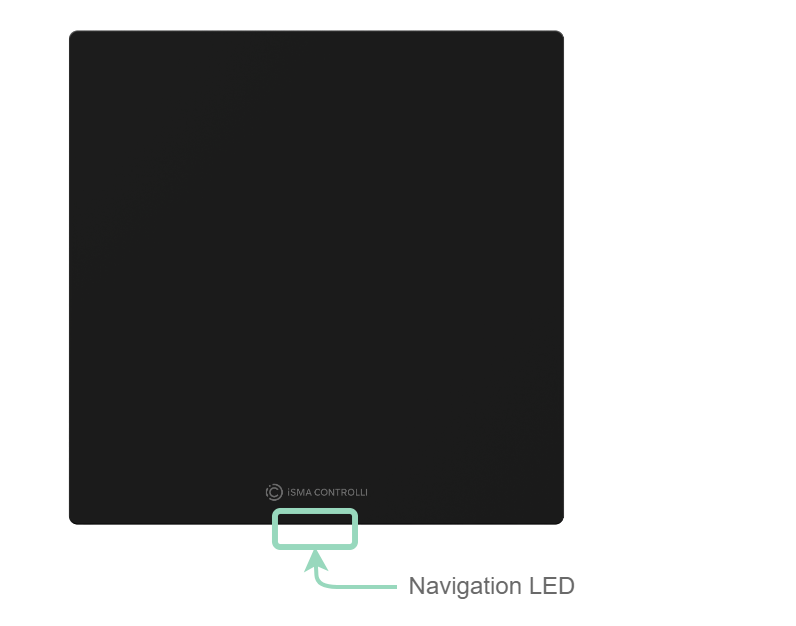
The Touch Point Network Sensor 2.0 panels are equipped with:
-
1 navigation LED to localize the panel in the dark.
LED Modes
The Touch Point 2.0 panels work in 3 modes of LED lighting intensity:
-
active: the LED lighting mode after any button on the screen has been touched;
-
idle: the LED lighting mode after a time set from a last button has been touched;
-
standby: the LED lighting mode after a time set from going into the idle mode.
All lighting intensity values in these three different modes can be set in the 40207-40216 Modbus registers.
Buzzer
The Touch Point 2.0 panel are equipped with a buzzer, which informs about a detected touch with a short sound.
The buzzer also provides a CO2 alarm function, which emits sounds once the CO2 level exceeds a set alarm value. The alarm can be confirmed and muted by pressing any button.
Please note that in the Touch Point Network Sensor 2.0 series, the CO2 alarm is not active by default.
The buzzer may be activated or deactivated using the DEVICE_CONFIGURATION register/object (bit 0, BUZZER).
|
Register Value |
Description |
|---|---|
|
0 |
Buzzer deactivated |
|
1 |
Buzzer activated |
By default, the buzzer is active.
The buzzer can be set to one of four available sounds:
-
discrete,
-
loud,
-
classic,
-
retro.
CO2 Sensor
Note
Applicable to Touch Point 2.0 panels equipped with the CO2 sensor (marked -C- in the product code).
Touch Point 2.0 panels equipped with a CO₂ sensor are provided with an automatic sensor calibration system.
The sensor maintains a measurement accuracy using an automatic self-calibration (ASC), which continuously analyzes measurement history and assumes periodic exposure to fresh outdoor air with a known CO₂ level, ensuring long-term stability without user intervention. To support correct operation, the sensor should be regularly exposed to fresh air (approx. 400 ppm CO₂) for at least a few minutes, and at least once per week it should operate continuously for several hours to allow the calibration algorithm to update properly. The device should not be permanently placed in environments with constantly elevated CO₂ levels, and proper airflow around the sensor must be ensured by avoiding obstructions and direct proximity to CO₂ sources.
Proper calibration requires that room ventilation meets applicable standards. If adequate ventilation is not available, this requirement can be met by ventilating the room for at least one hour per day.
-
Lack of fresh air: If the sensor is placed in a constantly occupied or poorly ventilated space, it may not be exposed to a true fresh air level. In such cases, the sensor may incorrectly establish a higher baseline level, resulting in consistently low readings.
-
Manual calibration: Manual calibration of the CO₂ sensor is possible by applying a numeric offset (positive or negative). A reliable reference sensor can be used to calibrate the sensor offset accurately.