
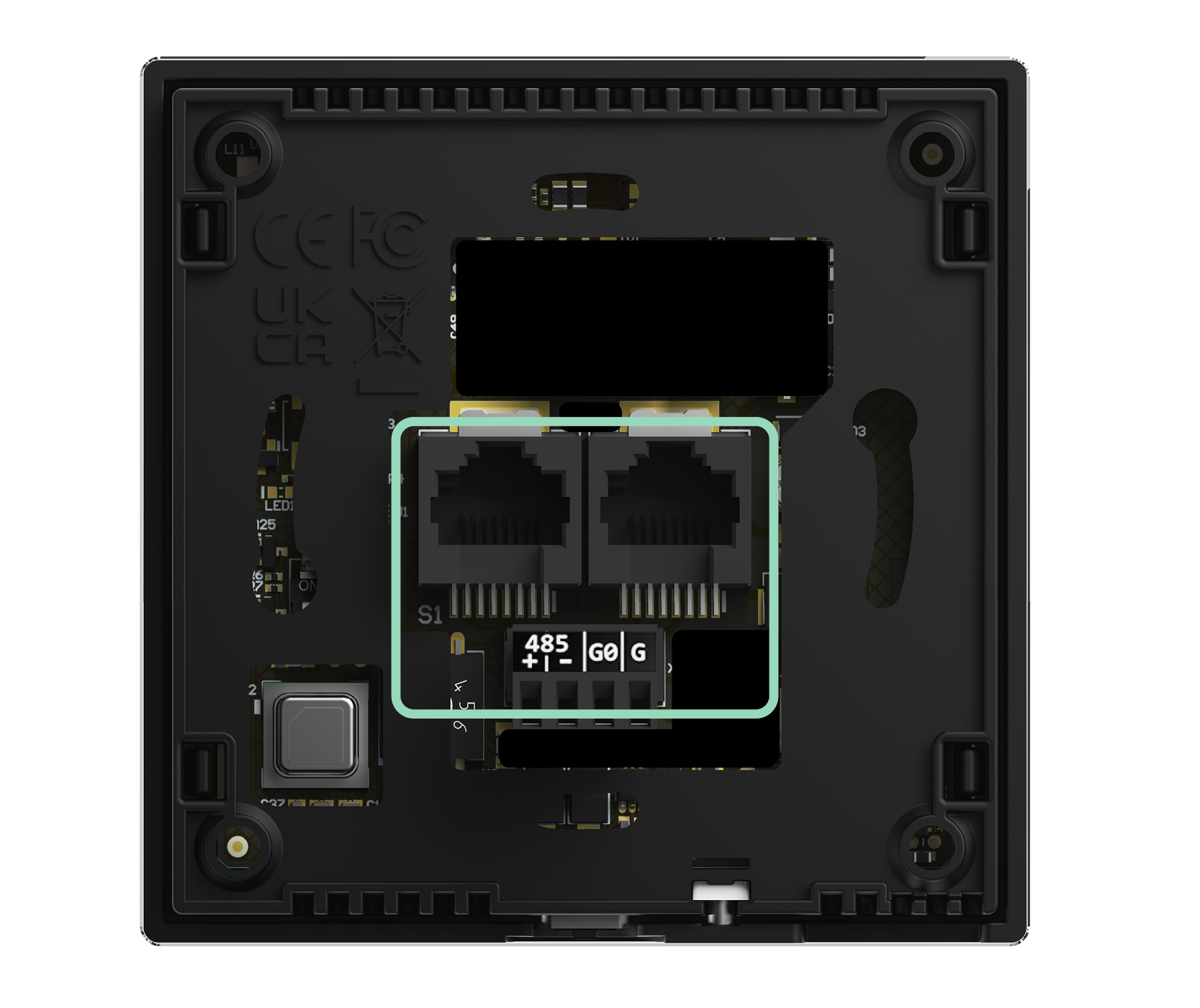
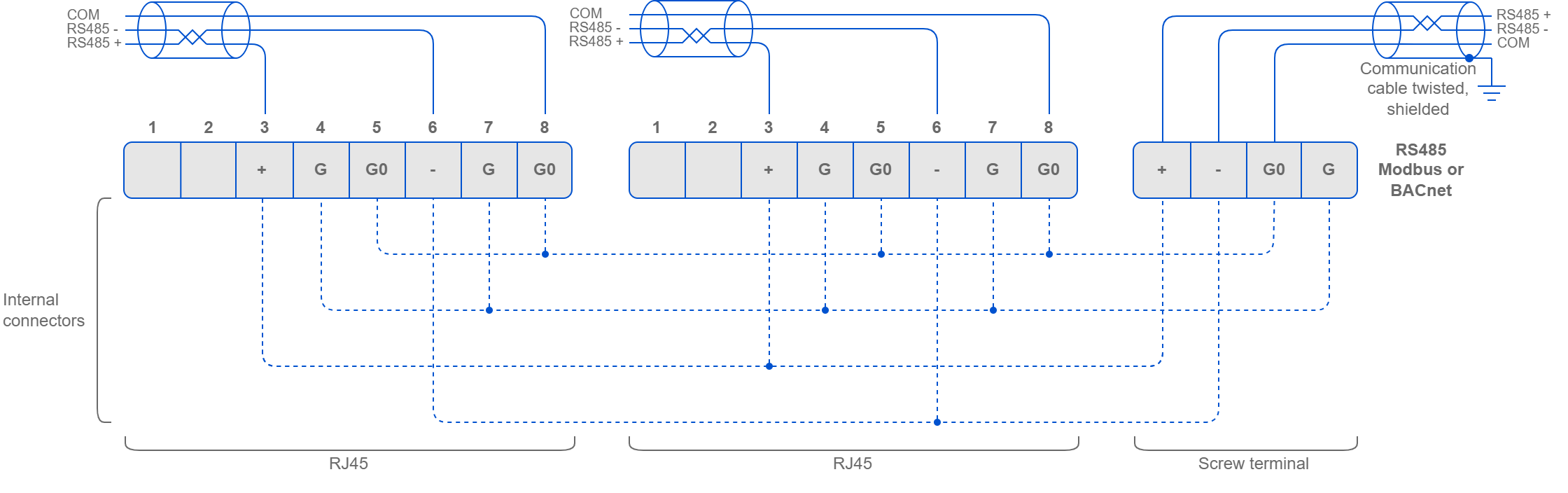
The Touch Point 2.0 panels support Modbus RTU/ASCII and BACnet MS/TP communication protocols, using 2 RJ45 sockets and a screw terminal. The panel has one USB type C (USB 2.0) port for communication with the iSMA Configurator software.
Note: A communication protocol is selected by setting a second switch on the DIP switch on the back of the panel:
-
Off: Modbus RTU/ASCII (default);
-
On: BACnet MS/TP.
RS485 Connection
RS485 Network Termination
Transmission line effects often present problems for data communication networks. These problems include reflections and signal attenuation.
To eliminate the presence of reflections of signal from the end of the cable, the cable must be terminated at both ends with a resistor across the line adequate to its characteristic impedance. Both ends must be terminated since the propagation is bidirectional. In case of an RS485 twisted pair cable this termination is typically 120 Ω.
Note: A termination resistor can be added with a third switch on the DIP switch on the back of the panel:
-
Off: termination resistor disconnected (default);
-
On: termination resistor added.
USB Connection
The USB port is used to communicate with product software, iSMA Configurator, for configuration and firmware updates.
The USB port provides 5 V DC power supply.
The USB communication with the panel can be enabled/disabled in the iSMA Configurator or using the Modbus register/BACnet object.
Warning
If the USB communication is disabled, the iSMA Configurator cannot establish communication with the panel using the USB cable. It is then required to enable the USB communication using the Modbus register/BACnet object.