Applicable to OS V1.6-1.8
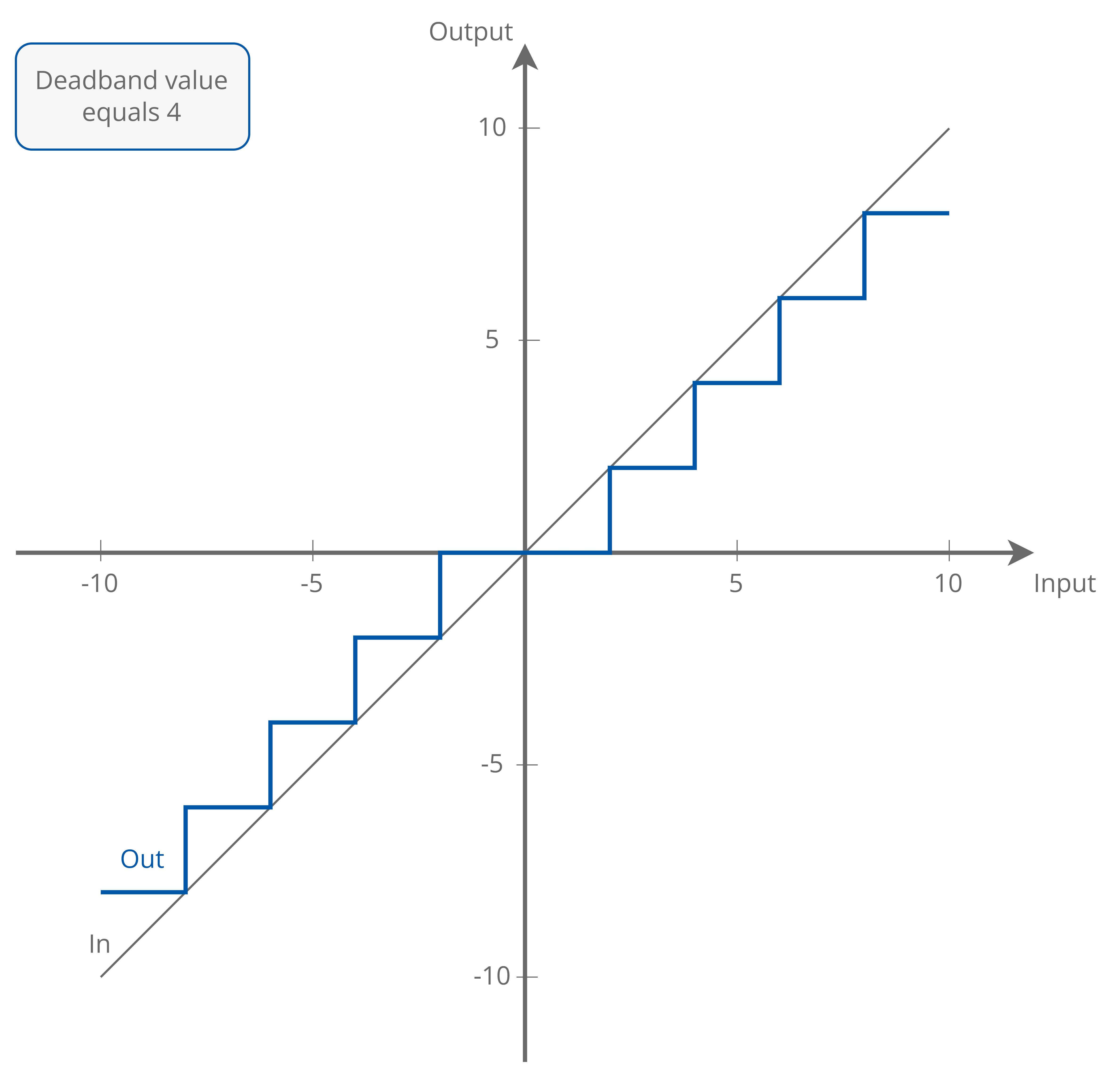
The Deadband component allows to set a range of value which does not trigger any action or any other response in the application despite input changes. This non-responsive zone helps preventing the application from overreacting to minor fluctuations, thereby stabilizing overall performance.
The component can operate in two modes:
-
Continuous: constantly checking the input value against the set deadband range;
-
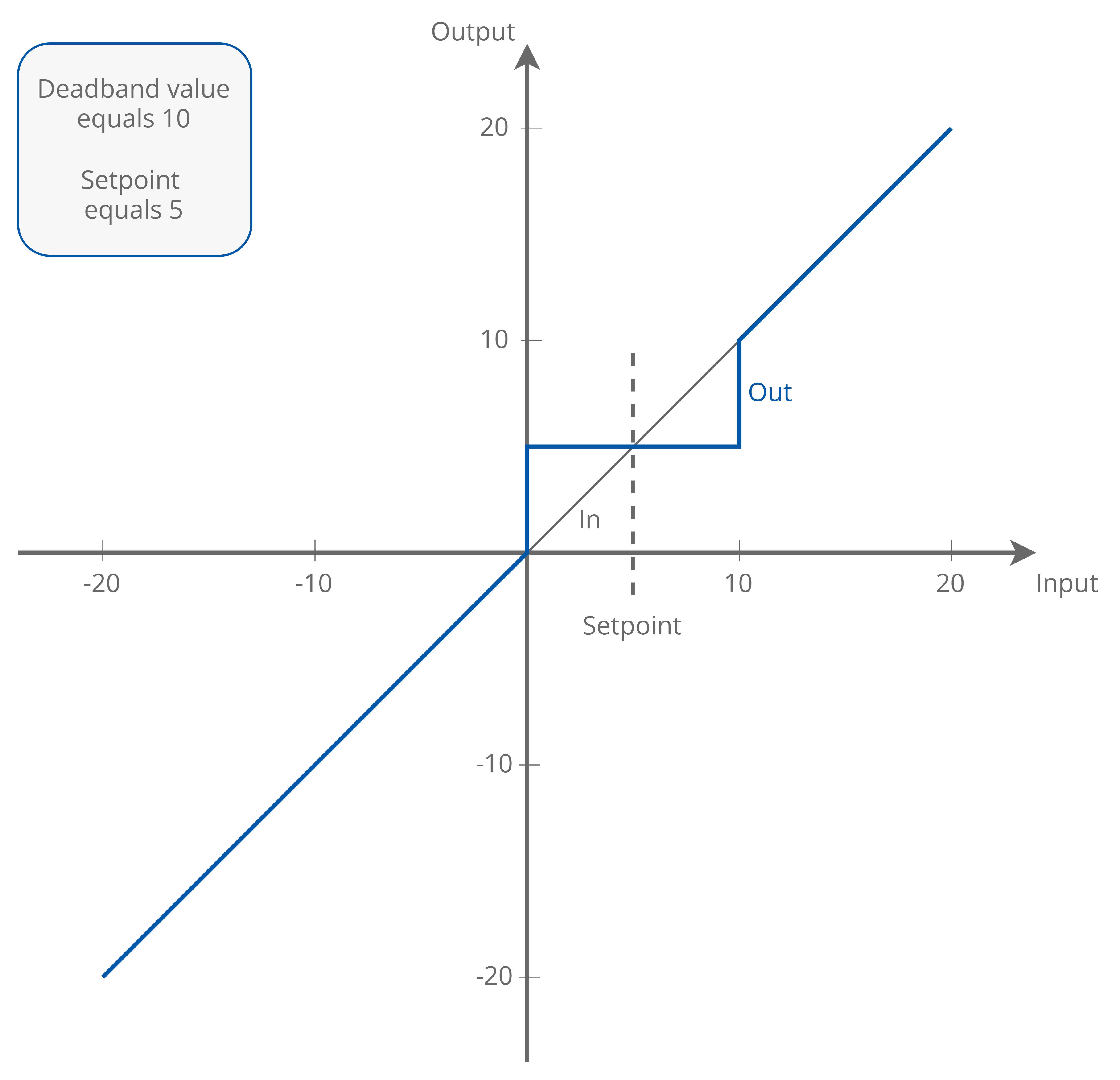
One step: the input value is checked once against the setpoint value and set deadband range.
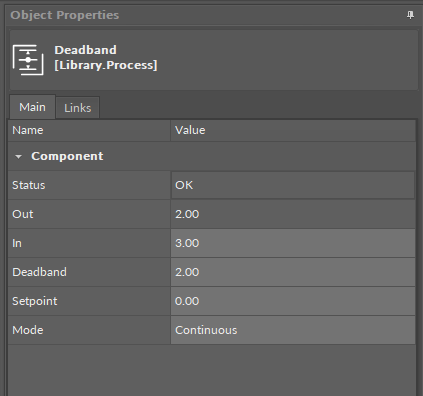
The Deadband component has the following slots:
-
Status: shows the status of the component;
-
Available information: OK, fault;
-
-
Out: the output value calculated against the set deadband range and mode of operation;
-
In: the input value;
-
Deadband: allows to set a range of values as a non-responsive zone – in this range of values no action is taken, the input value is not directly transferred to the Out slot;
-
Setpoint: (active only for the one step mode of operation) allows to set a middle value for the set deadband range;
-
Mode: allows to set the component’s mode of operation;
-
Available settings: Continuous, One step.
-