
The AnalogPriorities/BinaryPriorities/MultistatePriorities extension adds fifteen writable input slots and the default (lowest) priority slot to the Data Point. The extension includes the Priority slot indicating, which slot is transferring value to the Out slot. The Priorites extension adds In1–In15 slots and the Default slot, which is the lowest, 17th priority. The extension also introduces new actions to the Data Point: EmergencyOverride, EmergencyAuto, Override, and OverrideAuto.
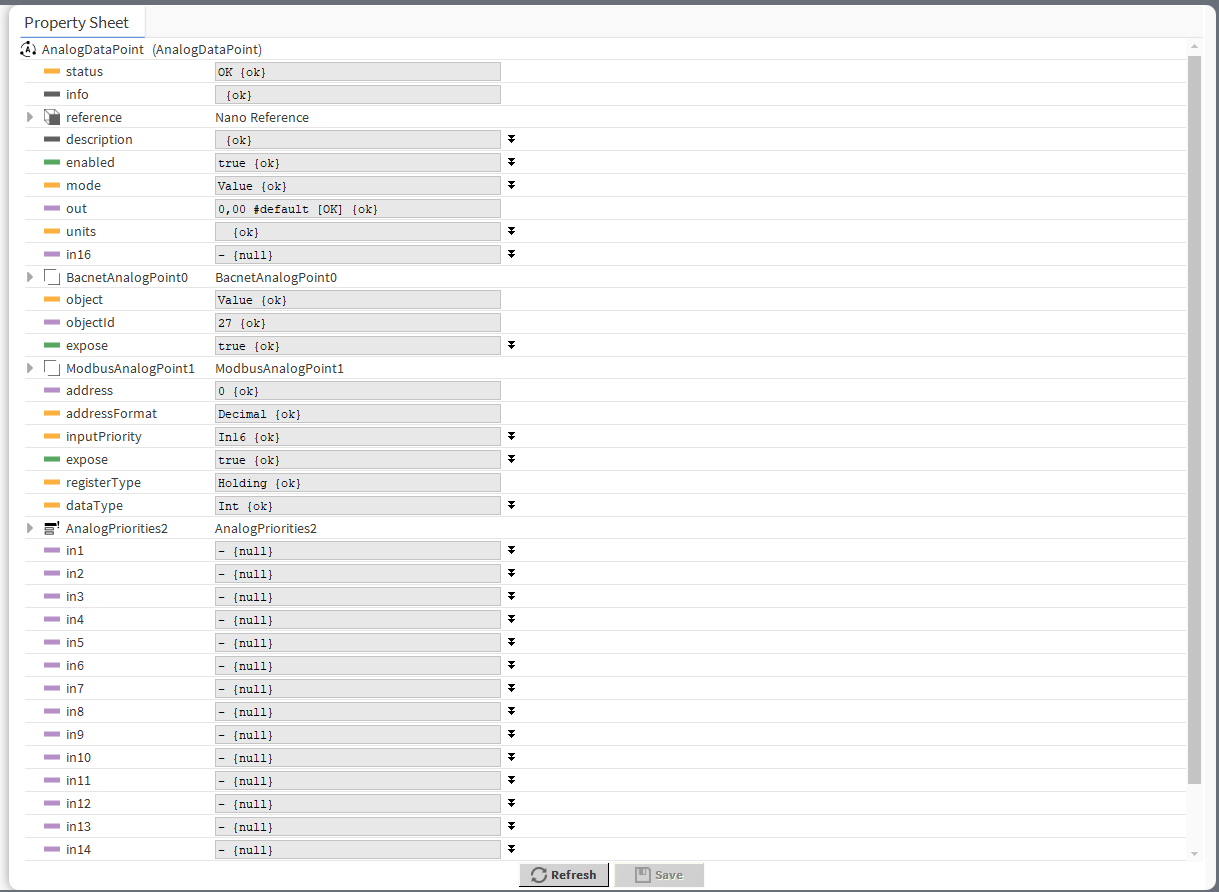
The extension has the following slots:
-
In1-In15: input slots providing values to the Out slot (from 1 to 16, the highest priority is In1); only the highest priority value is provided to the Out slot, the rest is dismissed. All input slots are linkable. In the extended mode, the In1 and In8 slots have actions available for overriding their values.
Note: By default, only the In16 is displayed in the Wire Sheet. In case any other input slot receives a value via link, is it displayed in the Wire Sheet along with the In16. Only the null input, which is a lack of value, allows the higher priority input to be dismissed–zero (0) is still a value that will be provided to the Out slot.
-
Default: the 17th, lowest priority input slot; allows to introduce a default value to the Data Point in case there are no links providing values from other components. If the value to the Data Point is provided by the Reference link, then the Default value is automatically dismissed (the Reference link cannot be directed to the 17th priority, only from the 16th up).
Note: According to BACnet requirements, the Default slot value can never be null; if no other value is set on the slot, it is zero (0).
-
Priority: shows, which slot is currently providing the value to the Out slot.
The Data Point has the following actions available in the Priorities extension:
-
EmergencyOverride: enables entering an analog value to the In1 slot;
-
EmergencyAuto: sets the null value to the In1 slot (cancels the EmergencyOverride action);
-
Override: enables entering an analog value to the In8 slot;
-
OverrideAuto: sets the null value to the In8 slot (cancels the Override action).
Note: If the link is connected to the slot that may be affected by an action, the value coming from the link connection has priority over the manually evoked action.