
Double-click the Application component (below, renamed as HVAC, as a reference to the purpose of the application), the wire sheet opens. Drag and drop the Equipment component to the wire sheet, and name the component as appropriate (here, FCU).
The Equipment component is a grouping folder-type component, which can be used to gather other components, regarding specific equipment included in the Application, to help organize the Tree. It can be freely renamed to facilitate categorization of components included within.
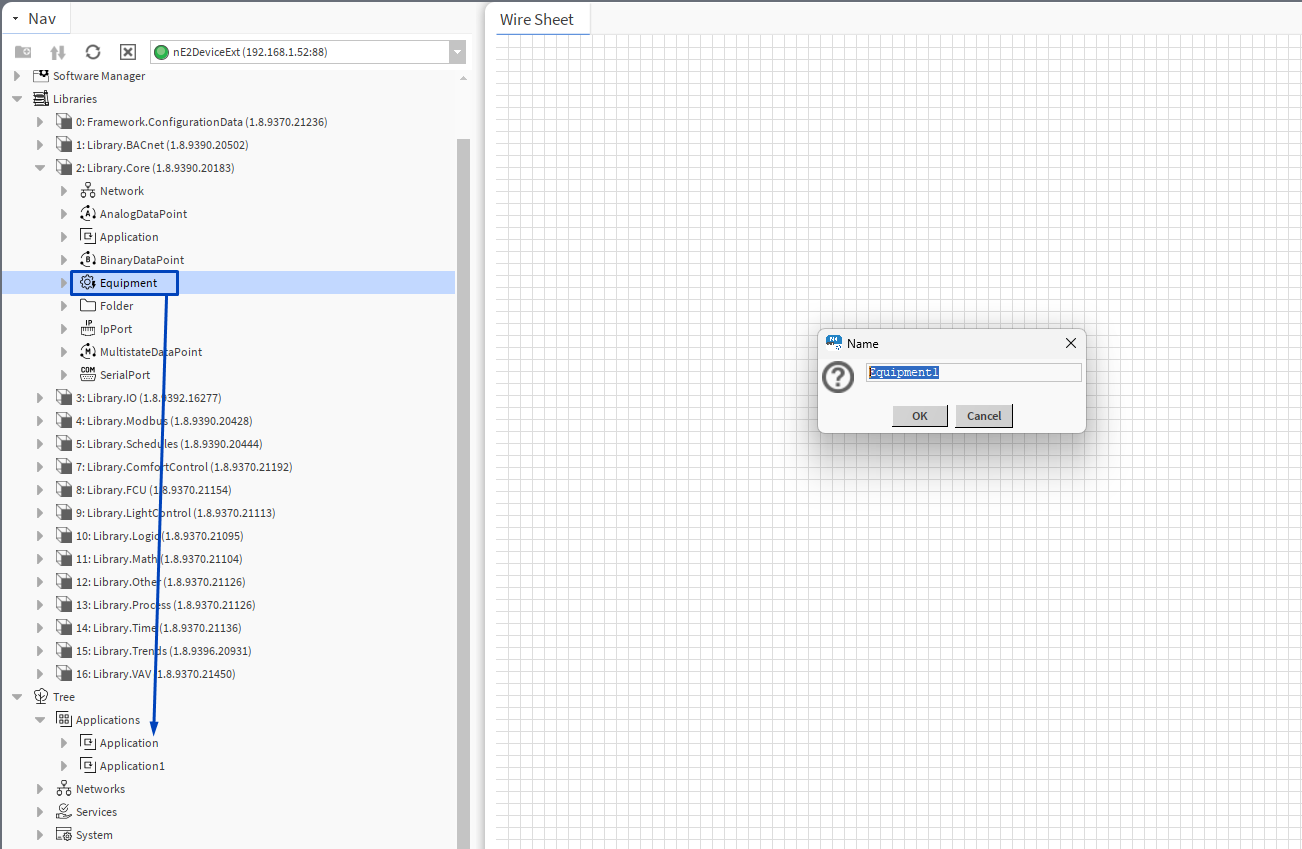
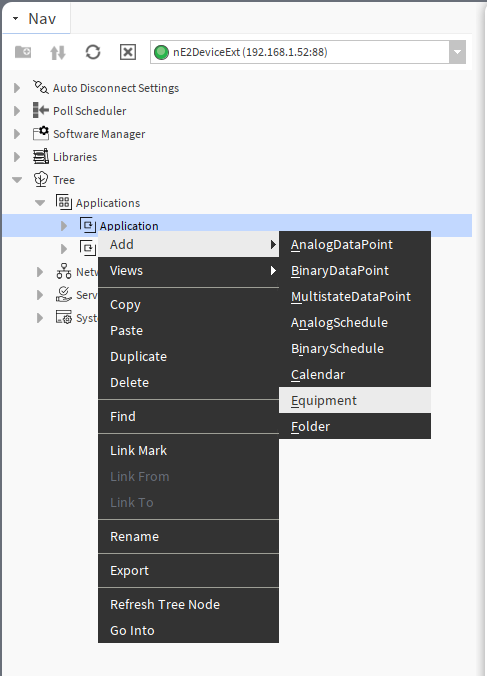
It is also possible to add the Equipment component directly from the context menu of the Application component:
To learn more about the Equipment component, please refer to the nano EDGE ENGINE Programming user manual.