
The Tag Manager is a simple view containing the list of all Equipment components and Data Points along with the information if auto-tags are enabled for the given component or not.
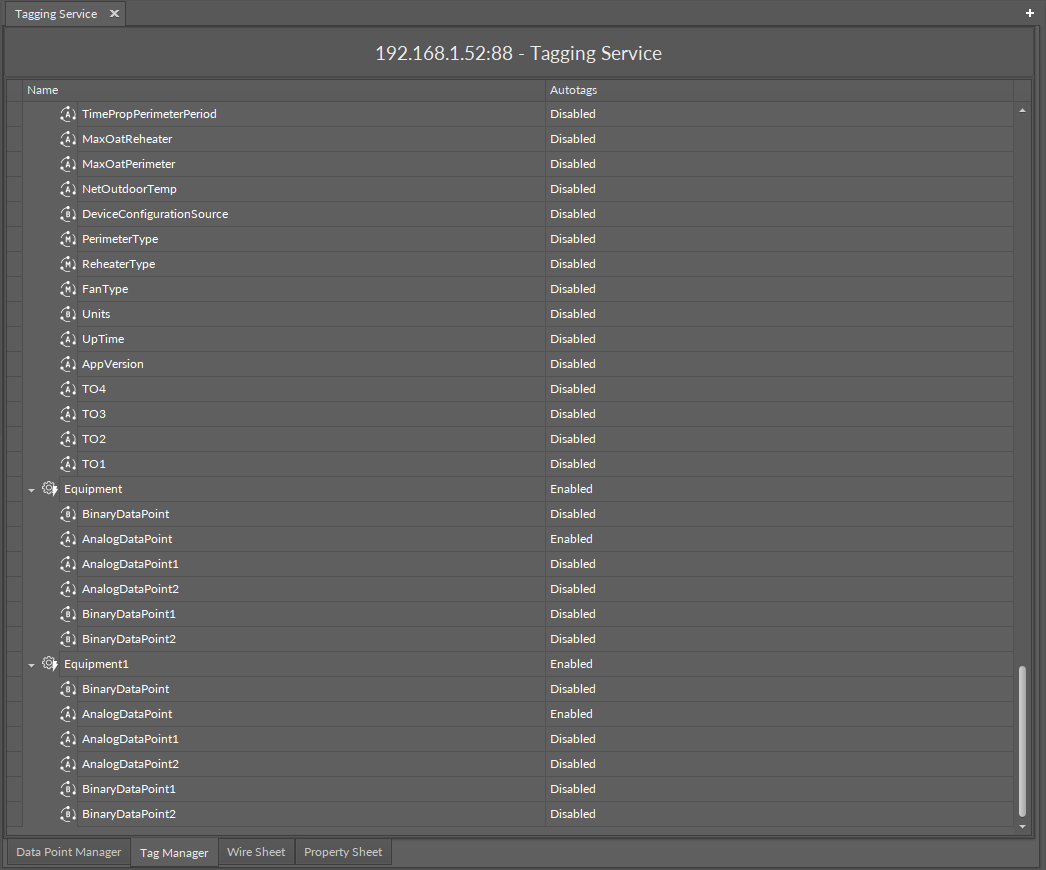
The Tag Manager has the following columns:
-
Name: shows the name of the Equipment component or Data Point added to the device; the Equipment/Data Point hierarchy is maintained in this view;
-
Autotags: informs if the auto-tag function is enabled or disabled for a given component.
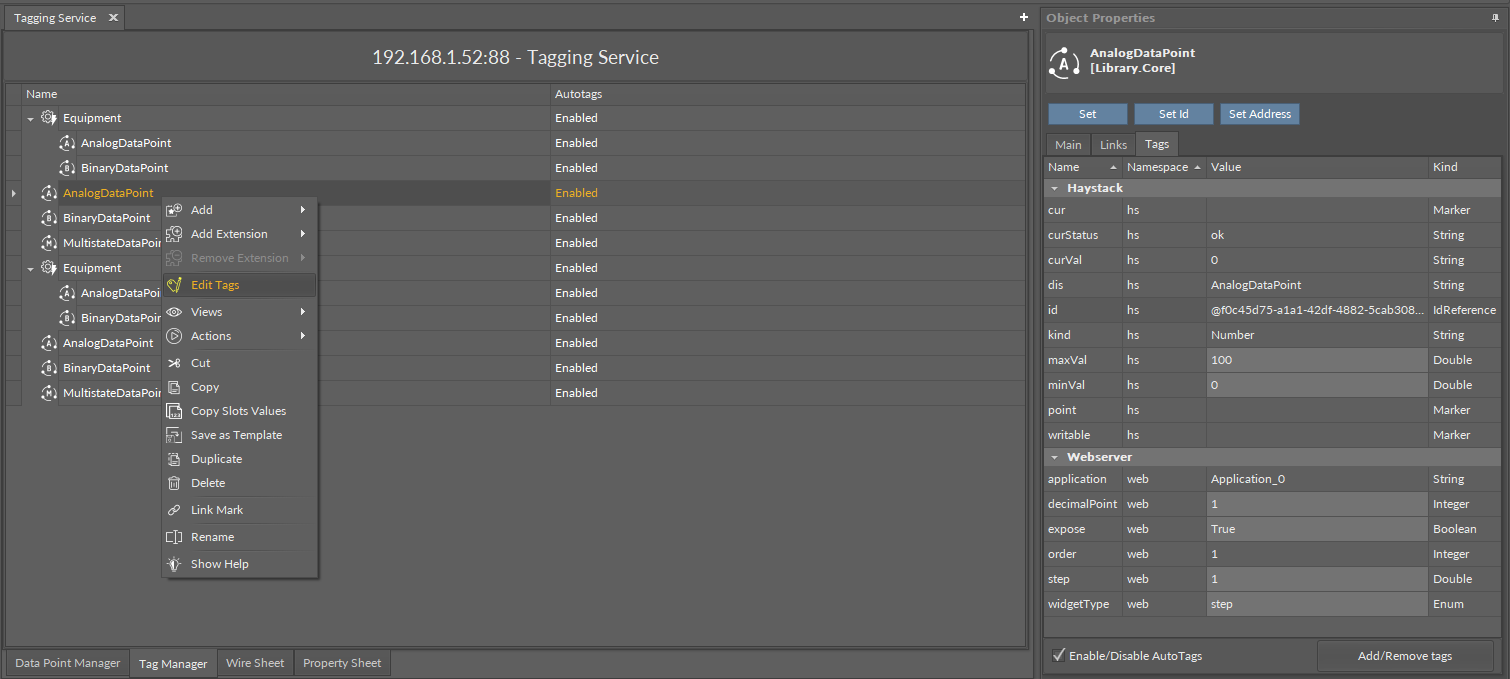
The Tag Manager has no actions, it is a simple list view. However, from this level, it is possible to use the Edit Tags option from the context menu opened on a particular component (then, the Tags tab is opened in the Object Properties window):
To find out more about tagging in the nano EDGE ENGINE and tag-based web interface, please visit: nano EDGE ENGINE - Tagging and nano EDGE ENGINE - nanoWebUI™.