
Applicable only to nano EDGE ENGINE devices
A Tags tab in the Object Properties window is designed to manage tags in nano EDGE ENGINE Data Points and the Equipment component. It allows to enable or disable the auto-tagging function and add or remove tags to Data Points.
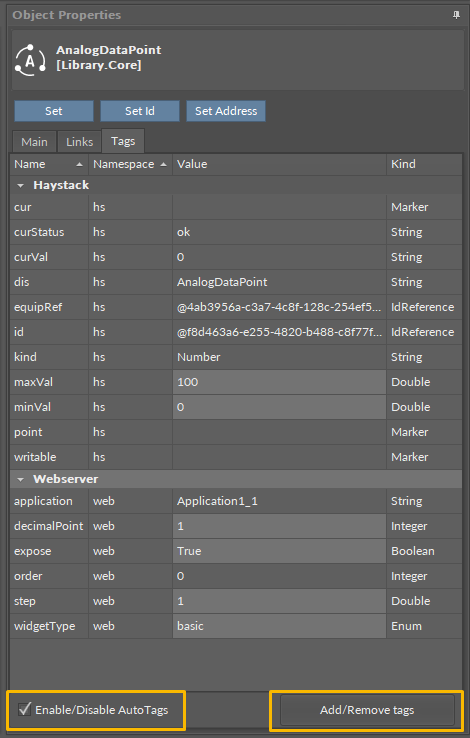
The tab always refers to the one components it is opened for. It shows a list of all tags added to the component and allows to edit their values (if applicable). Two buttons at the bottom of the tab allow to:
-
Enable/Disable Auto Tags: check or uncheck the option to add or remove the list of auto-tags to the component;
-
Add/Remove Tags: opens a dialog window, which enables to select components to add to the component from the list of available Haystack tags or to select components already added to the component and remove them:
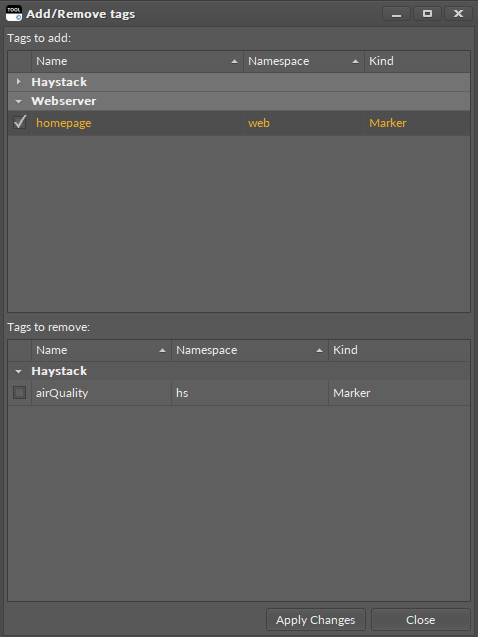
The dialog window is divided into two sections, Tags to add and Tags to remove. Use checkboxes in a relevant section to add/remove tags from the list.