
The Calendar view is designed to set one time or repeatable special days in a year. The view is automatically opened upon double-clicking of the component.
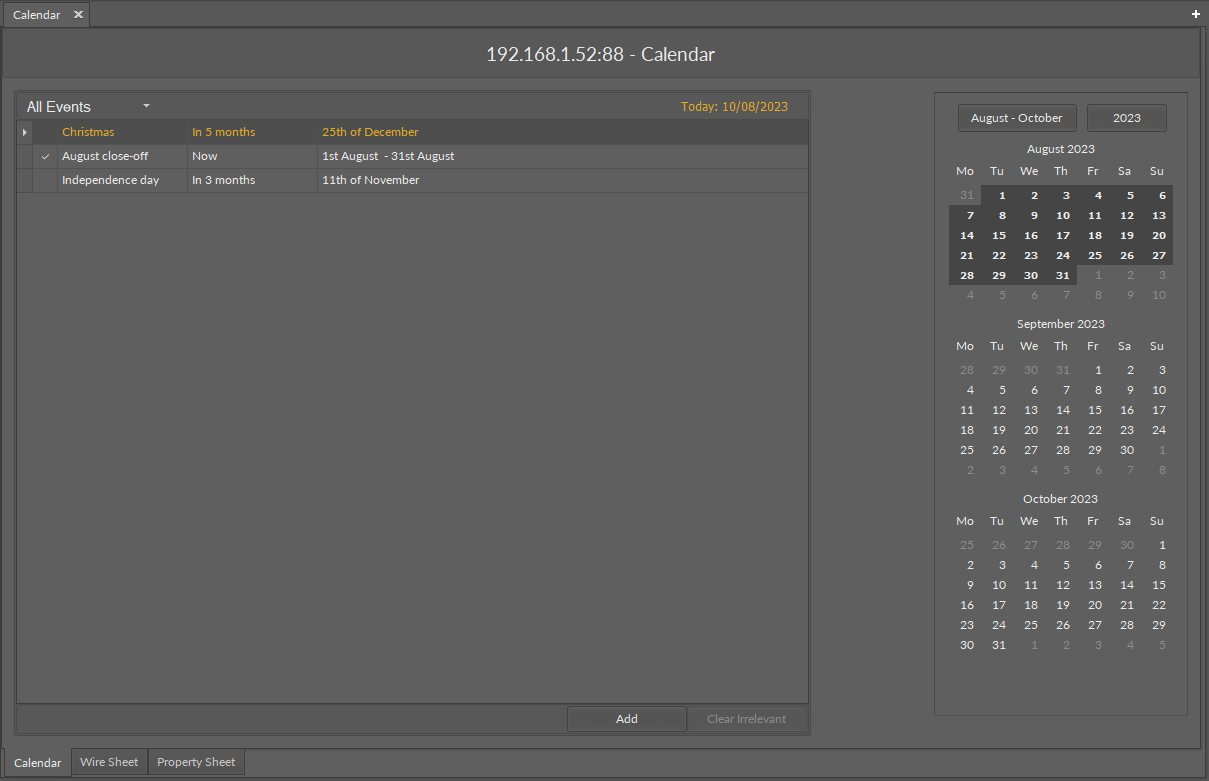
To add an event in the calendar, use the Add button in the bottom right corner of the view; a pop-up window appears.
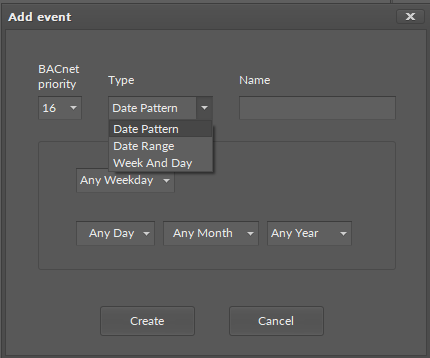
In the Add event dialog window, it is possible to set the following parameters:
-
BACnet priority: from 1 to 16;
-
Type: type of the event;
-
Available options: Date Pattern, Date Range, Week and Day;
-
-
Name: allows to set a name of the event, specific to the user's requirements.
The type of event defines the data entered for each type.
For Date Pattern:
-
weekday;
-
specific day of a month;
-
specific month of a year;
-
specific year.
Each of these parameters may be left to any (Any Day, Any Month, etc.).
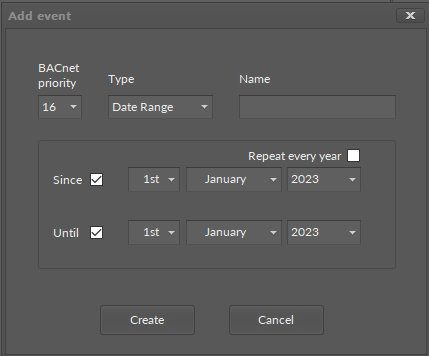
For Date Range:
-
Since/Until: allows to specify a beginning or end day of the event (unchecked sets the "future" value);
-
specific day, month, and year of a calendar date;
-
Repeat every year: if checked, disables the year field.
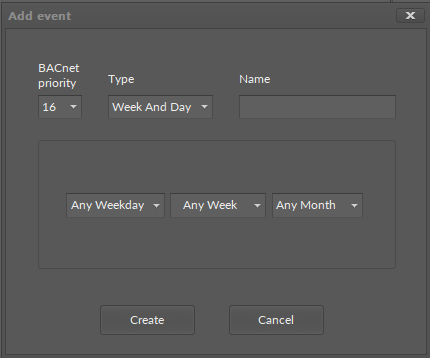
For Week and Day:
-
specific weekday, week, and month of the event.
The Clear Irrelevant button removes all event that already took place.
|
Please note that the events in the Calendar cannot be assigned a specific value. Specific values for these events may be set in a relevant schedule component (AnalogSchedule/BinarySchedule) by sourcing the Calendar in the Special Events view. All events in the Calendar will be then assigned with identical values if active. To assign a different type of values, create multiple Calendar components with events of corresponding types. |