
The Control Point panel has been designed to fit all types of junction boxes, including the US type. The panel is mounted with a wall back box.
Mounting With a Back Box
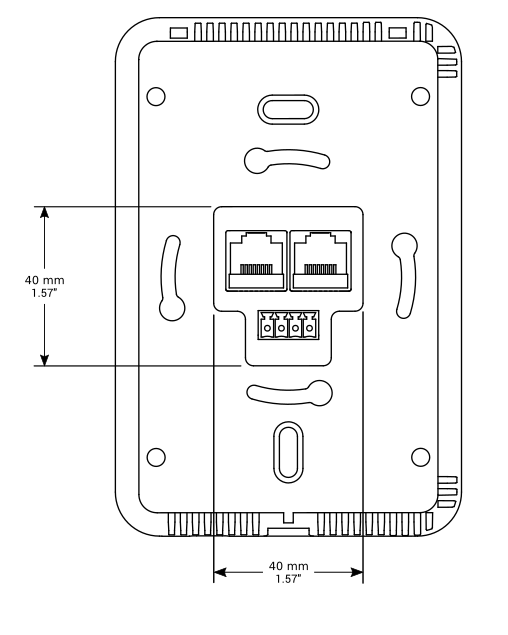
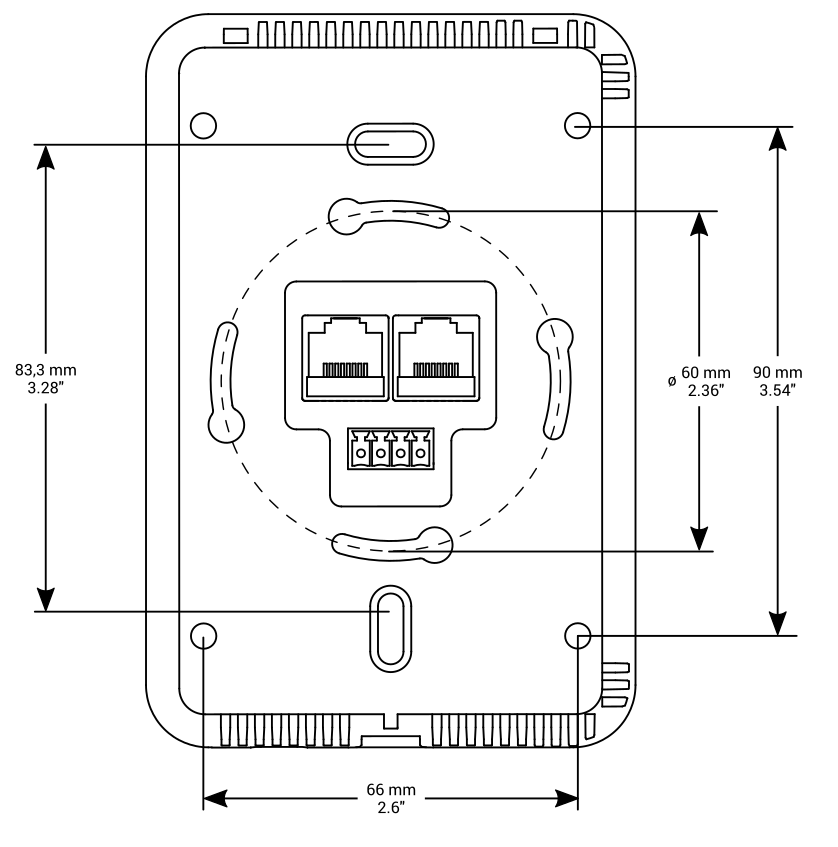
Step 1: Fit the back box to the junction box.
Step 2: Fit the panel to the back box, starting from up corners. Make sure the USB port is headed downwards. Make sure that the screws are flush with a mounting frame.
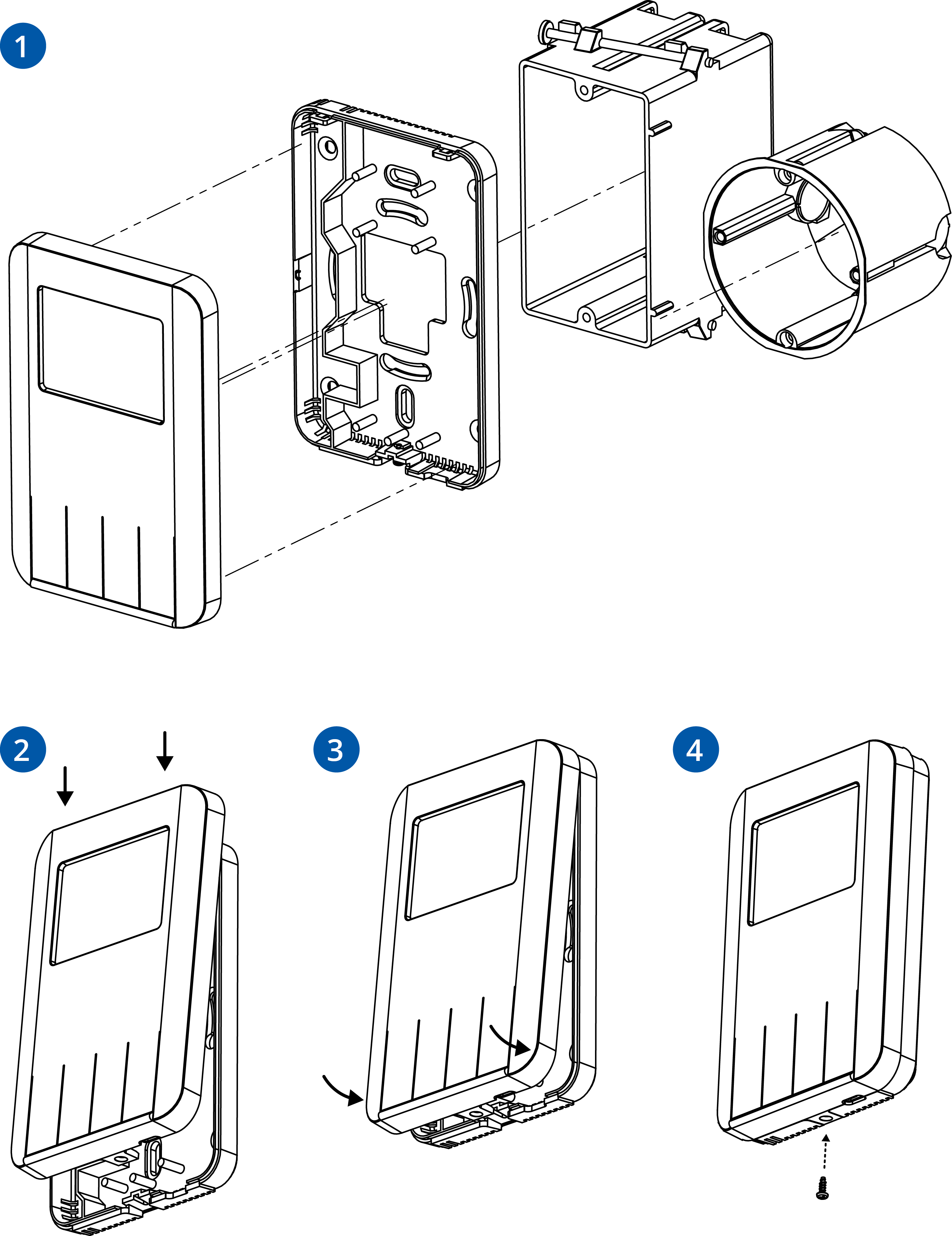
Step 3: Slide the front cover from the top and push it slightly at the bottom to click.
Step 4: Screw the panel from the bottom to hold the enclosure together.