
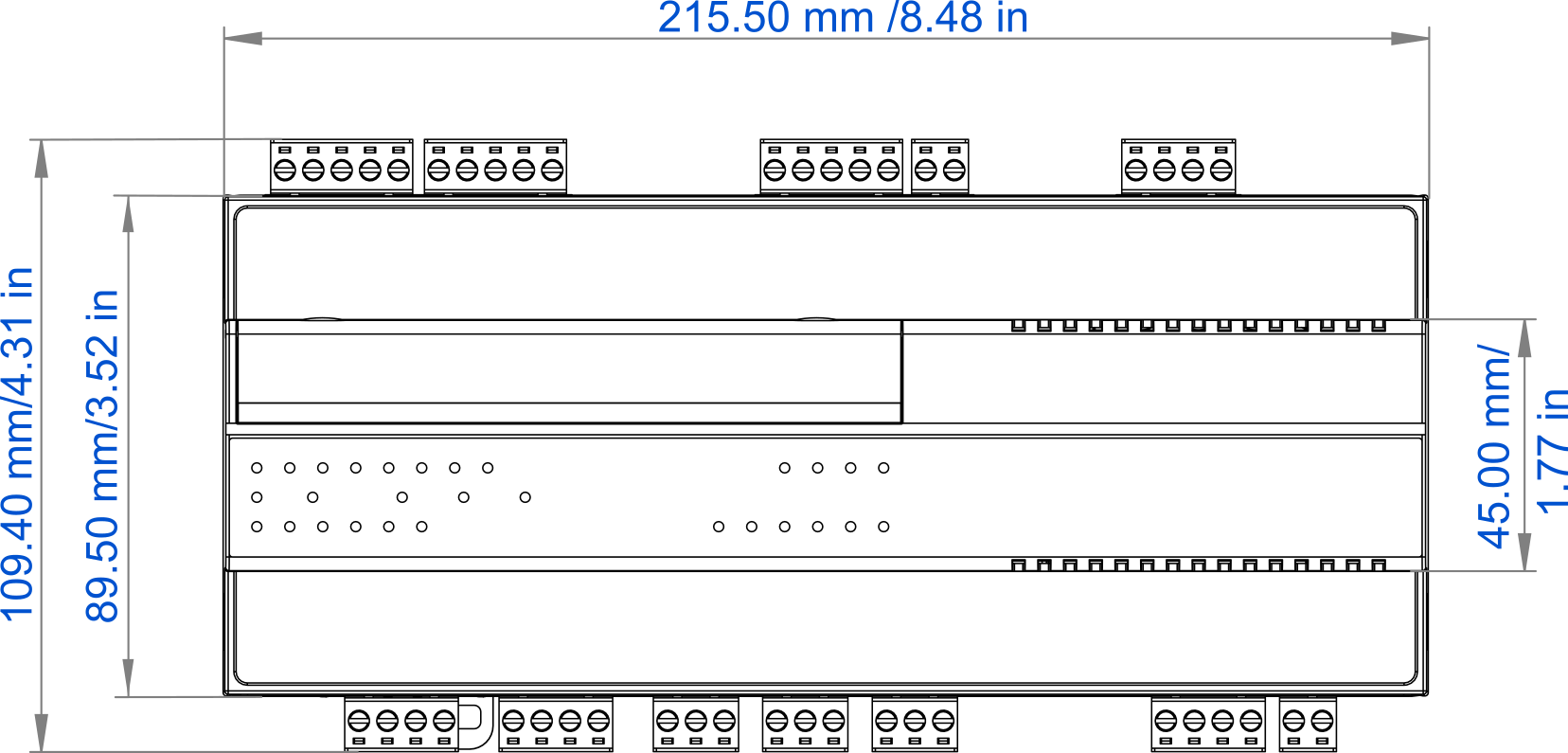
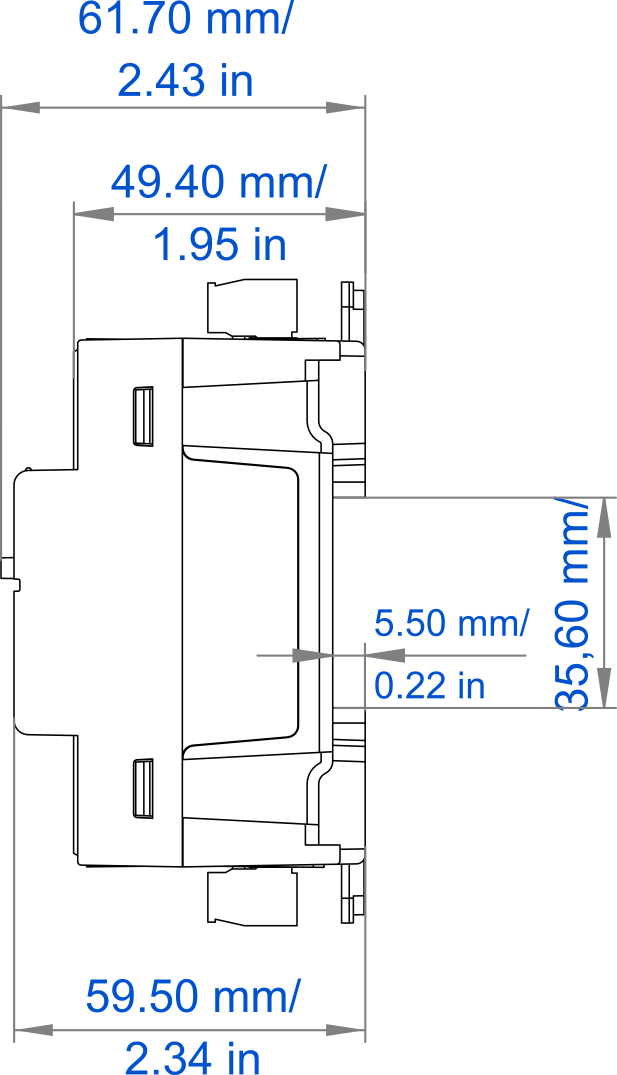
Dimensions [mm]
Power Supply
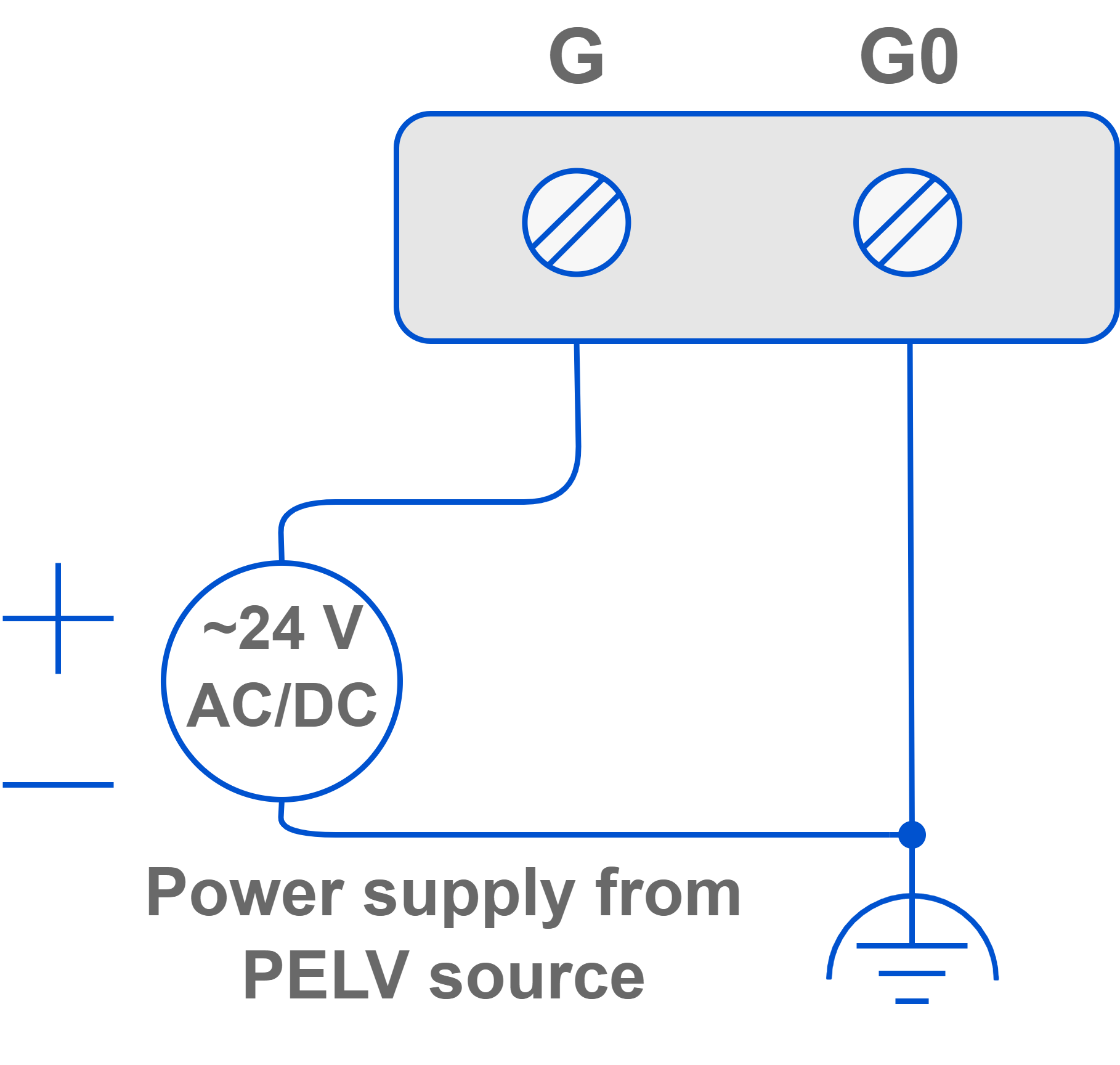
The ZAC24-IP-D controller requires 24 V AC/DC power supply.
It is also possible to power the controller using a USB cable (5 V power supply).
Warning!
5 V USB power supply does not support AO/DO/SSR/Vout/Voltage outputs or DALI port in the controller.
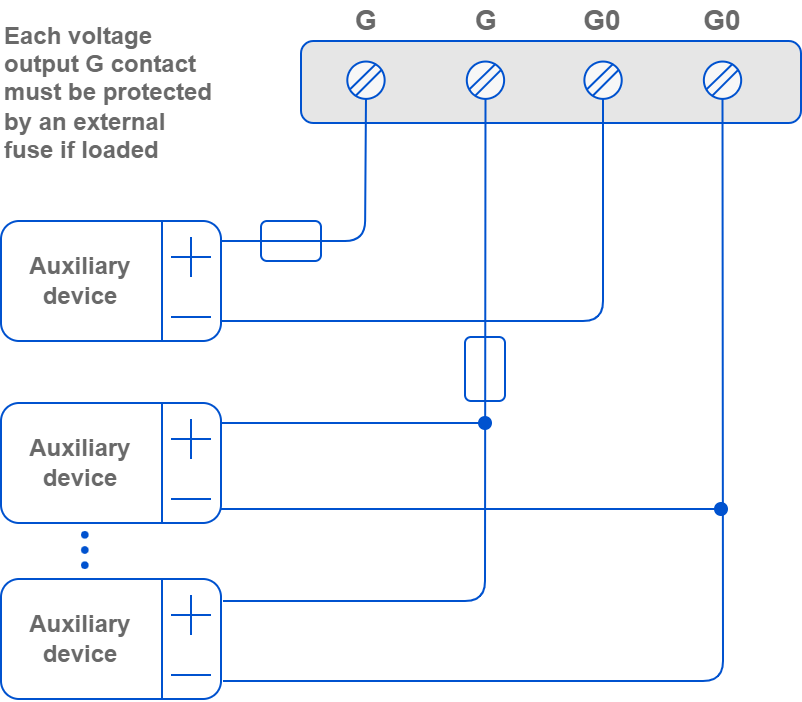
Voltage Output
Front View
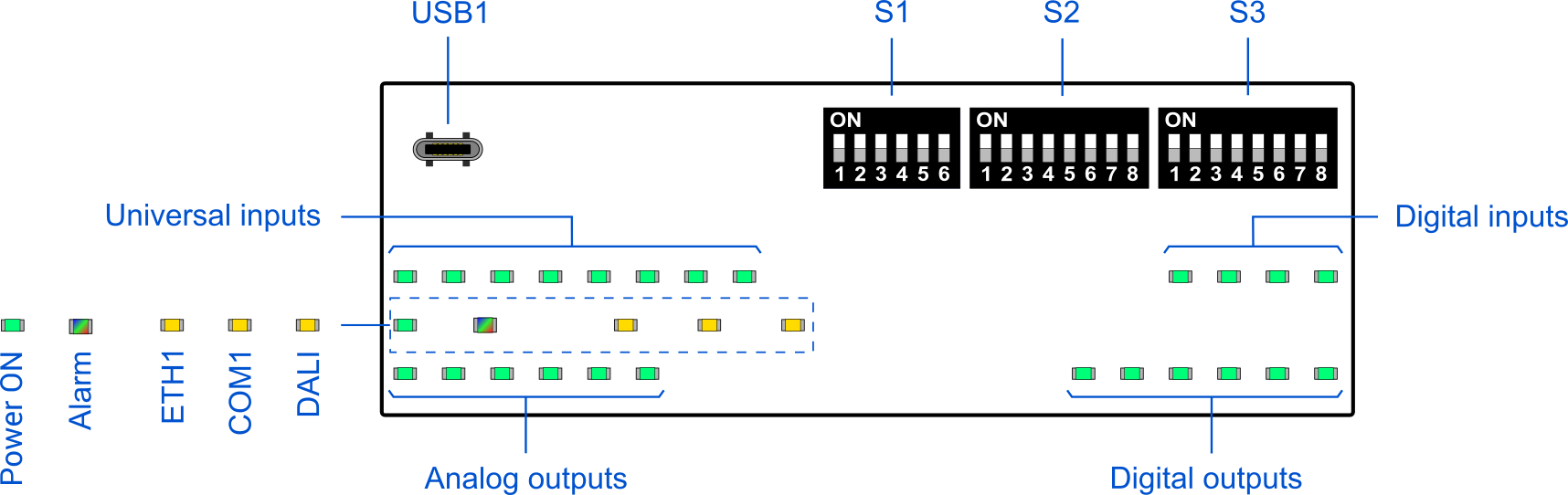
Opening Top Panel
-
Lift the blue cover up.
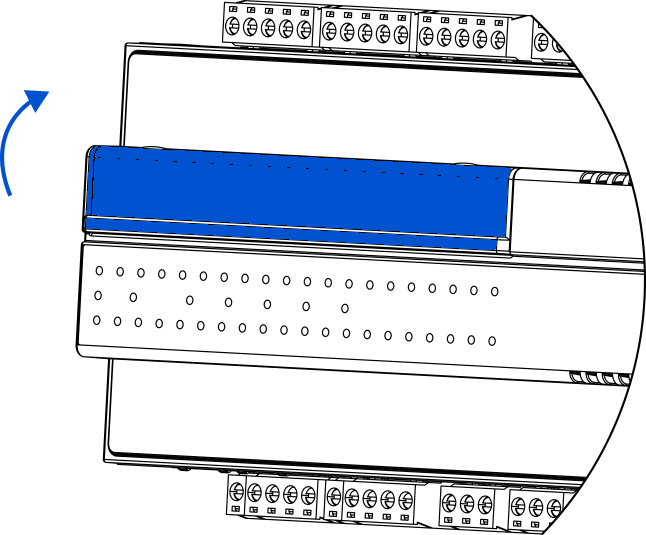
-
After a click, the cover is semi-opened and upheld in this position.

-
It is possible to lift the cover to a fully open position.
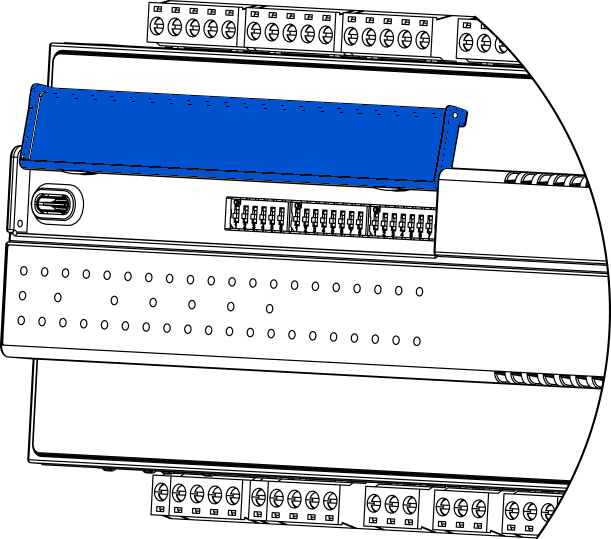
-
To close the cover, pull it down.