
Applicable to OS V1.9
The iFnet component provides information about the TCP port number that the user connects with the device from the iC Tool. The default port number is set to 88, and it can be changed after the device’s restart.
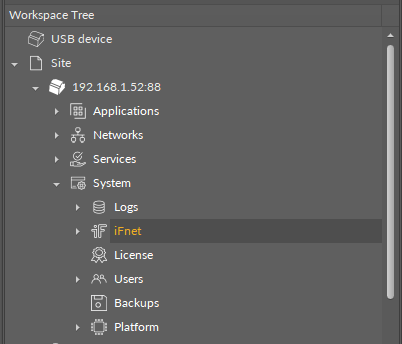
The iFnet component has the following slots:
-
Info: informs about a required device restart after changing the port’s number;
-
HTTP Port: shows the default communication port number.
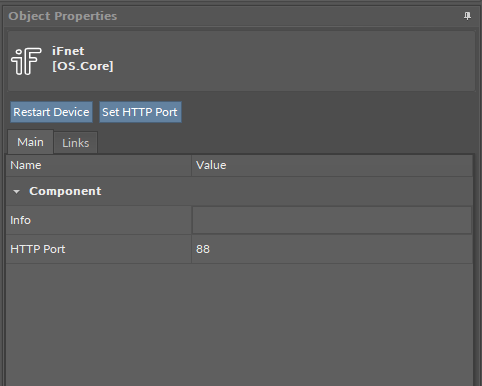
The iFnet component has the following actions:
-
Restart Device: allows to restart the device after setting a new HTTP port to confirm changes;
-
Set HTTP Port: allows to change the HTTP communication port.
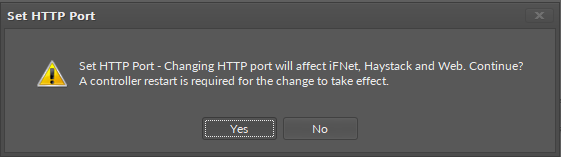
The iFnet port number can be changed by the user using the Set HTTP Port action. Changing the HTTP port number affects the communication port used to connect to the device, Haystack service, and connection to the nanoWebUI™ interface. The following notification is displayed before changing the port number:
Warning!
Changing the iFnet port number with the Set HTTP Port action may break the communication with the controller!
Once the change is introduced, it requires saving and restarting the device. Before saving, the component displays a notice:
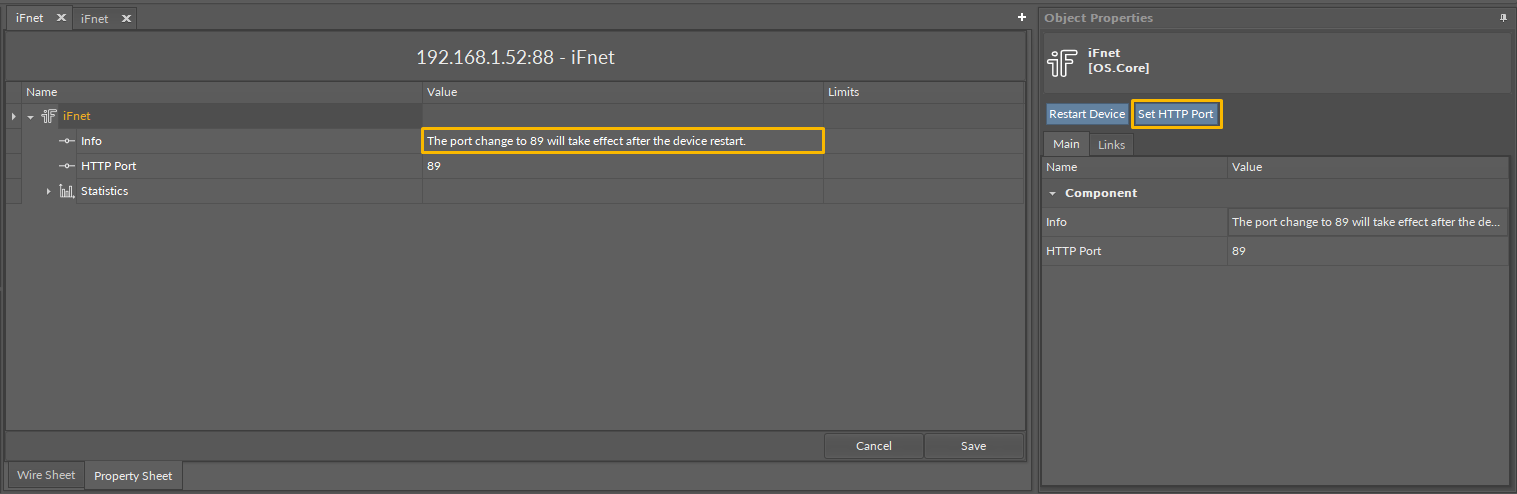
The iFnet component has a component's extension–the Statistics.