
Dimensions
MINI Series (Without Hand Switches)
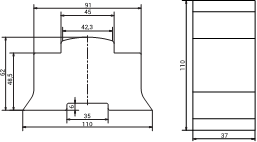
The MINI series dimensions (without hand switches)
MINI Series (With Hand Switches)
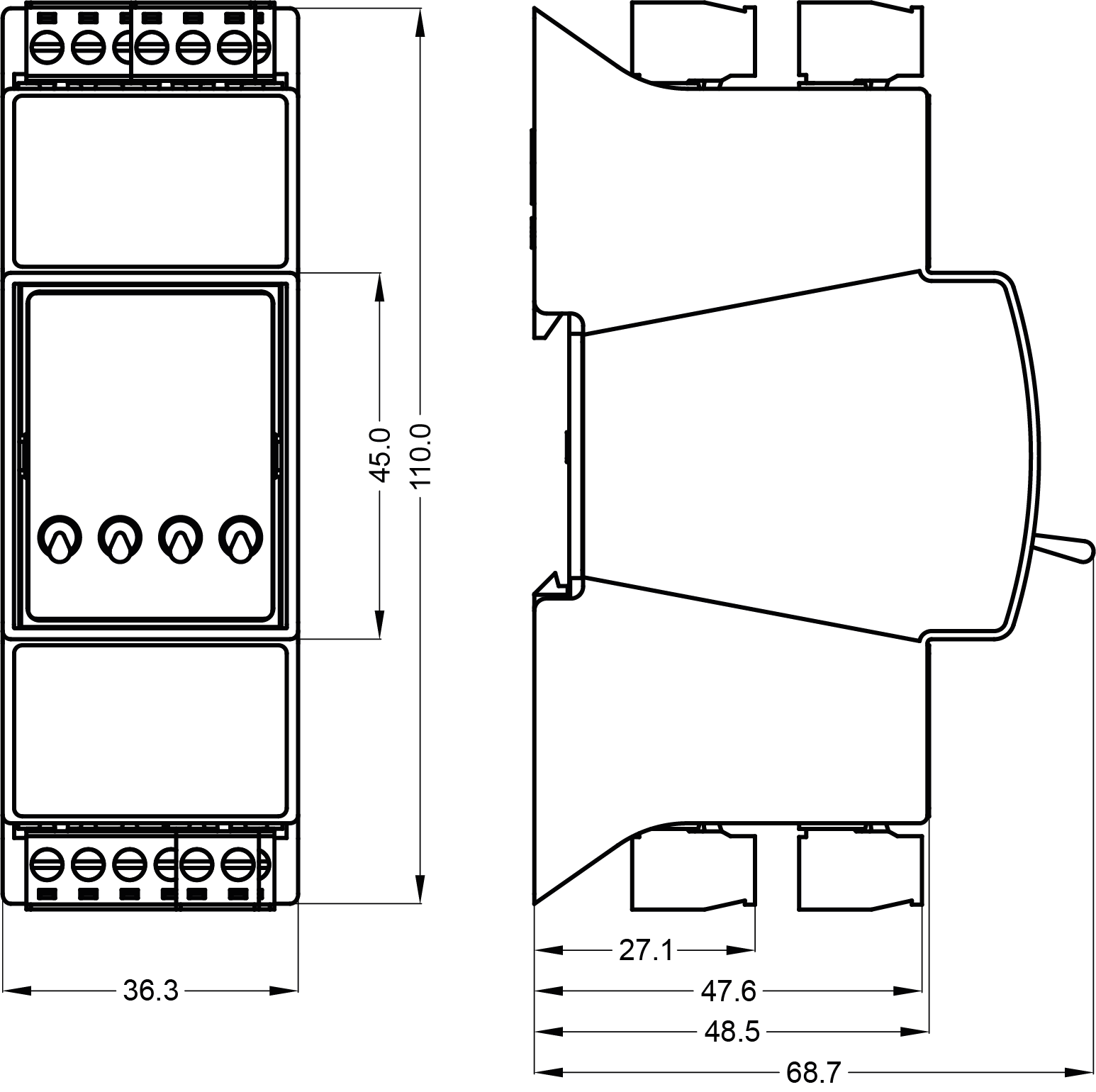
The MINI series dimensions (with hand switches)
MIX18 Series

The MIX18 series dimensions
MIX38 Series

The MIX38 series dimensions
MAX Series (Without Hand Switches)
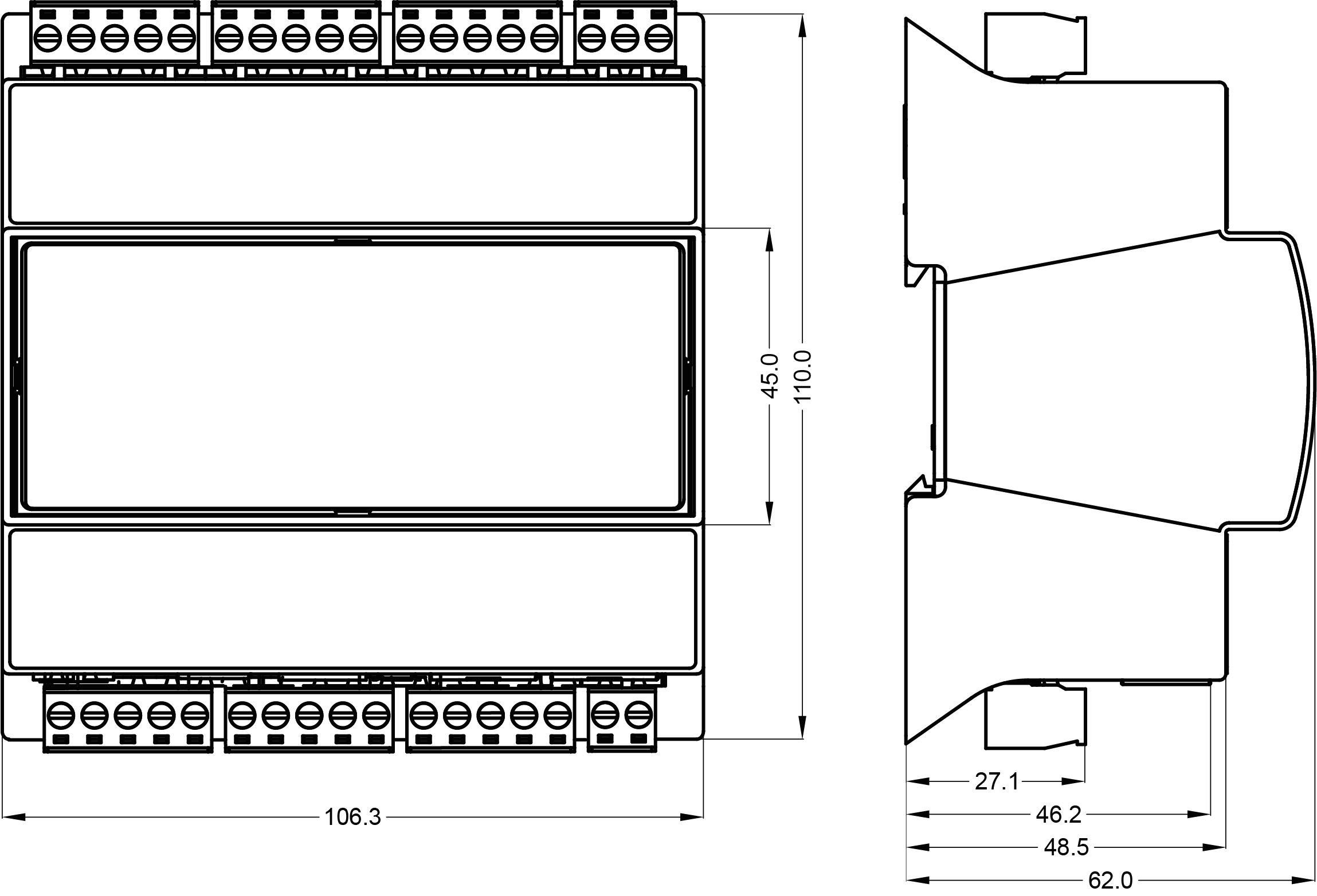
The MAX series dimensions (without hand switches)
MAX Series (With Hand Switches)

The MAX series dimensions (with hand switches)
Power Supply Connection
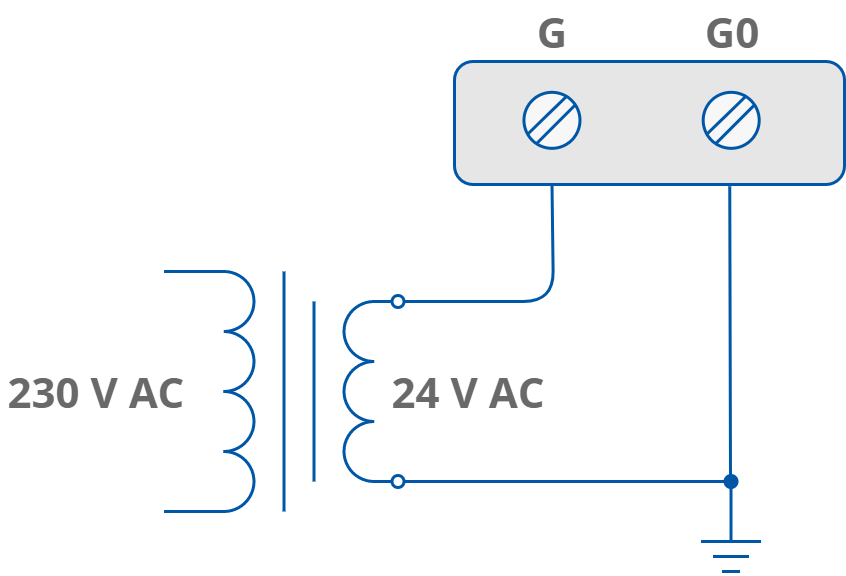
AC power supply connection

DC power supply connection
LED Indicators
MIX Series Front Panels
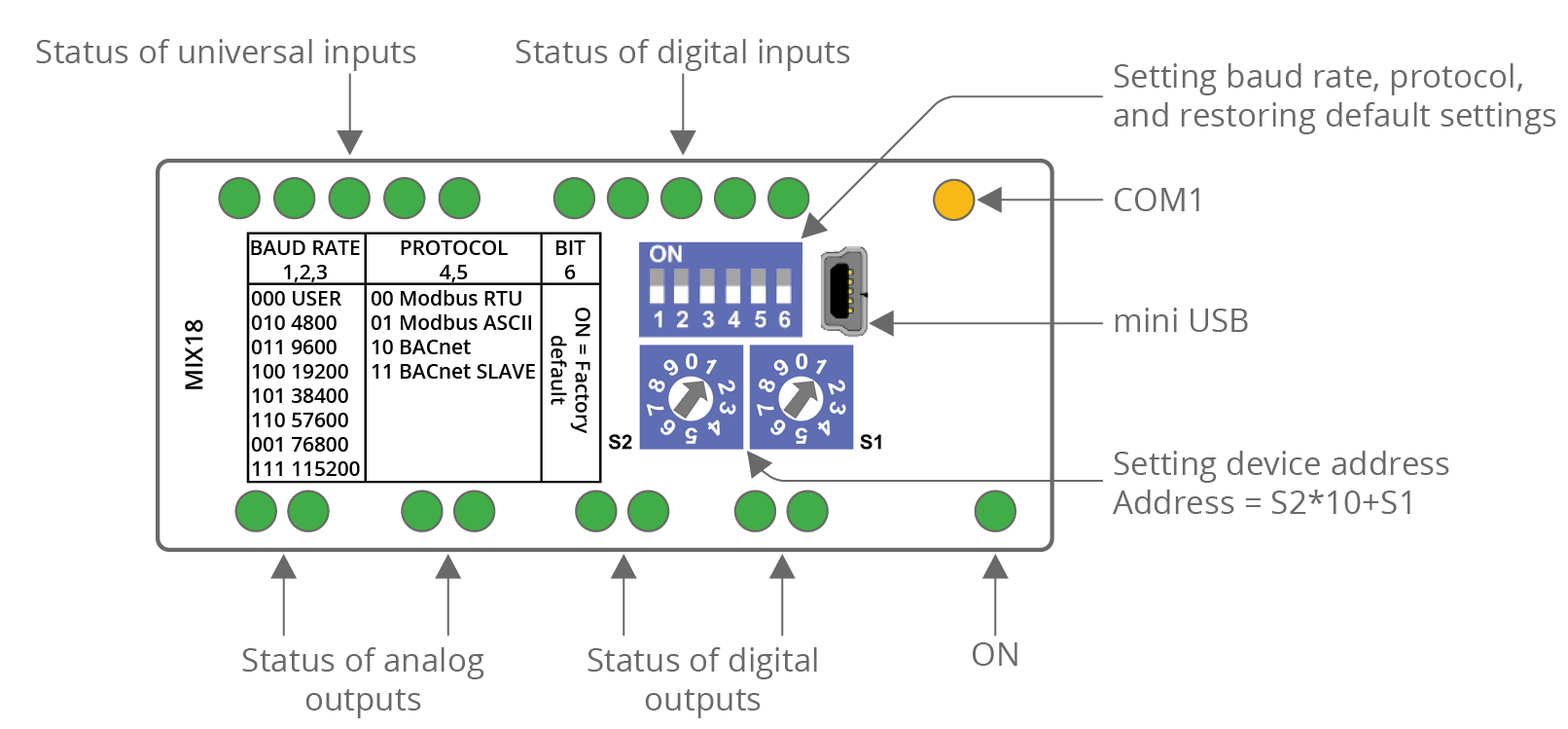
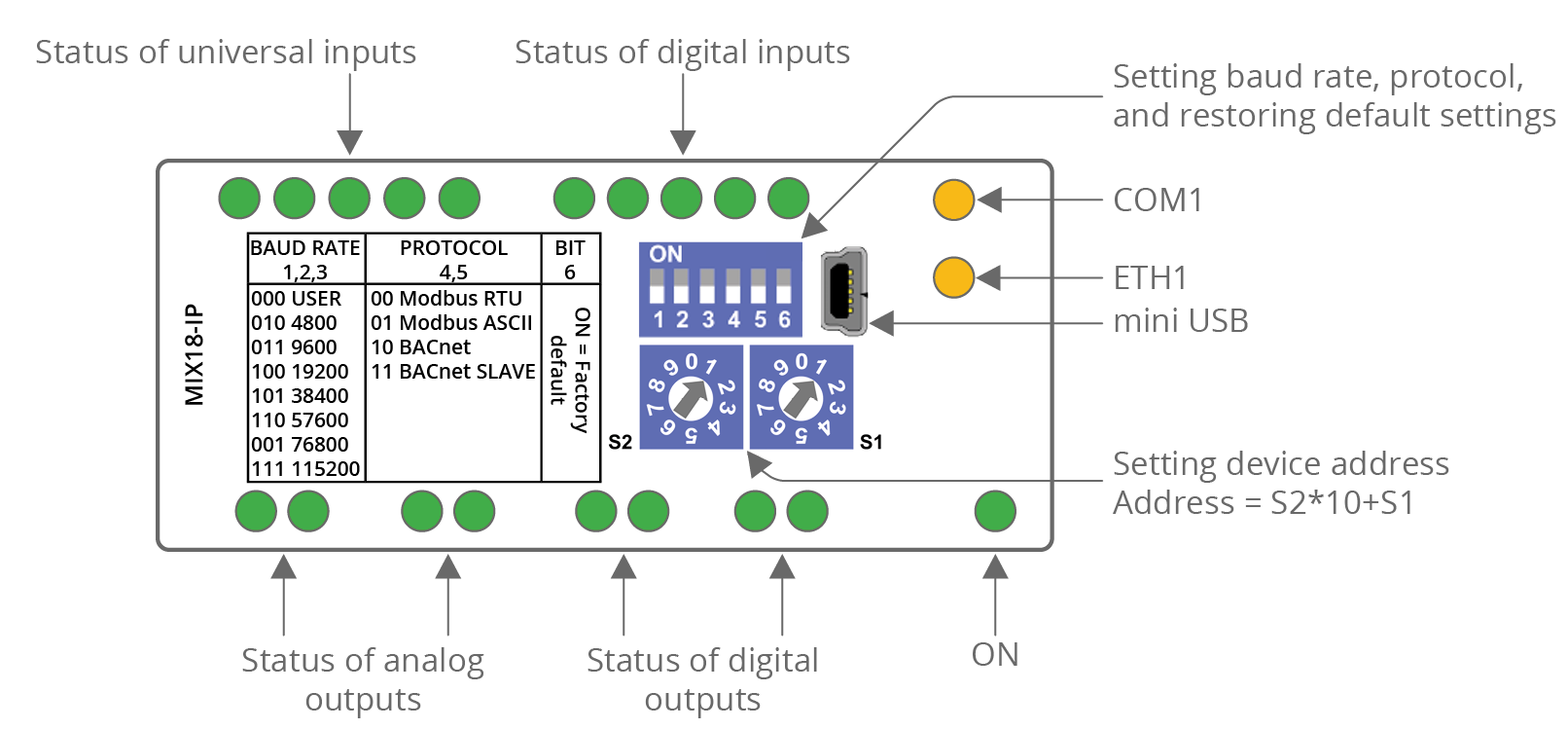
MIX18
|
The MIX18 top panel
|
The MIX18-IP top panel
|
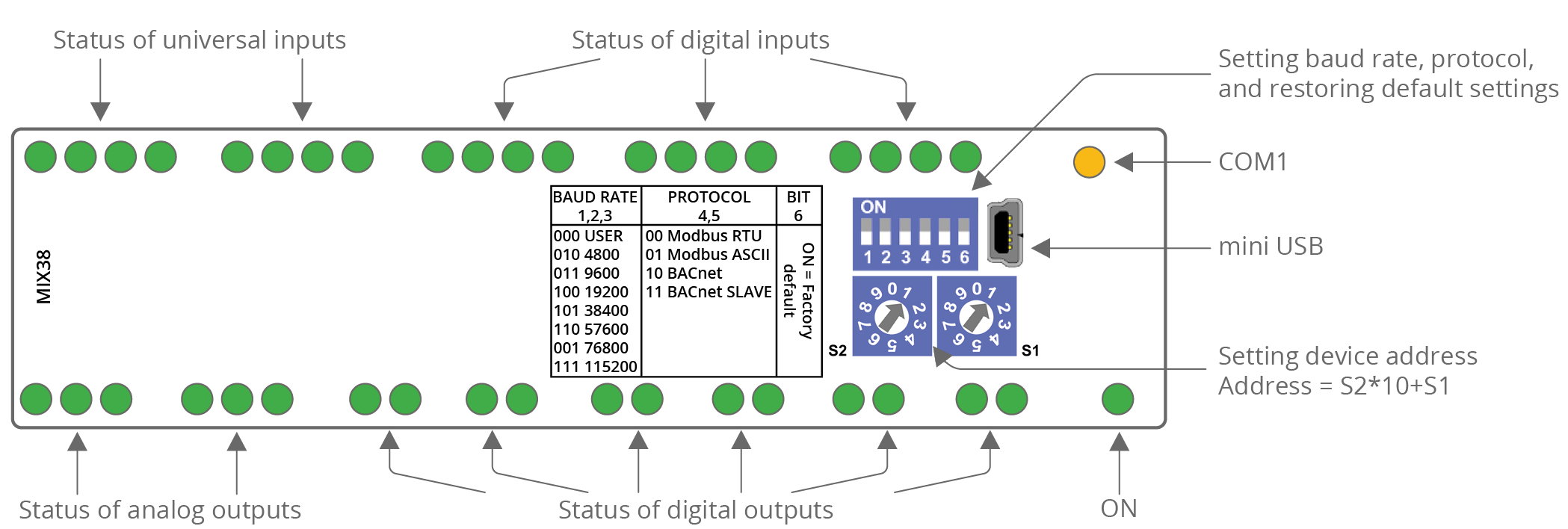
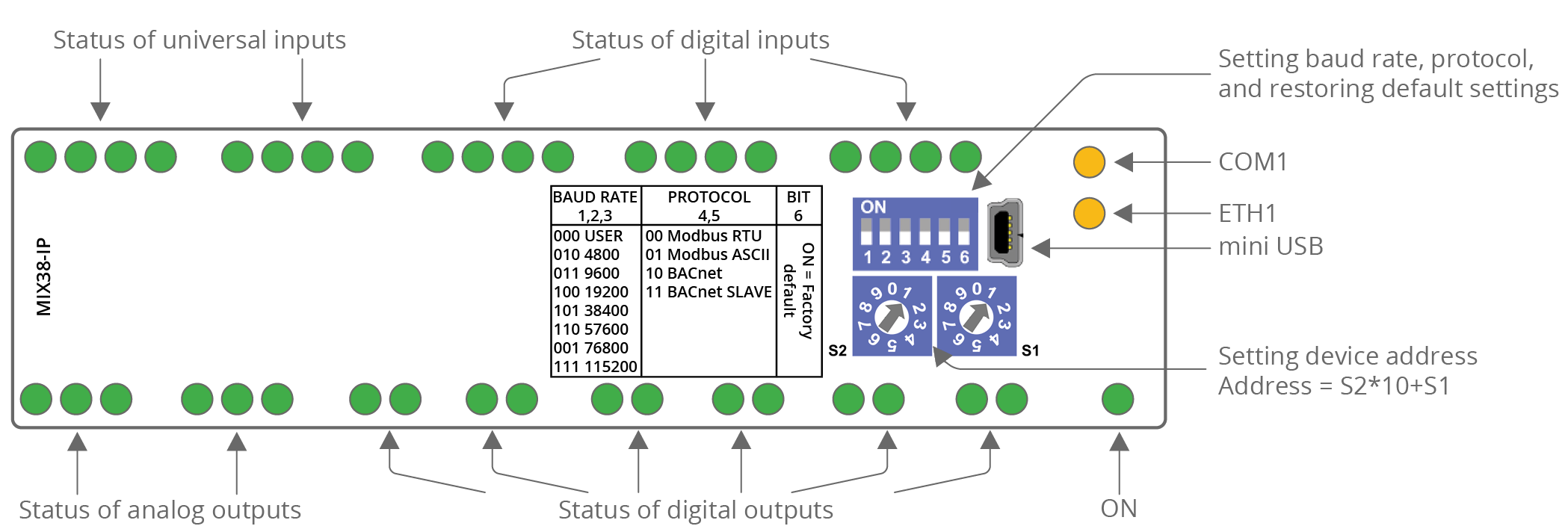
MIX38
|
The MIX38 top panel
|
The MIX38-IP top panel
|
MINI Series Front Panels
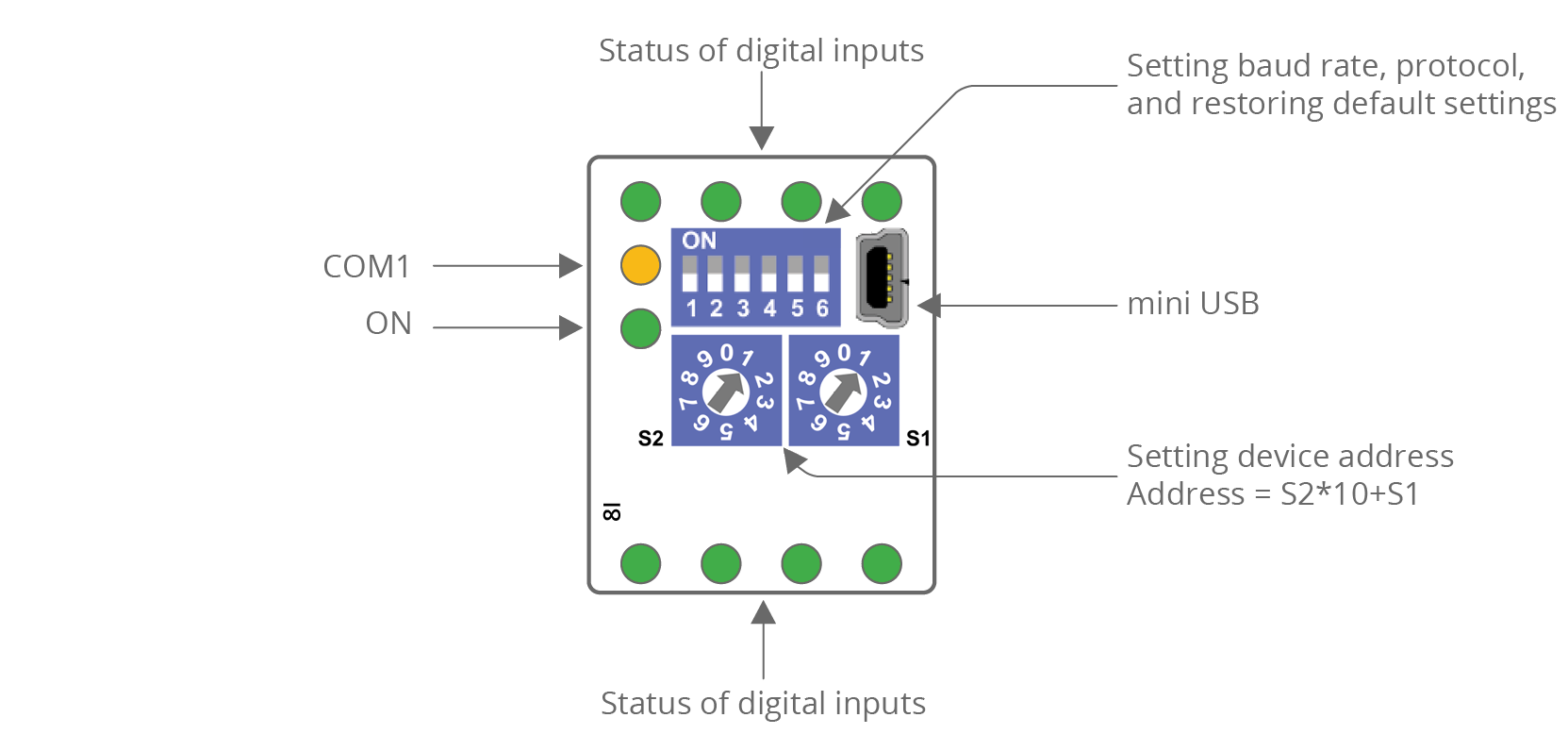
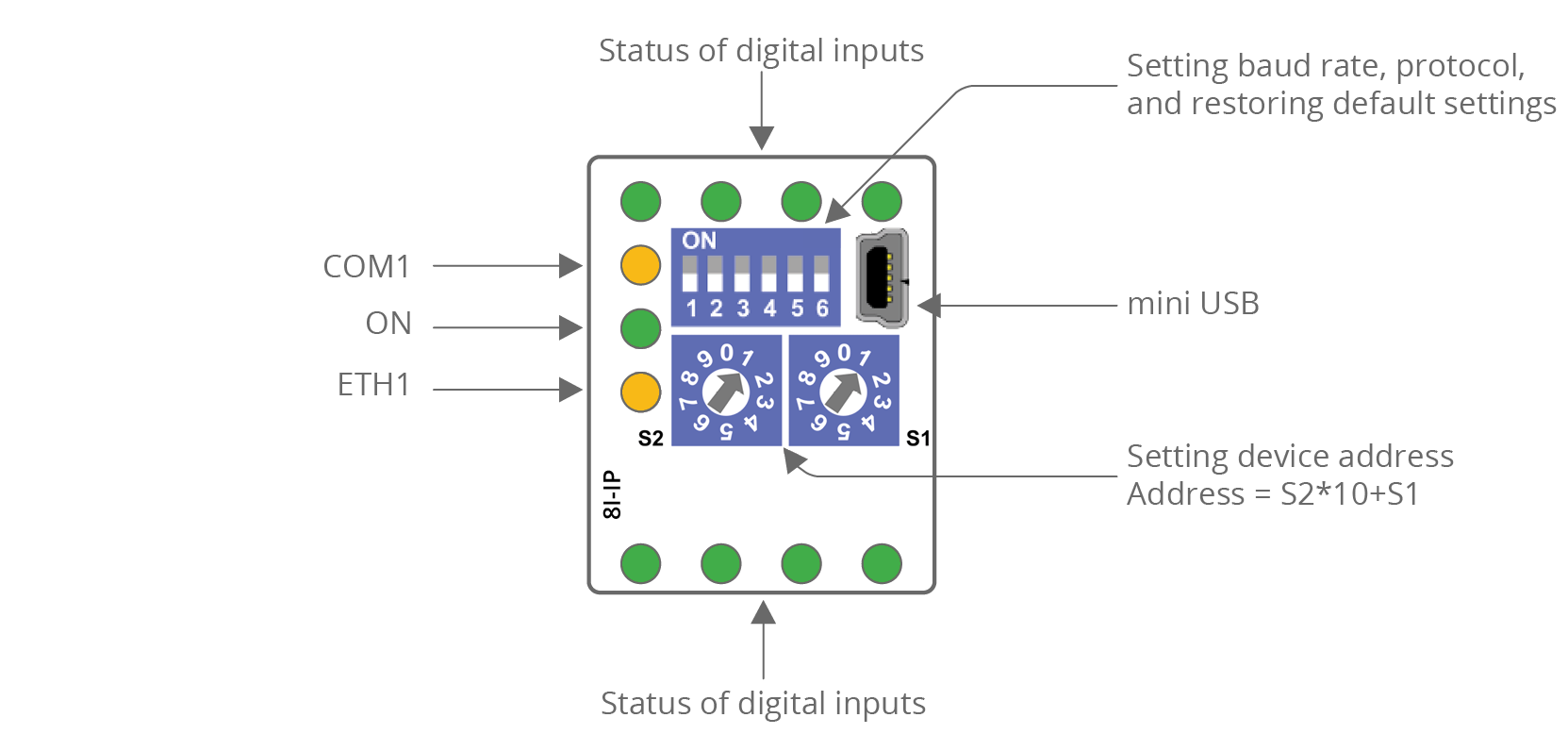
MINI 8I and 8I-IP
|
The 8I top panel
|
The 8I-IP top panel
|
MINI 8U and 8U-IP
|
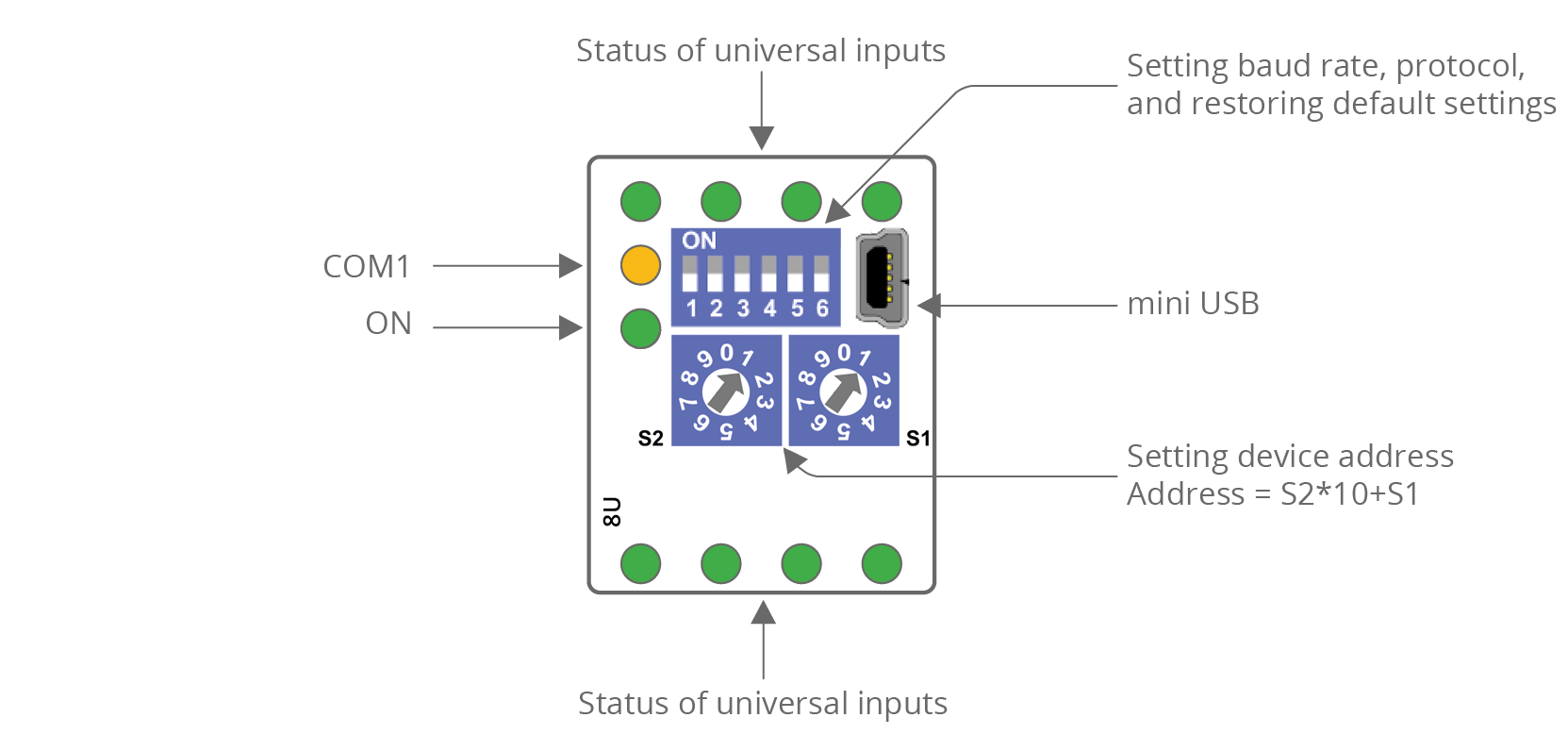
The 8U top panel
|
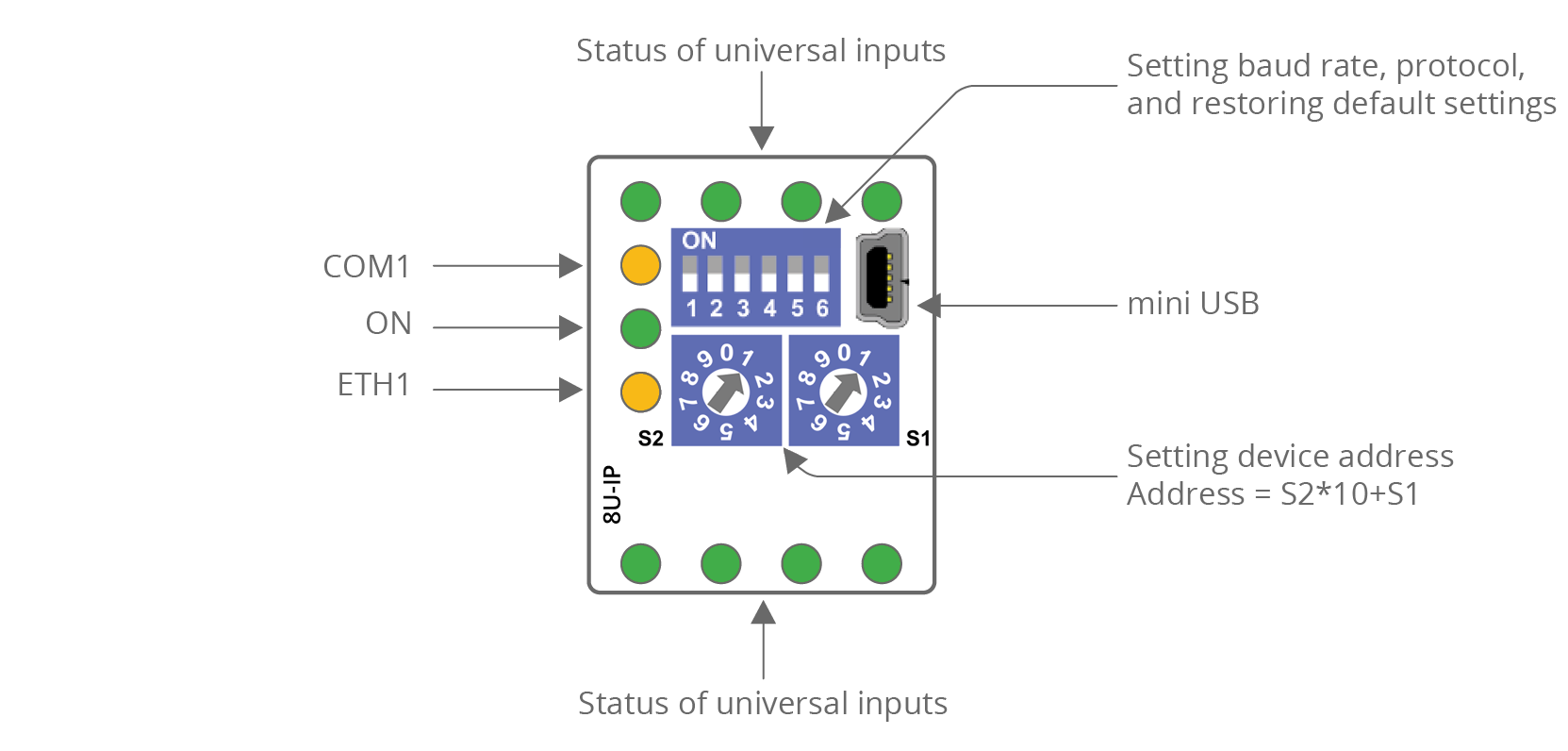
The 8U-IP top panel
|
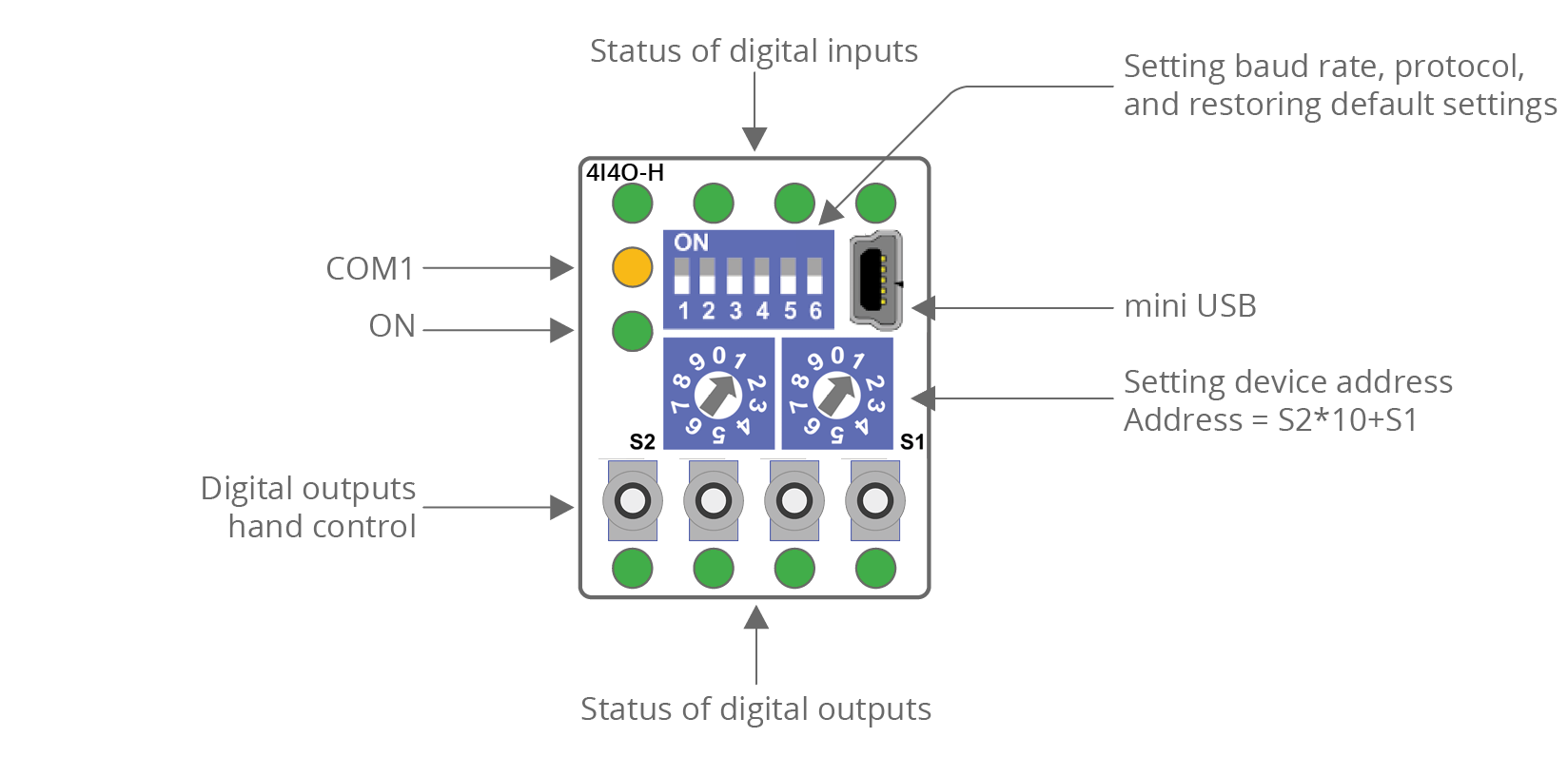
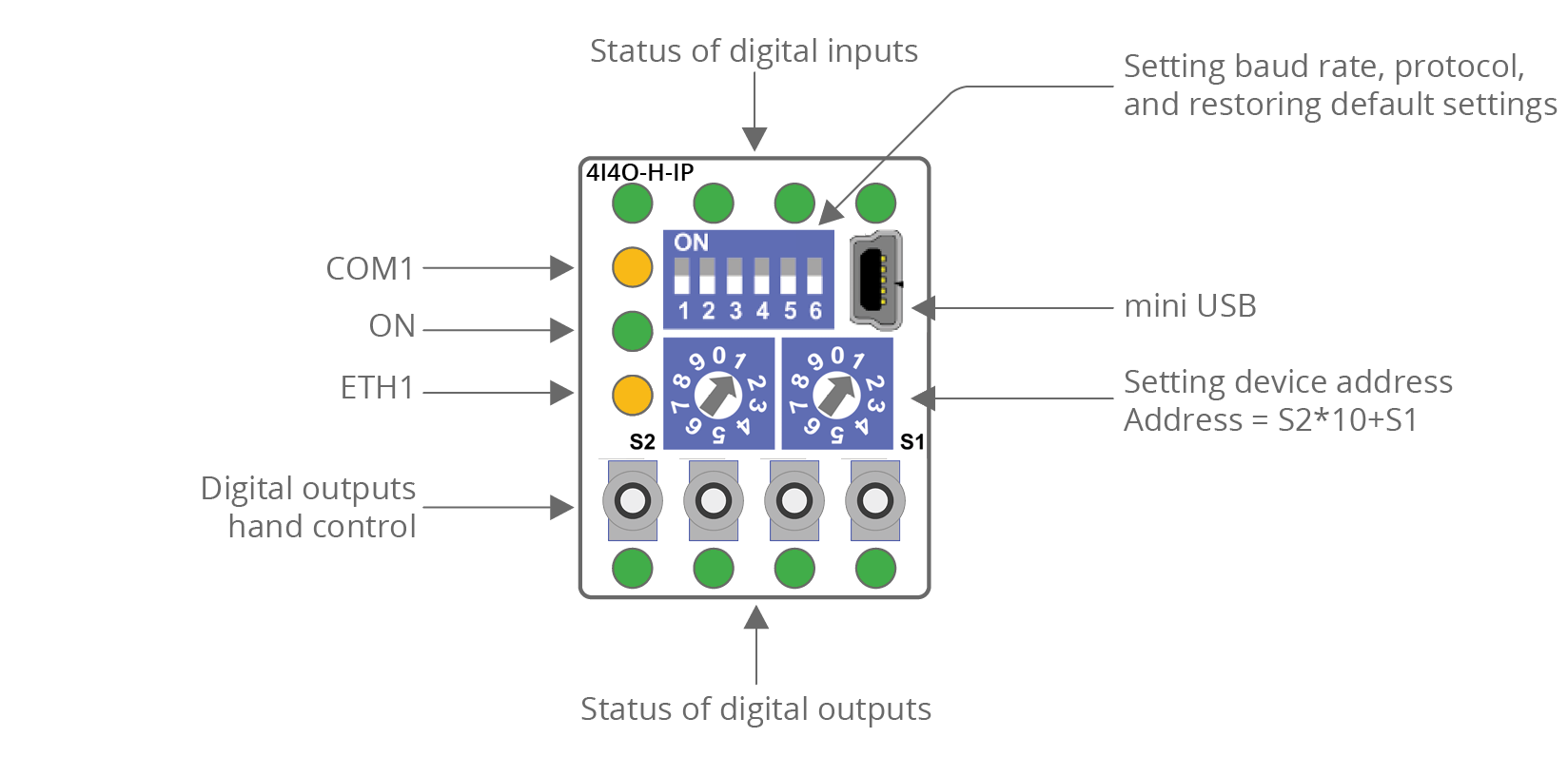
MINI 4I4O-H and 4I4O-H-IP
|
The 4I4O-H top panel
|
The 4I4O-H-IP top panel
|
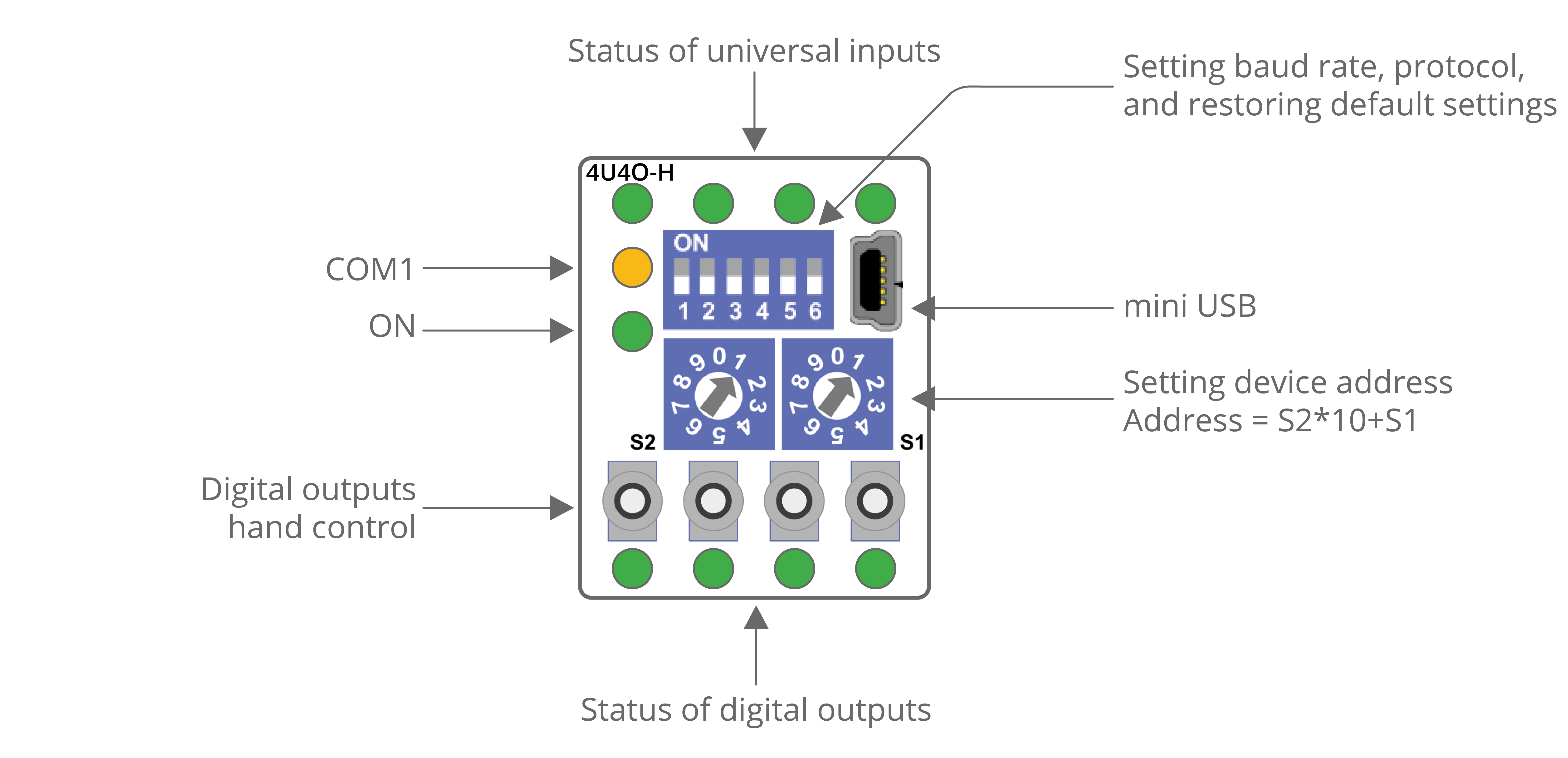
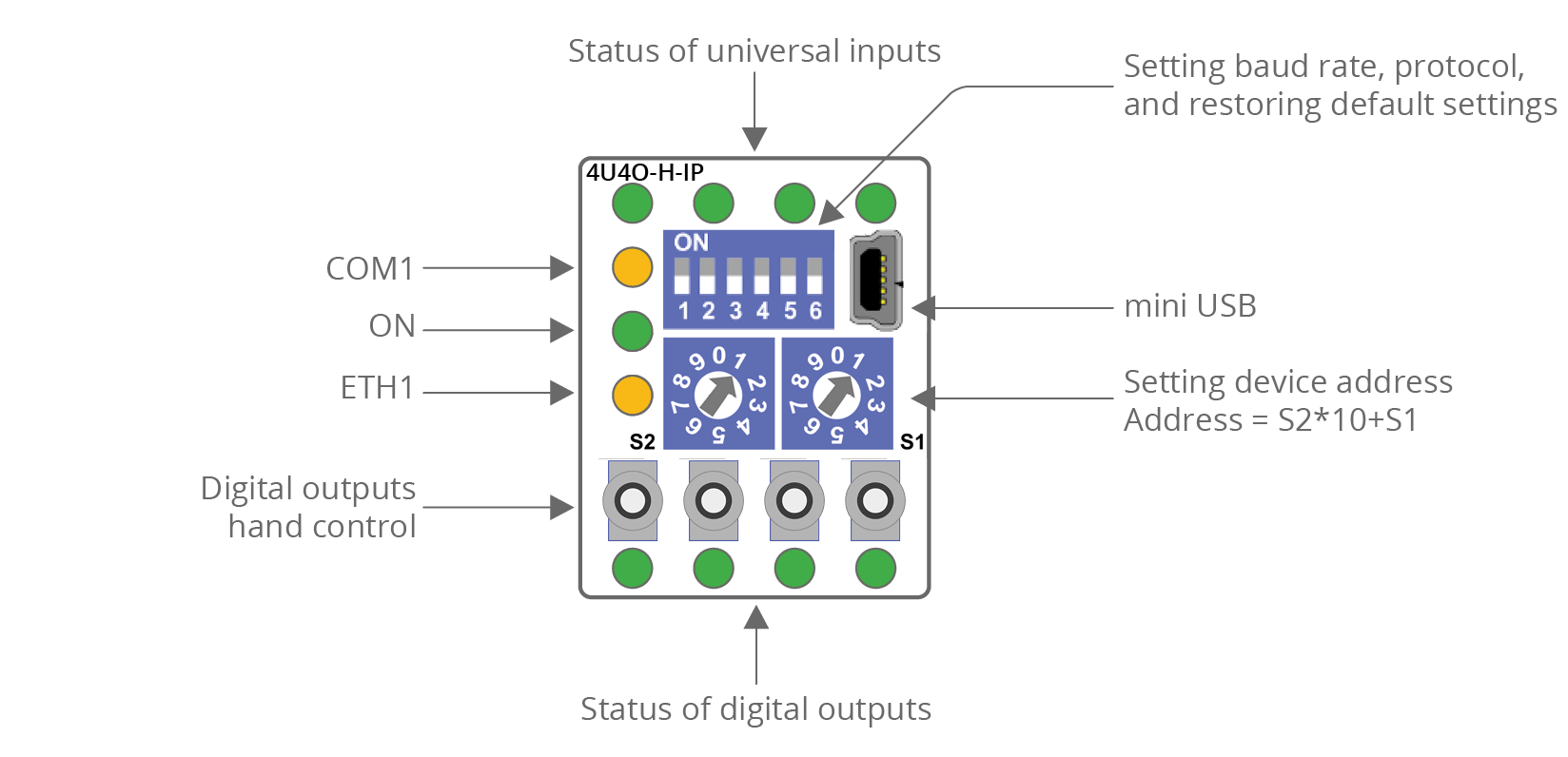
MINI 4U4O-H and 4U4O-H-IP
|
The 4U4O-H top panel
|
The 4U4O-H-IP top panel
|
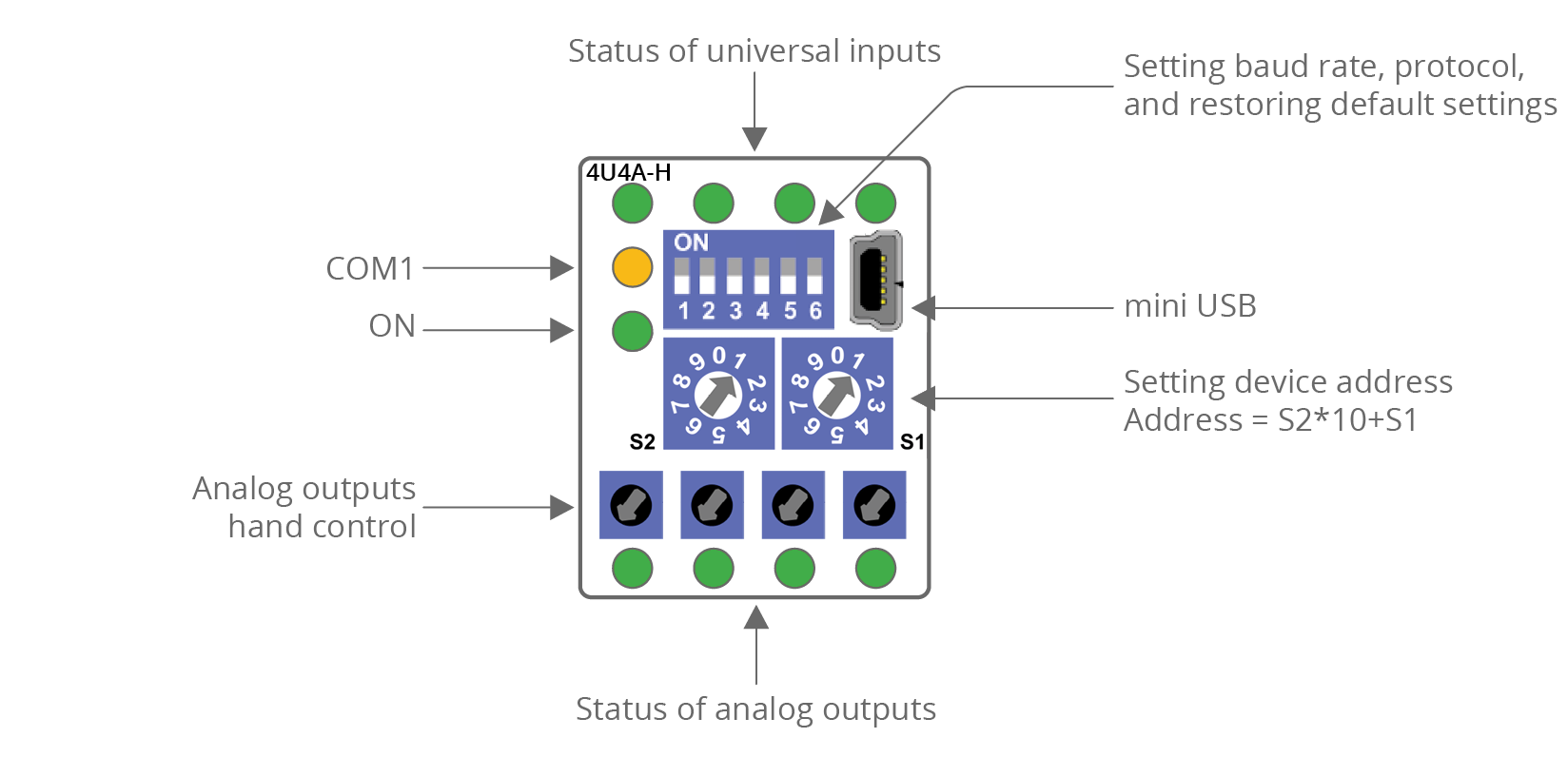
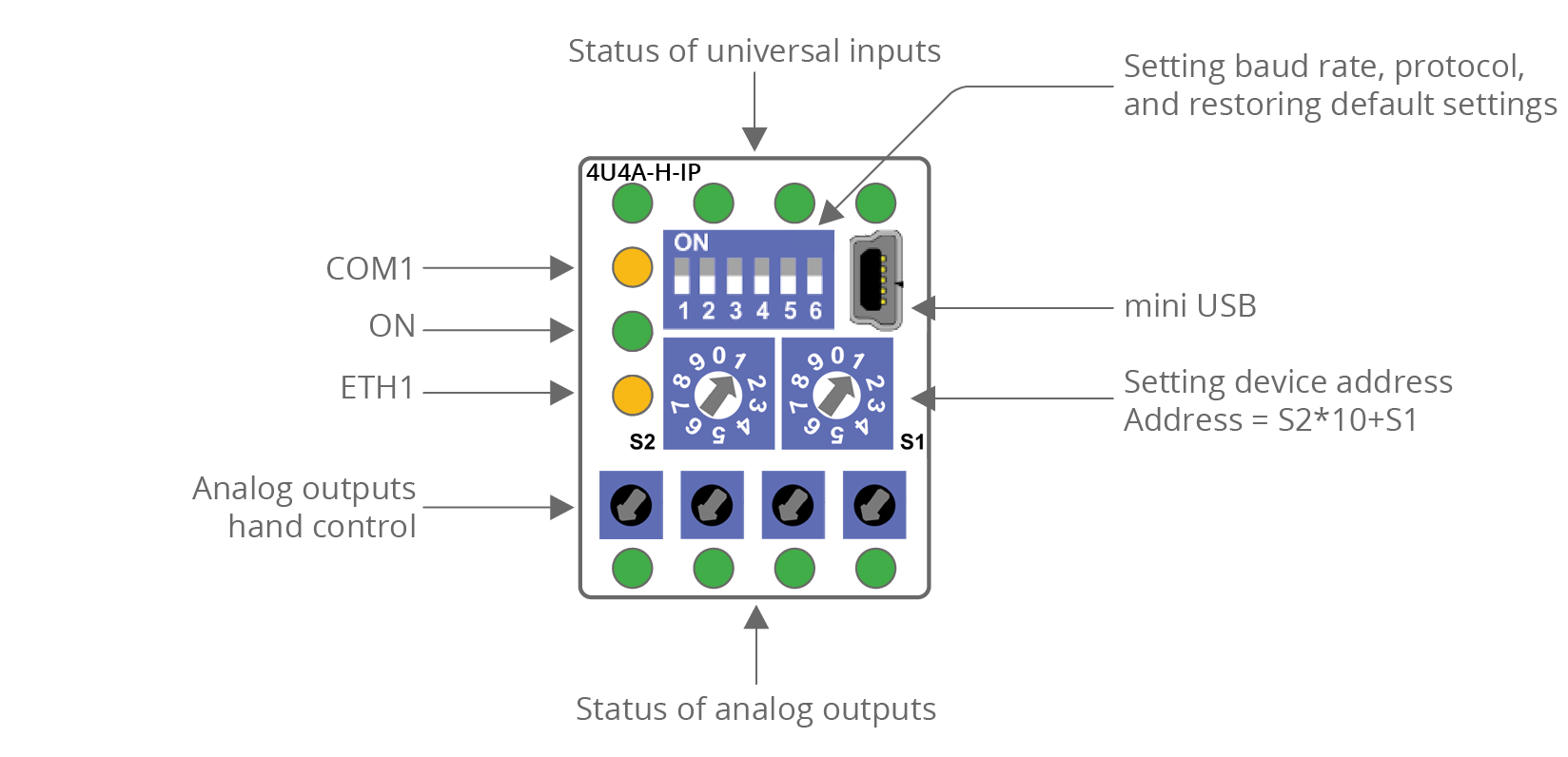
MINI 4U4A-H and 4U4A-H-IP
|
The 4U4A-H top panel
|
The 4U4A-H-IP top panel
|
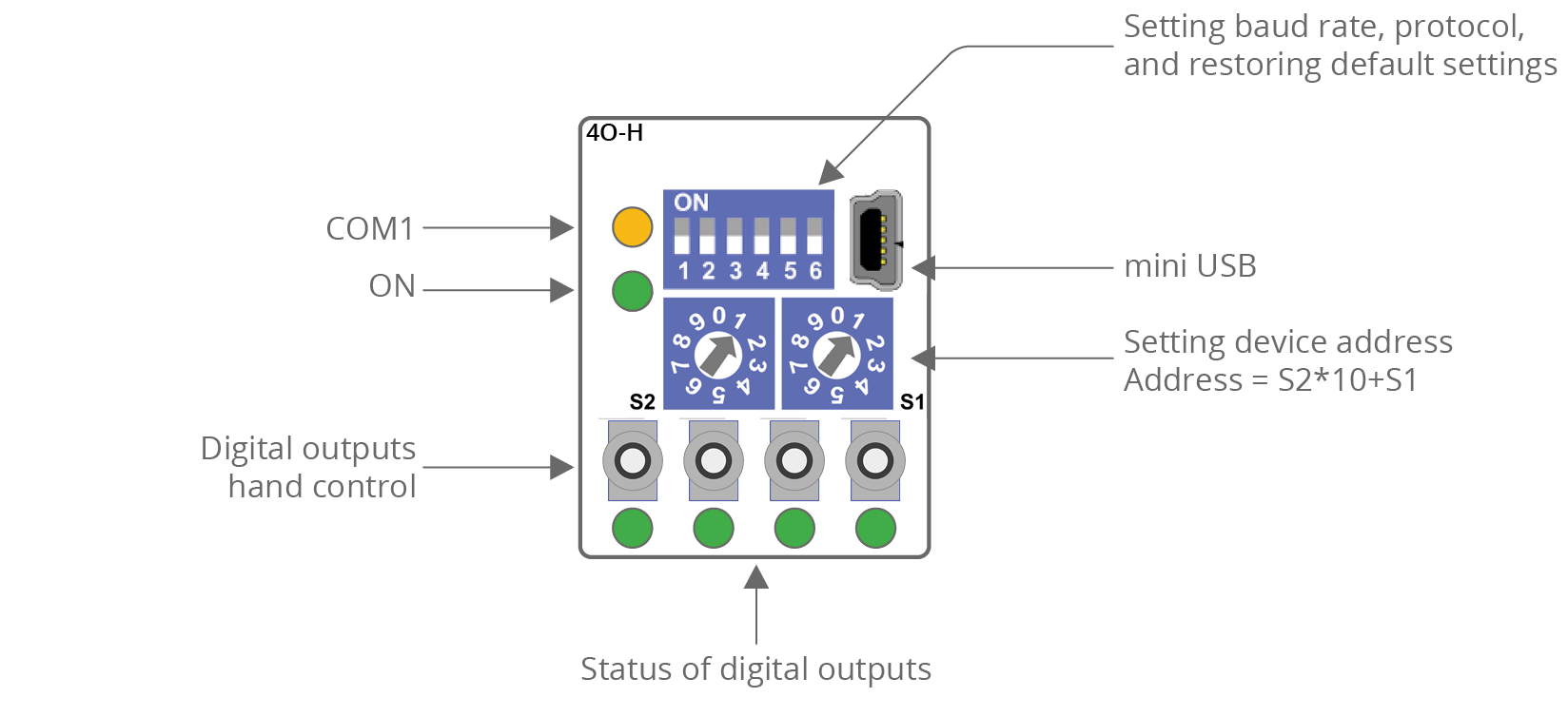
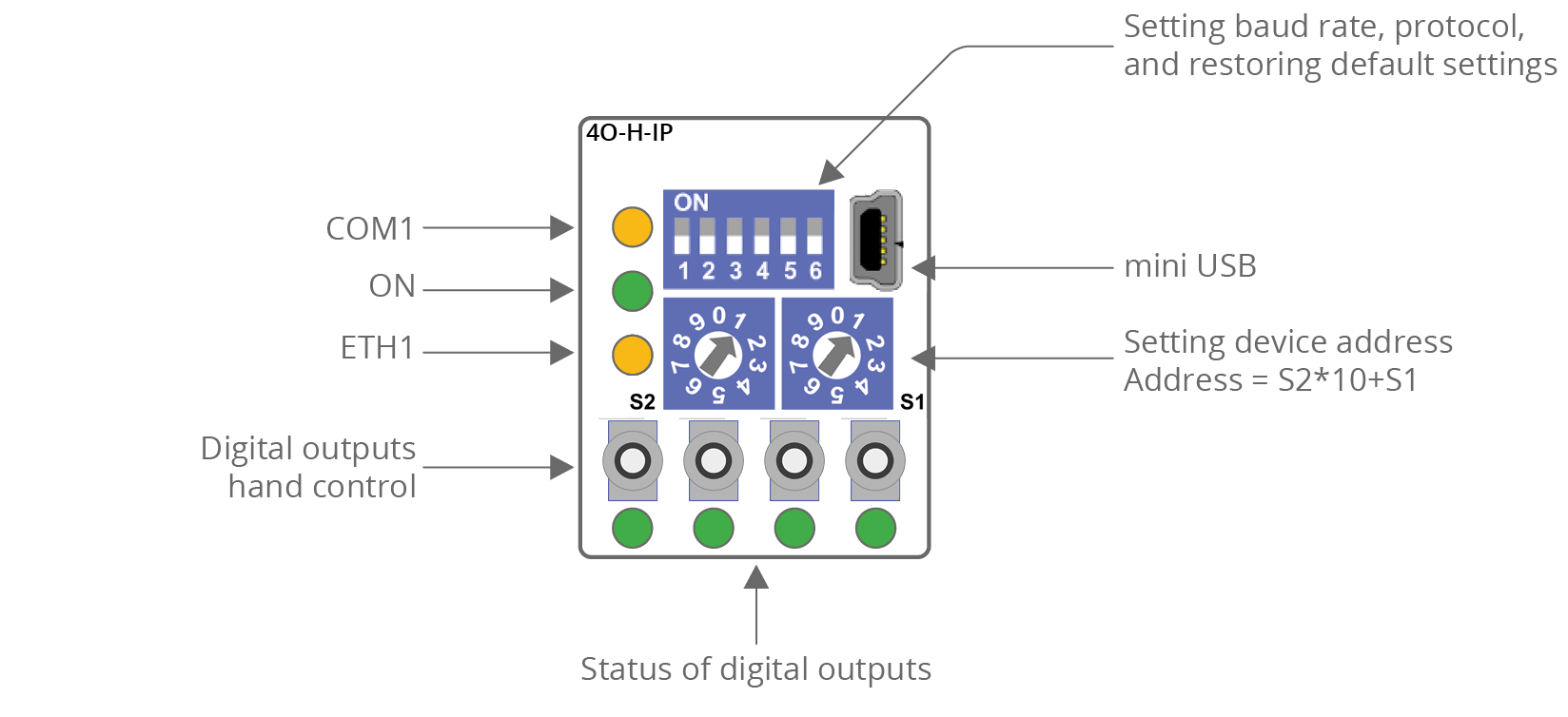
MINI 4O-H and 4O-H-IP
|
The 4O-H top panel
|
The 4O-H-IP top panel
|
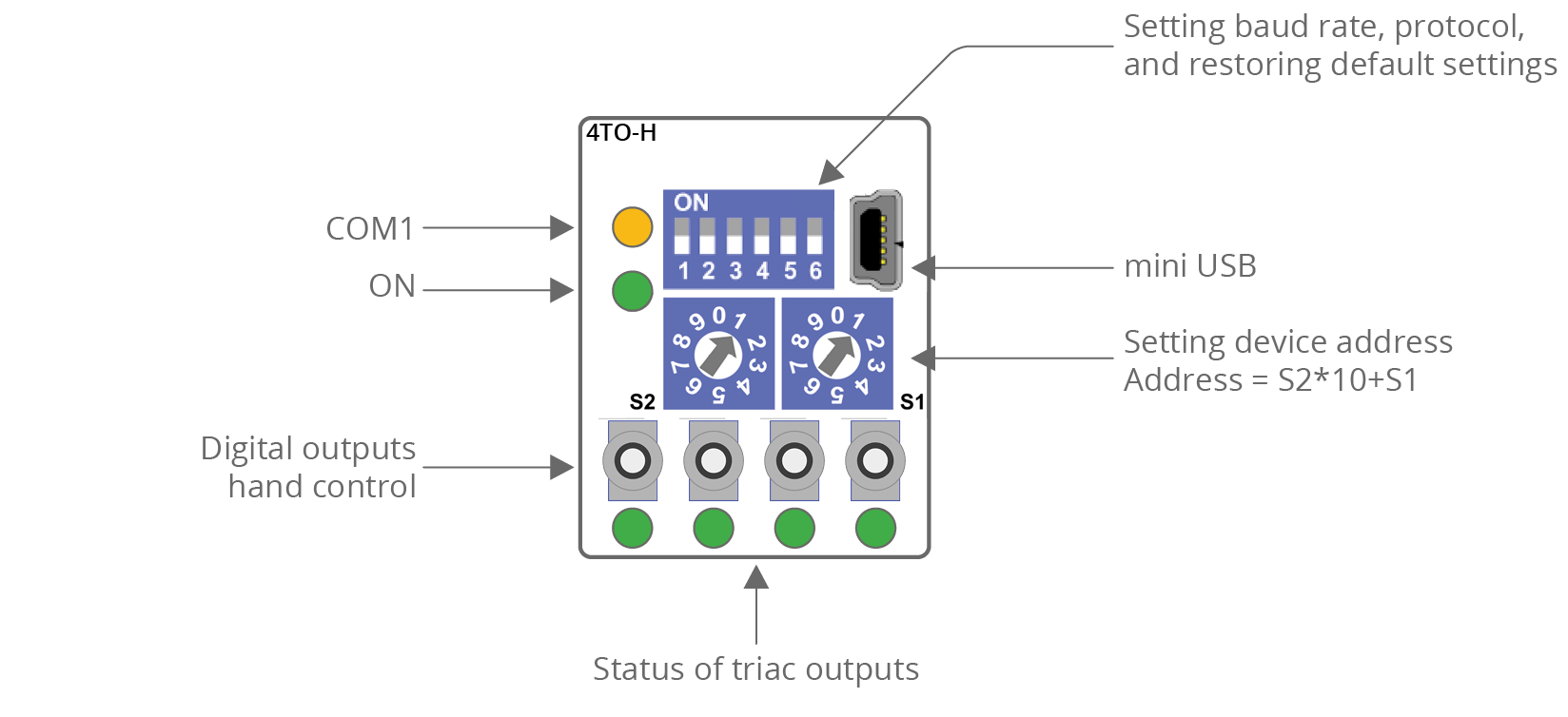
MINI 4TO-H and 4TO-H-IP
|
The 4TO-H top panel
|
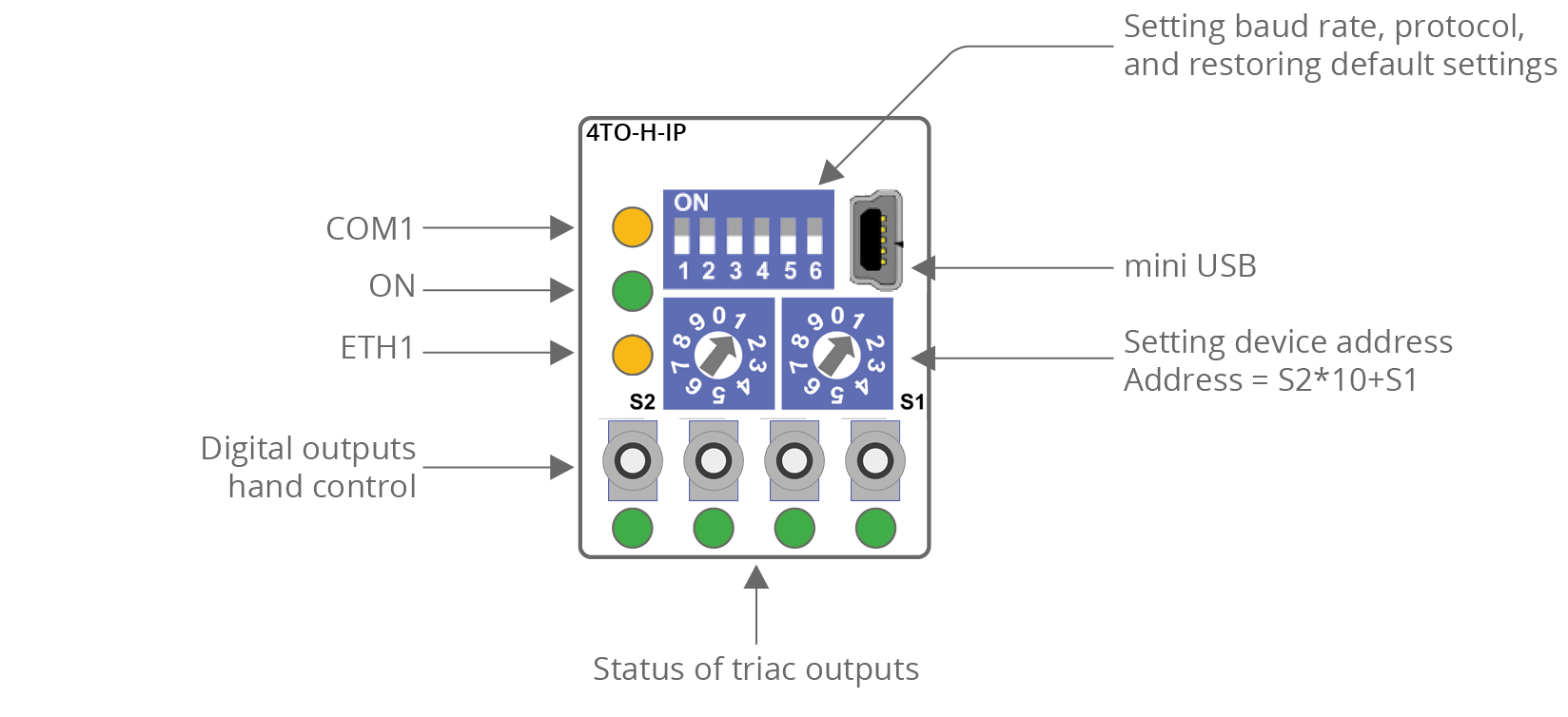
The 4TO-H-IP top panel
|
MAX Series Front Panels
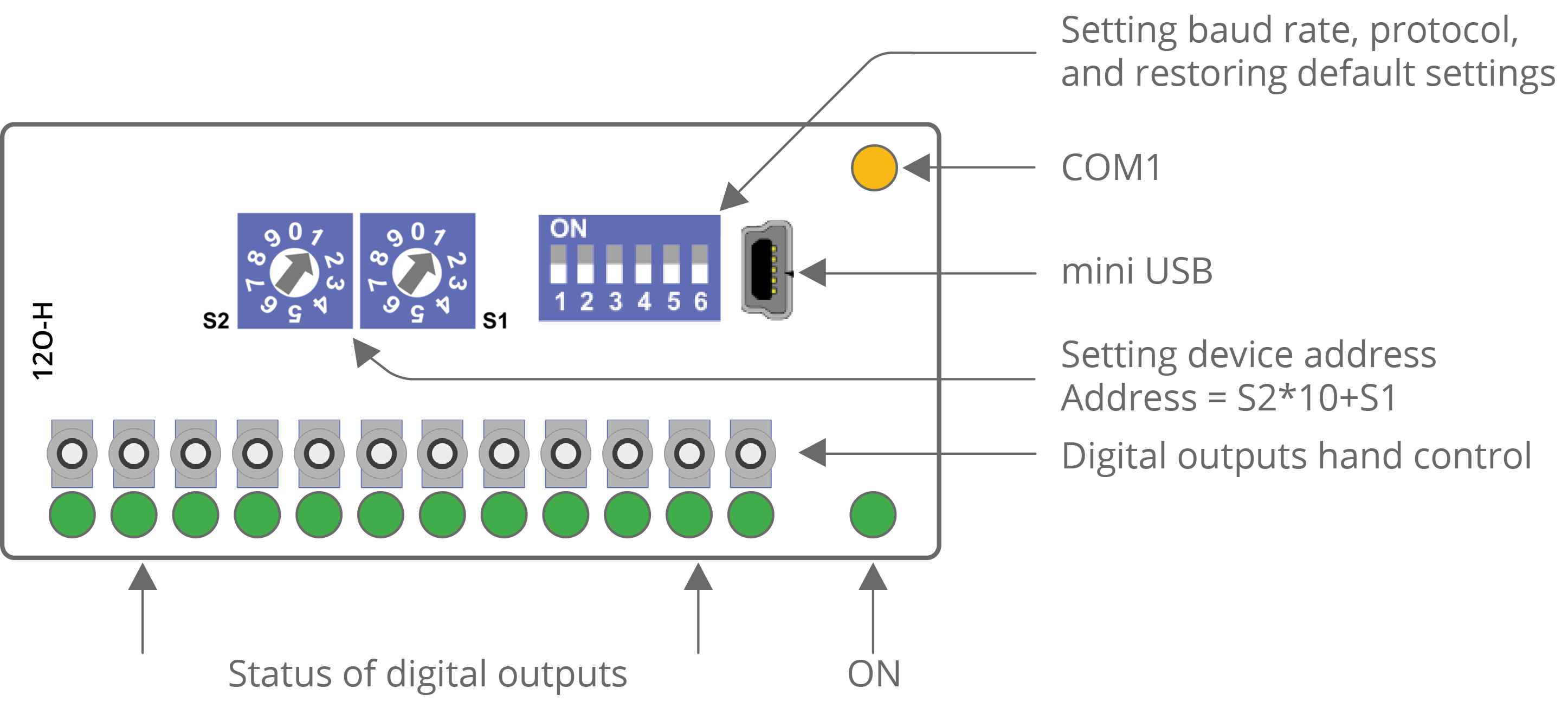
MAX 12O-H and 12O-H-IP
|
The 12O-H top panel
|
The 12O-H-IP top panel
|

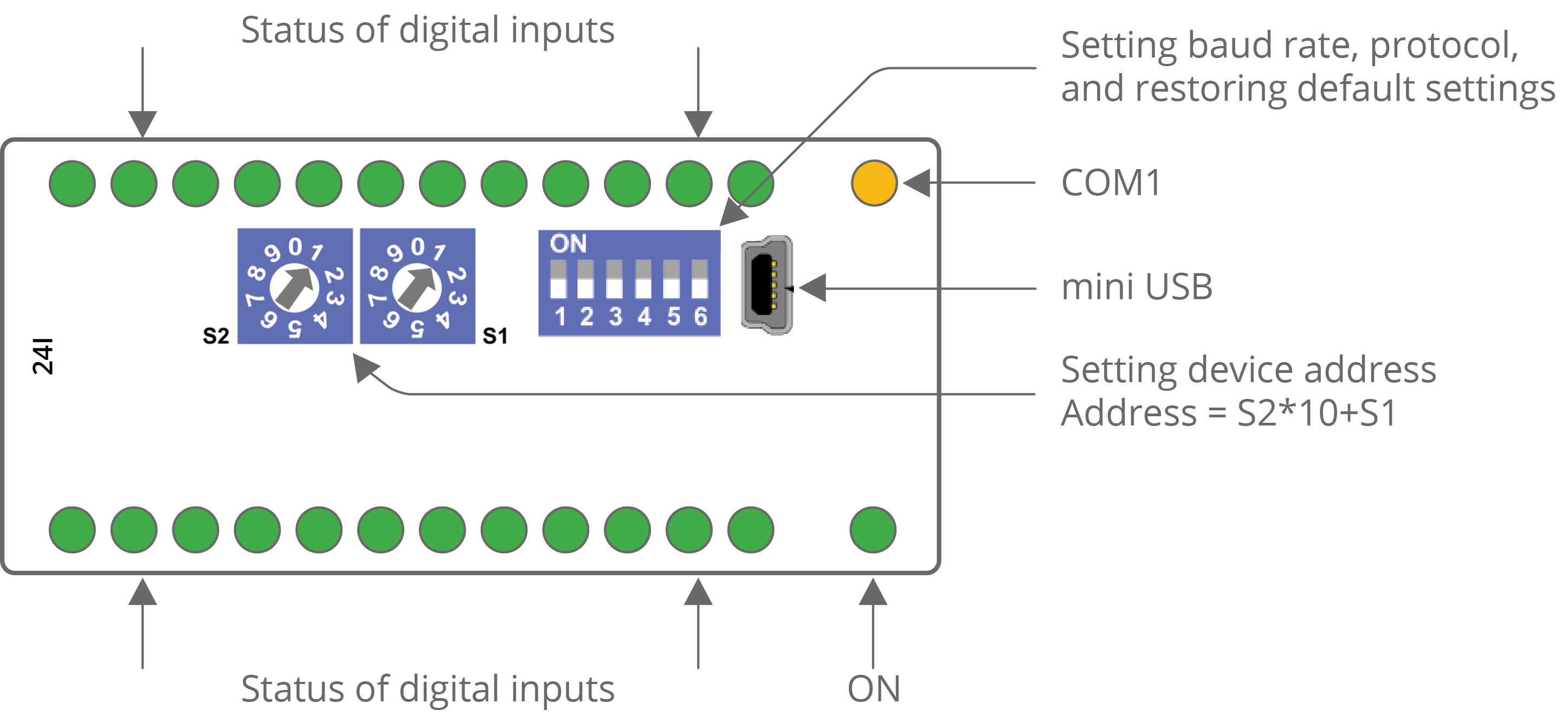
MAX 24I and 24I-IP
|
The 24I top panel
|
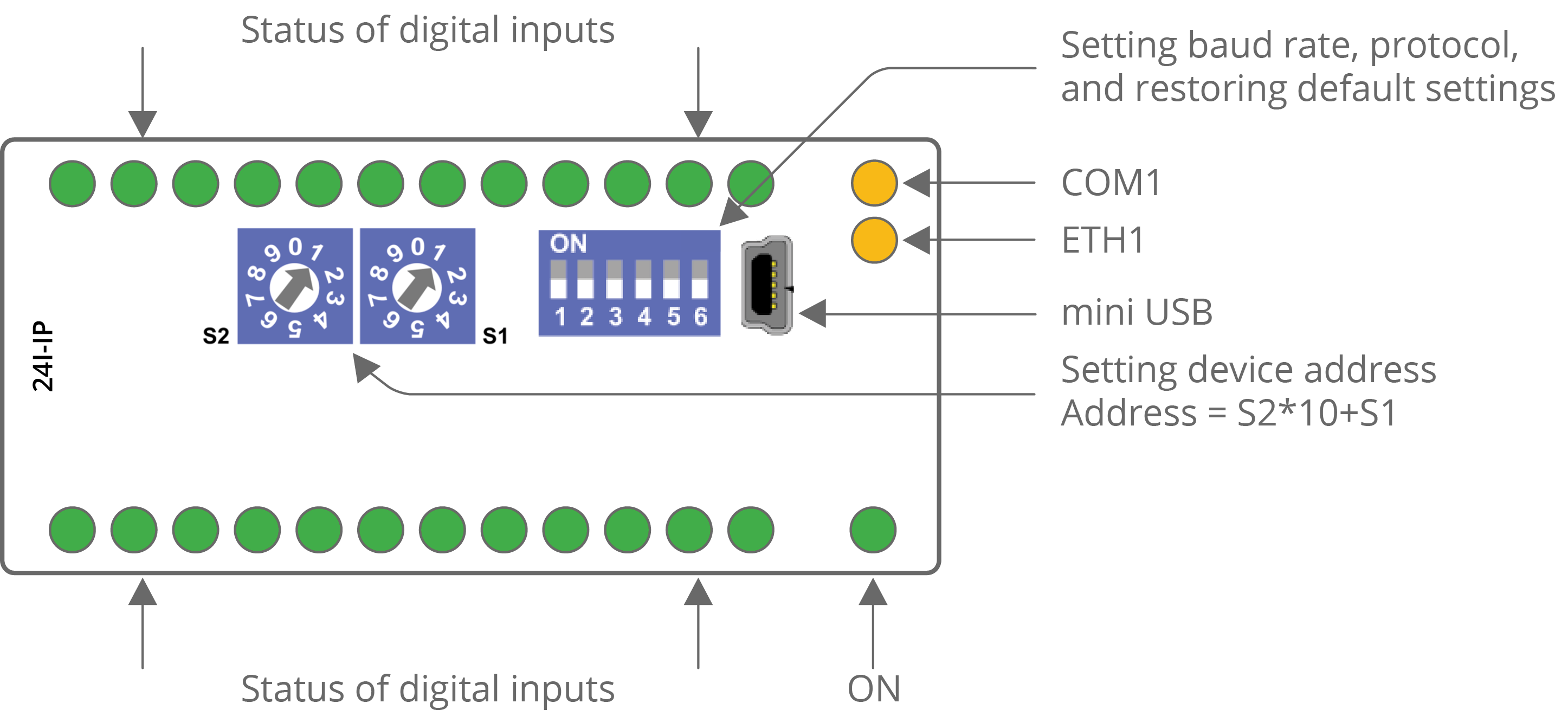
The 24I-IP top panel
|
-
The power LED (ON) is on (green) if the module runs properly.
-
The communication LED (COM1) is on (orange) for 20 ms after sending each message. If the module receives/sends a lot of messages, the LED can be lit continuously.
-
The communication LED (ETH1) lights up (orange) in the transmit or receive state when sending/receiving each package through the Ethernet port. As long as the device sends/receives packages, the communication LED blinks continuously.
-
LEDs indicating the status of the universal inputs (U1-Un) are lit when the resistance connected to the input is less than 5 kΩ (dry contact input is active).
WARNING!
The LED also lights up when the voltage connected to the input has a very low potential.
-
LEDs indicating the status of the digital inputs (I1-In) are lit when the input is active.
-
LEDs indicating the status of the analog outputs (A1-An) are lit when the output voltage or PWM duty cycle is greater than 0.
-
LEDs indicating the status of the digital outputs (O1-On) are lit when the output is enabled.
-
LEDs indicating the status of the triac outputs (TO1-TOn) are lit when the output is enabled or PWM duty cycle is greater then 0.