
The MAC36PRO controller supports an IP over USB connection, enabling an instant, plug and play network connectivity between PC and the controller, without a need of any additional drivers using static IP address.
USB Hardware Connection
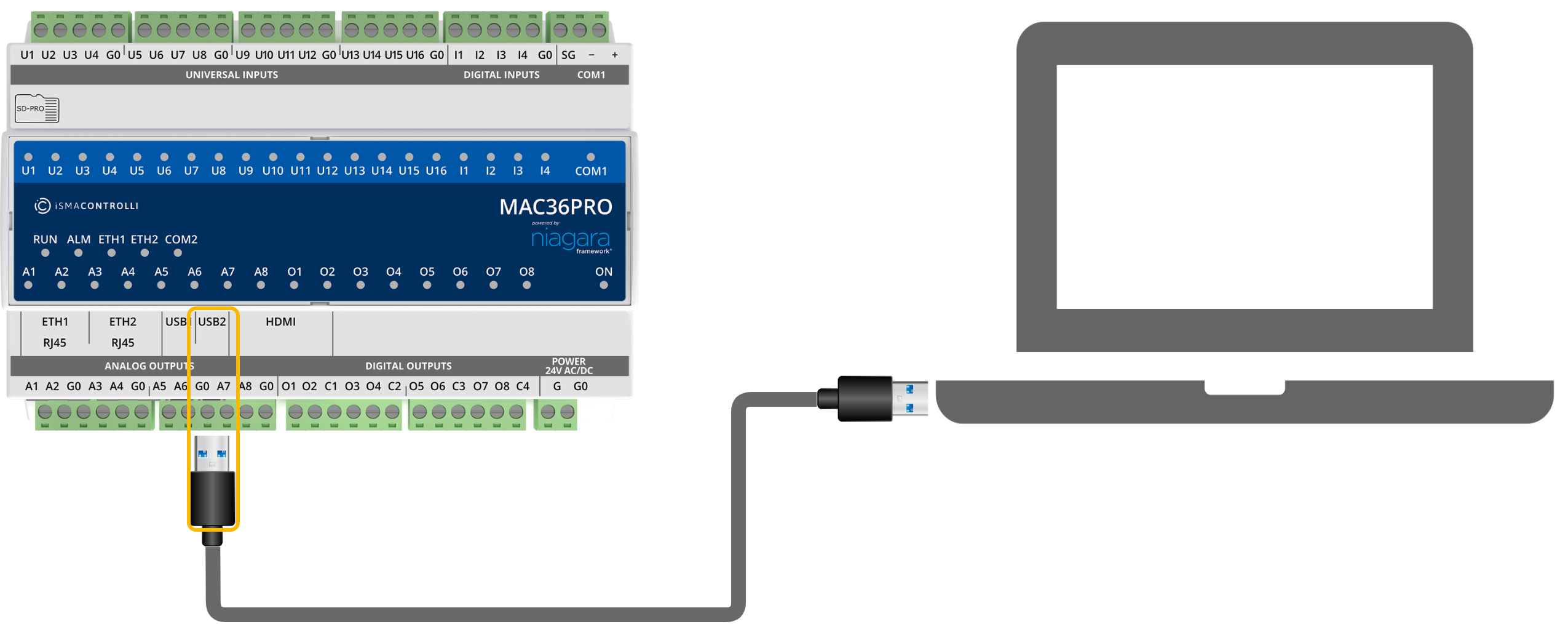
The connection is established through the USB2 (OTG) port on the MAC36PRO. A USB A–A male-male cable is required to link the controller with the PC.
Note: Please ensure the connection is done by using the supported USB2 OTG port.
IP address
Static IP address of the MAC36PRO controller when USB is connected: 169.254.1.123.
Network Configuration
Once the USB connection is established, the MAC36PRO controller emulates a Virtual Network Interface using the RNDIS protocol.
No additional configuration is required on the PC if the virtual Ethernet interface is automatically recognized. The controller creates a local DHCP network and assigns an IP address to the connected device.
Note: If the controller cannot be reached, please make sure that the Virtual Network Interface has been properly detected and installed in the PC’s network settings.