
The LocalIODevice is a component that represents local I/Os of the iSMA-B-MAC36NL and iSMA-B-MAC36PRO devices.
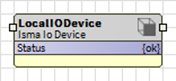
The LocalIODevice component
The component must be placed under the iSMAIONetwork component.
All local I/O points, which belong to a particular iSMA-B-MAC36NL or iSMA-B-MAC36PRO device, must be placed under the LocalIODevice.
The LocalIODevice component has the following slots:
-
Status: defines a current status of the component, available states:
-
Ok: the component is working properly;
-
Disabled: the component or his parent (iSMA IO Network) is disabled (the Enabled slot is false);
-
Fault: indicates an incorrect configuration of the component;
-
-
Fault Cause: describes a cause of an error if there is a fault or down status;
-
None: no fault;
-
Bad Parent: the component has been inserted in a wrong place in the structure (the only correct place is the Device component or a subfolder of the Device component);
-
Duplicated Component: appears if a component with the given address already exists (prevents double representation of the input/output within an application);
-
-
Enabled: enables/disables the component;
-
Fast Rate: the time interval that specifies the target poll interval for components assigned to this rate group;
-
Normal Rate: the time interval that specifies the target polling interval for the components that can be polled and are assigned to a normal polling rate;
-
Slow Rate: the time interval that specifies the target polling interval for components that can be polled and are assigned to a slow polling rate.
Slots hidden by default:
-
Write On Start: perform a writing action in the device’s writable components in the iSMA IO Network after a reset or power-up;
-
Write On Up: perform a writing action in the device’s writable components in the iSMA IO Network after restoring a connection with the device;
-
Write On Enable: perform a writing action in the device’s writable components in the iSMA IO Network after enabling the device.
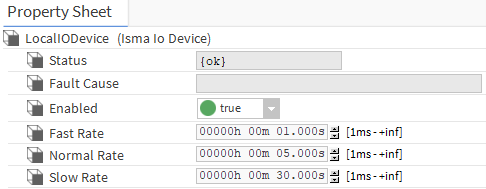
The LocalIODevice in the Property Sheet