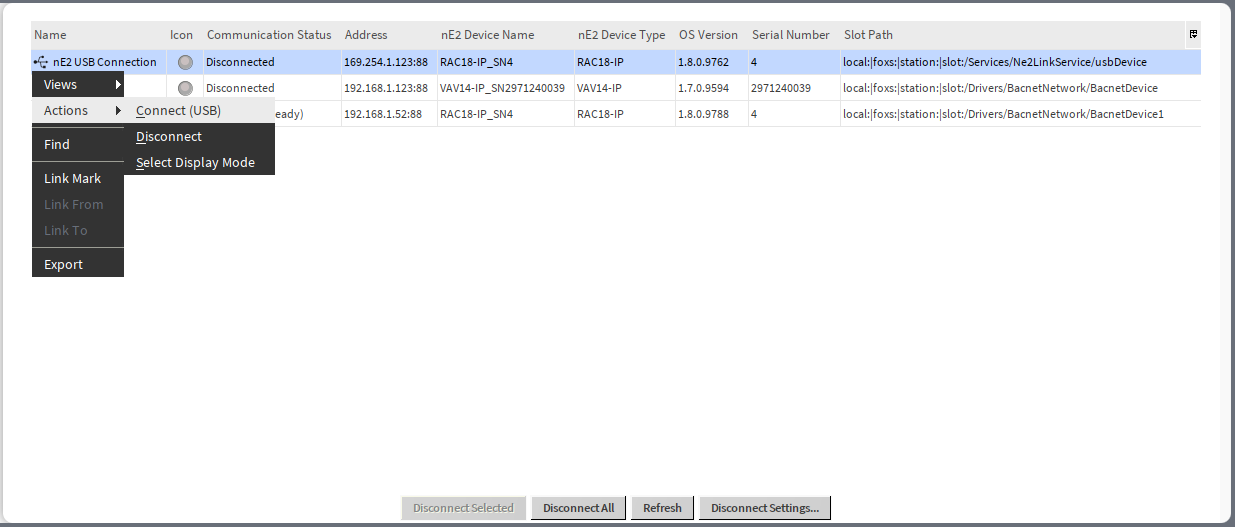
The Ne2LinkService service allows for managing existing nE2deviceExt added to the supported networks and nE2deviceExt added directly under the service itself. Device extensions are automatically discovered and visible in the service. The service allows to establish a connection with a USB device directly through the service or allows a TCP/IP of the device extension added directly to the service.
Installation
There are two ways the Ne2LinkService is added to the station Services, automatically and manually.
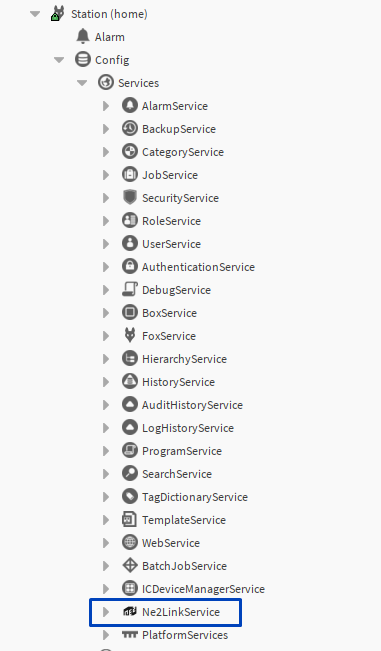
It is also possible to add it manually to the Services in the station, dragging it from the nE2 Link palette.
USB Connection
From the nano EDGE ENGINE V1.7.0, it is possible to connect and program devices using the USB cable. The Ne2LinkService is a dedicated way to manage the USB connection to the device.
In the service’s view, there is a permanent position ‘nE2 USB Connection’, which allows to connect to any nano EDGE ENGINE device connected to the PC using the USB cable (even if it has not been previously added as the BACnet device extension).
The USB connection is also added (automatically) as a component under the Ne2LinkService.
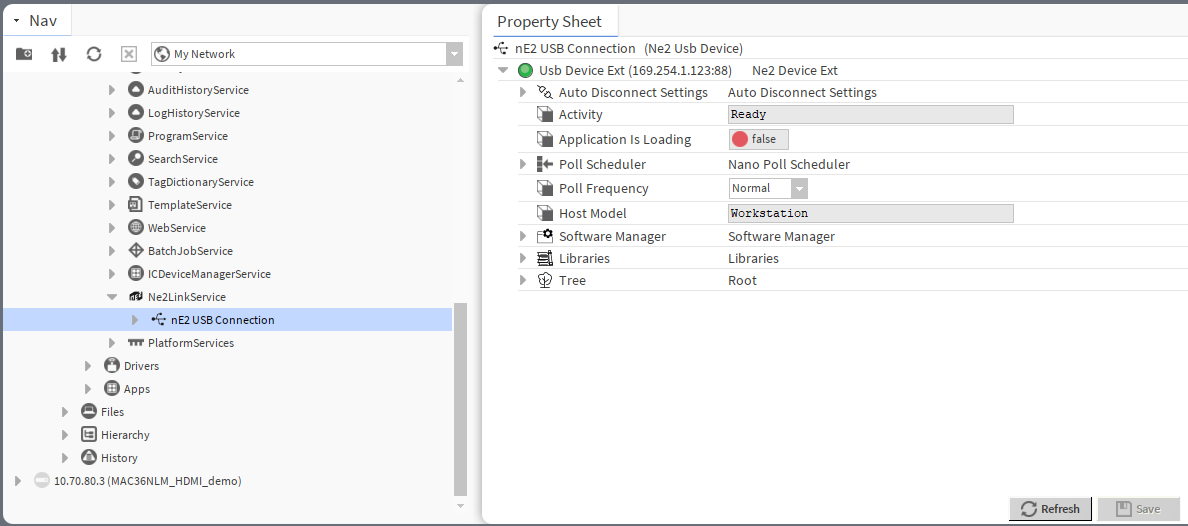
The nE2 USB connection component gathers fundamental features related to the USB connection with the nano EDGE ENGINE controller:
-
Auto Disconnect Settings: allows to set the time after which the device disconnects automatically,
Note: Auto-disconnect parameters can be set individually for the device connected with USB but please note that setting them directly in the Ne2LinkService main view (using the Disconnect Settings button) will overwrite the individual settings.
-
Activity: shows the status of the connected device,
-
Application is Loading: shows if the application loading process is ongoing; if false, it means the process has been finished and the application is loaded,
-
Poll Scheduler: allows to set polling speed parameters and shows polling statistics,
-
Host Model: shows the host model of the connected device,
-
Software Manager: shows the operating properties of the connected device:
-
iFnet port,
-
IP address,
-
last connected,
-
MAC address,
-
maximum number of Data Points,
-
device name,
-
model,
-
OS version,
-
ping,
-
serial number,
-
information about not loaded libraries (if any);
-
-
Libraries: shows libraries installed on the connected device and their versions,
-
Tree: shows the workspace tree of the connected device.
Establishing USB Connection
USB Cable
For the USB connection, please use either the USB-C/USB-C cable or the USB-C/USB-A type. Please note that nano EDGE ENGINE controllers, which can be connected in the Ne2LinkService, are equipped with the USB-C port on their end.
The cable has to support both power and communication to establish a proper connection with the nano EDGE ENGINE controller. Once connected, the controller should power up directly, if it is not already powered with 24 V AC/DC source.
To establish the USB connection, go either to the Ne2Service main view (double click the service) or to the nE2 USB Connection component in the tree. Open the context menu and select the Connect (USB) option.
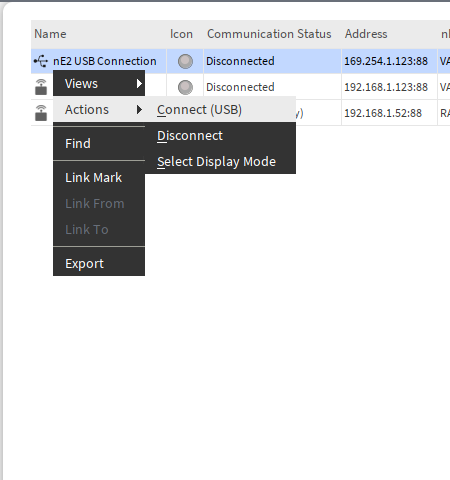
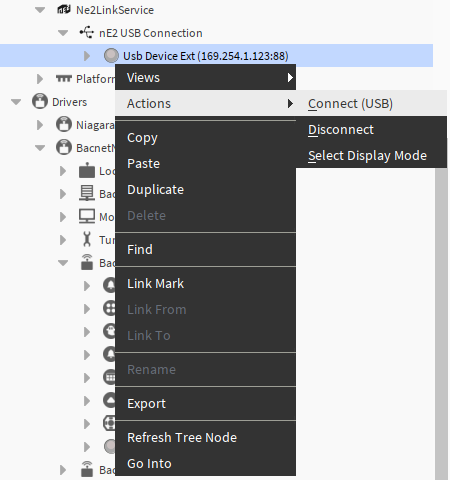
The Connect (USB) action brings up a pop-up window:
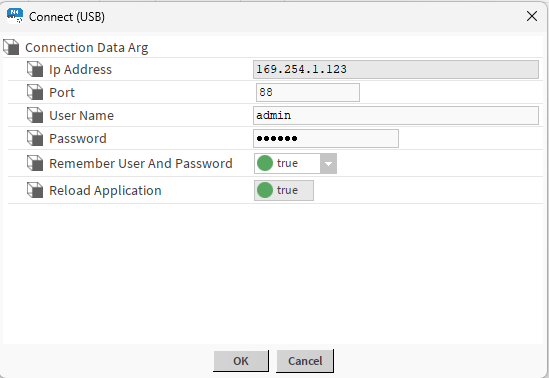
Here, enter the controller’s user name and password. The pop-up shows also the following parameters:
-
IP Address: shows the fixed IP address used for the USB connection (169.254.1.123),
-
Port: shows the iFnet port number and allows to change it, if different,
-
User Name: allows to enter the controller’s user name,
-
Password: allows to enter the controller’s password,
-
Remember User and Password: allows to set the remembering credentials parameter (if true, the credentials will be saved for the next logging in),
-
Reload Application: shows if the reload application action will be executed upon connection (true by default).
Note
If the connection cannot be established, it is advisable to check if the PC recognized the connection as the Remote NDIS based Internet Sharing Device.
To check the connection, go to the Control panel>Network Connections:

nE2deviceExt Device under the Ne2LinkService
The nE2DeviceExt can be added directly to the Ne2LinkService.
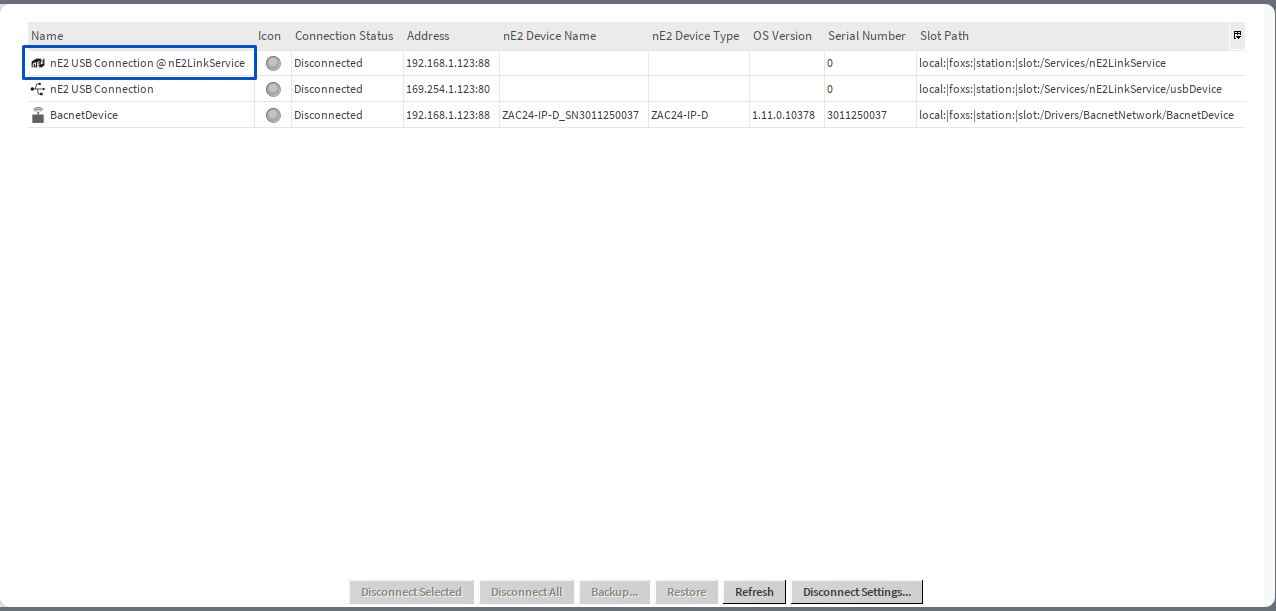
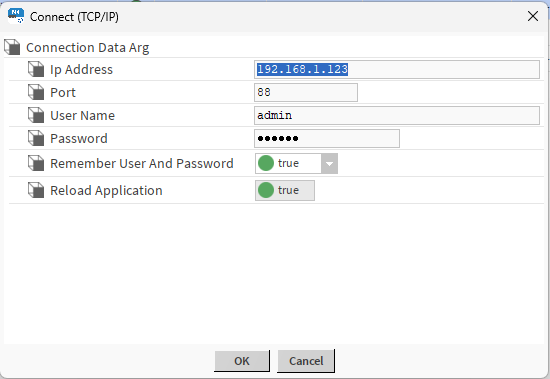
The nE2deviceExt added directly to the nE2LinkService is automatically visible in the service’s view. It is possible to establish both USB and TCP/IP connection with such device. If the TCP/IP connection is selected, the IP of the device has to be entered (and can later be edited and saved) in the connection dialog window: