
nE2DeviceExt
The nE2DeviceExt is a dedicated network device extension designed for direct connection to nano EDGE ENGINE controllers. The extension integrates directly with BACnet and Modus networks, but can also be used independently as part of the nE2 Link Service. To connect, the nE2 controllers must be online, and the username and password must be provided.
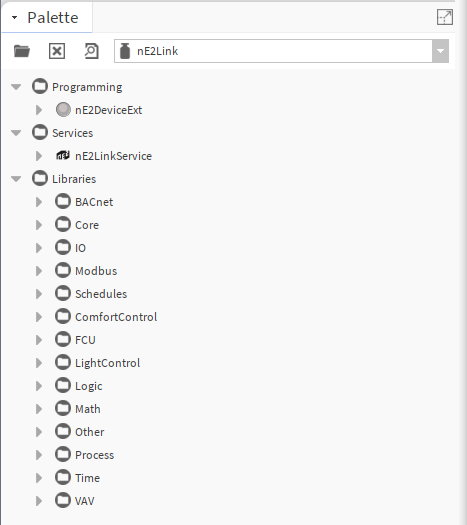
(a) In Workbench, navigate to the nE2Link module in the Palette window, search and open the nE2Linkmodule.
The module palette contains the Programming and Services folders.
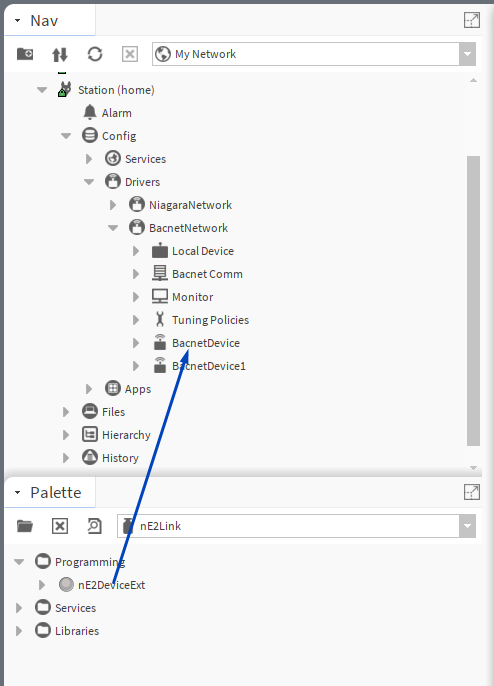
The nE2DeviceExt is a network device extension located in the Programming folder. The nE2DeviceExt can be dropped to the nav tree in two locations:
-
inside Niagara networks, the BACnetNetwork or ModbusTcpNetwork, under a proper network device: functions as a device extension, the IP address is inherited from a parent device (it cannot be change in the extension itself),
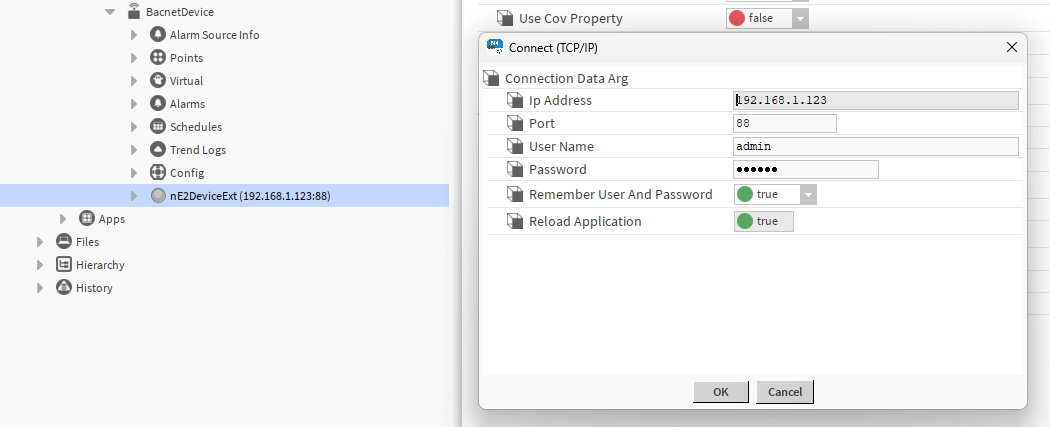
-
under the nE2LinkService: functions as an independent device, IP address can be freely edited and saved.
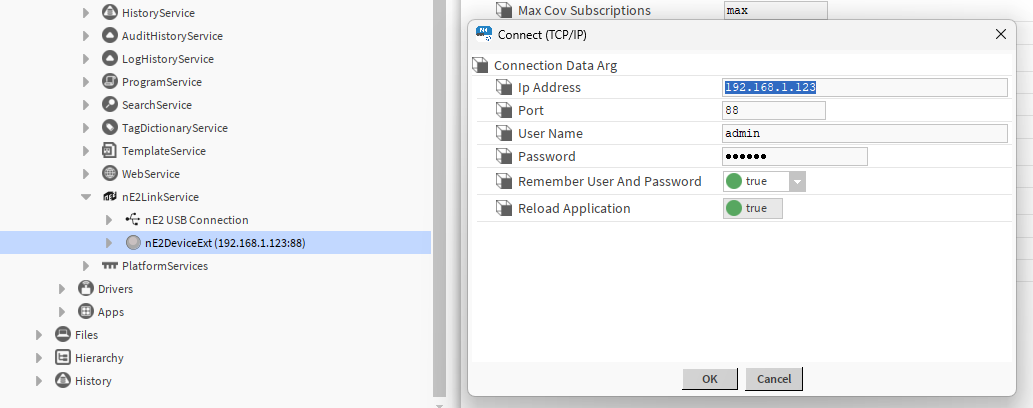
In the Services folder, the nE2LinkService is included. The service allows to manage the existing connections to nE2DeviceExt devices and nE2DeviceExt devices added directly under the service. It has to be located under Services in the station.
(b) Locate the nE2DeviceExt extension within the Programming folder.
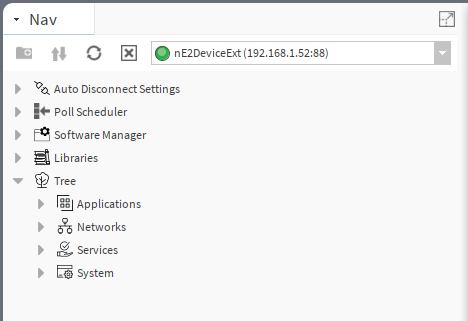
The nE2DeviceExt extension consist of:
-
Auto Disconnect Settings: allows to set the autodisconnect parameters;
-
Poll Scheduler: manages communication between the Niagara Framework and the nE2 controller;
-
Software Manager: allows for managing libraries on the controller.
-
Libraries: by default, the folder is empty and requires a real-time connection to upload the libraries available on the device. Once connected, the device's library will be populated with data from the device and load all the libraries available on the nano EDGE ENGINE device.
(c) Add nE2DeviceExt to a preferred location: under BACnetDevice/ModbusDevice or under the nE2LinService:
-
Make sure that the BACnet/Modbus network is set up in the station.
Note: In nano EDGE ENGINE devices, such as the VAV14-IP or RAC18-IP, the native BACnet support guarantees that it can be discovered on the BACnet IP network out of the box.
-
Drag the
nE2DeviceExtextension from thenE2Linkpalette and drop it onto the desired location in the Niagara station.
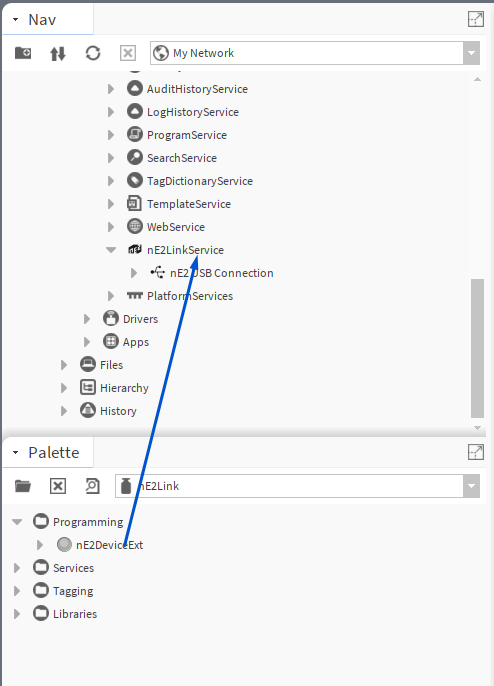
Ne2LinkService
At this step, the Ne2LinkService is automatically added to the station Services.