
The system and application(s) of the RAC18-IP controller are stored on an SD card. If the SD card is not detected in the device or the device detects frequent reboots (at least 5 times in 6 minutes), which prevent correct operation, the device enters an emergency mode.
What Causes the Emergency Mode?
-
No SD card is detected in the device.
-
The diagnostic process reveals error in I/Os.
-
Storage limit is exceeded.
-
Required files are missing during a start-up of the device.
-
Libraries or files are corrupted.
Operation in Emergency Mode
In the emergency mode, the device operation is limited:
-
libraries are not loaded;
-
the SD card configuration is not loaded;
-
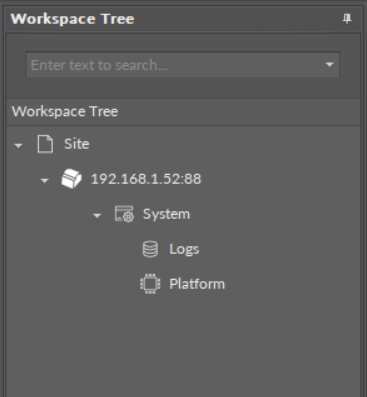
only the System container with limited options (only Logs and Platform components) is displayed in the Workspace Tree;
-
the ALM LED is lit continuously;
-
the iFnet runs with an IP/port taken from a flash storage;
Note: The flash storage must be synchronized to configuration slots when available.
-
no authorization or credentials are taken from the flash storage (like IP/port).
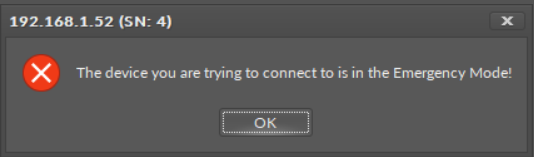
When connecting to a device, which is in the emergency mode, a notification is displayed:
Possible Actions
When the device enters the emergency mode, take one of a few possible actions:
-
read logs from the SD card if available;
-
reboot;
-
restore to defaults (restore in the iC Tool): remove files from the SD card (if available and formatted) excluding only files with IP, port, and credentials (libraries must be also removed);
-
restore to factory defaults (restoring with S1 6th DIP switch): format the SD card (if available), restore default credentials, IP, mask, gateway, iFnet port.