
Applicable to OS V1.10
The Configuration Data is a service designed to save values of specific slots of Data Points and AnalogConstant and BinaryConstant components for the purpose of restoring them if changed or lost. The service is executed by adding the Configuration Data extension to components:
-
AnalogDataPoint,
-
BinaryDataPoint,
-
MultistateDataPoint,
-
AnalogConstant,
-
BinaryConstant.
The service allows to save, load, or clear data from the following slots of components:
-
Data Points' slots: In16, In1-In15 (if the Analog/Binary/MultistatePriorities extension has been added),
-
AnalogConstant/BinaryConstant’s slot: Out.
The service functions as a backup mechanism for device-specific configurations – it can bring back saved values of Data Points within a single device. To transfer applications between devices, use Backups.
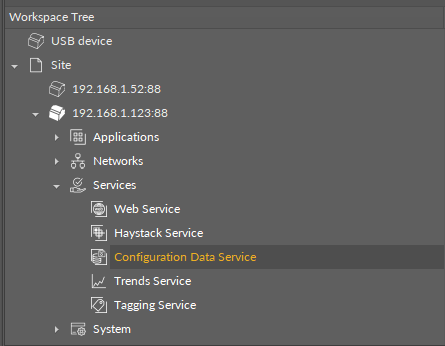
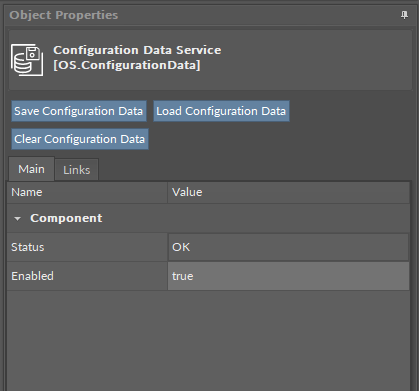
The Configuration Data service has the following slots:
-
Status: indicates the current status of the component. If the component works properly, its status is OK; however, it changes accordingly when values in other slots are adjusted.
-
Available information: disabled (the Enabled slot is set to false), OK;
-
-
Enabled: change of the slot's value enables or disables the component.
The Configuration Data service has the following actions:
Note
Actions are executed for all applicable Data Points at once.
-
Save Configuration Data: saves the slots values of Data Points with added Configuration Data extension to the controller’s memory;
-
Load Configuration Data: uploads the saved slots values to Data Points with added Configuration Data extension;
Note
Saved/loaded values:
-
Data Points' slots: In16, In1-In15 (if the Analog/Binary/MultistatePriorities extension has been added),
-
AnalogConstant/BinaryConstant’s slot: Out.
The values can be loaded only to components, which had the ConfigurationData extension added at the point of saving values. Values will not be loaded if a link has been connected to the In slot of a saved configuration data.
-
Clear Configuration Data: erases the saved slots values of Data Points with added Configuration Data extension.
Warning!
Remember that restoring default settings on the controller by the 6th DIP switch clears the values saved in the Configuration Data service too.
Configuration Data Service View
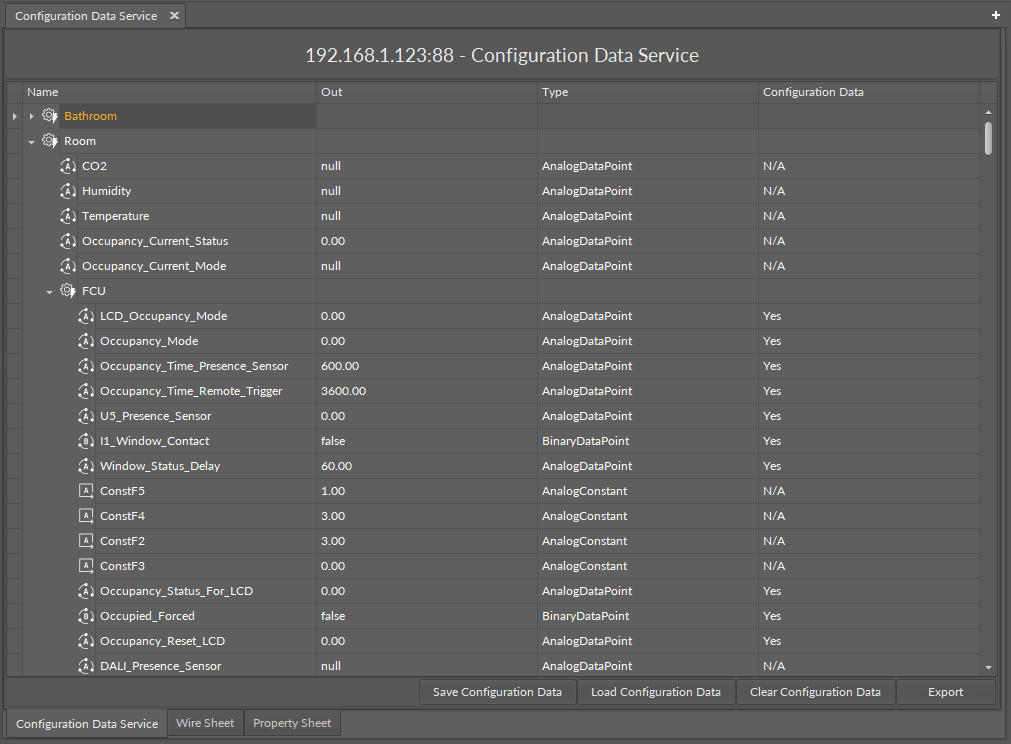
The Configuration Data service view is a simple table view showing which Data Points or AnalogConstant/BinaryConstant components have the Configuration Data extension added, along with their type and Out slots.
The components marked N/A in the view are components added to applications but without the Configuration Data extensions, as the service collects data only from components with added extension. The view shows components from all applications executed in the Applications container. Additionally, it allows to export the gathered data with the Export option in iC Tool.
Configuration Data Extension
The ConfigurationData extension has no slots. Its functionality is fully achieved by adding it to the component. It is automatically enabled and allows the Configuration Data service to save and upload slots values of the component.