
Applicable to OS V1.8
The Trends service is designed to save values from Data Points in a database. It allows to manage historical data coming from Data Points, enable or disable saving data from a specific Data Point, and depict data in a graphical or listed form.
Trends are executed by adding a dedicated extension to Data Points:
-
Trend extension to the AnalogDataPoint;
-
Trend extension to the BinaryDataPoint;
-
Trend extension to the MultistateDataPoint.
The Trends Service is automatically available in the Services container once the Trends library is installed on the device. The Trends library is a default part of the nano EDGE ENGINE V1.8 and is not compatible with earlier versions.
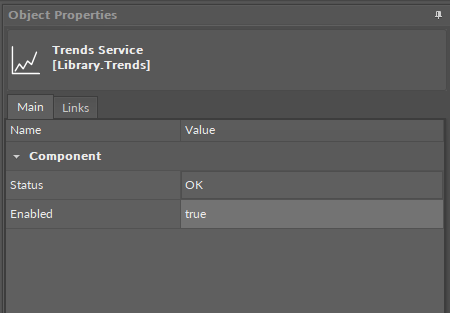
The Trends service has the following slots:
-
Status: indicates the current status of the component. If the component works properly, its status is OK; however, it changes accordingly when values in other slots are adjusted.
-
Available information:
-
disabled (either the Data Point or the extension is disabled),
-
OK;
-
-
-
Enabled: change of the slot's value enables or disables the component.
iC Tool
Views dedicated to Trends service are Trends Viewer and Trends Manager.