
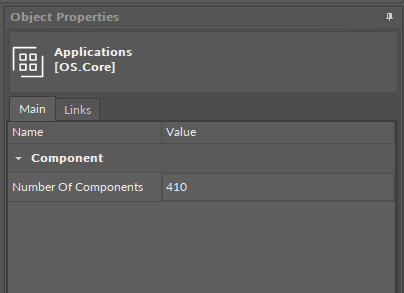
The first element in the Device structure is the Applications container. It is a non-removable element, which offers a space to create user applications. It has one read-only slot:
-
Number of Components: shows a sum of components used in all Application components (the sum does not include the Application components themselves).
The Applications container allows to add multiple Application components for building independent user applications, which are cycle driven and may work simultaneously.
The user may define the application purpose (heating, lighting, etc.) and a cycle time of algorithms operation (cycles may differ between applications).
Tip
Multithreaded applications allow to differentiate cycles of applications (scan period) in order to adjust them according to a purpose of an application.
For example, a HVAC application may be set to 1000 ms scan period, and a Lights application to 200 ms scan period, as changes to lights operation have to be implemented immediately. Setting such scan periods would mean that the Lights application would be executed 5 times for each HVAC application cycle.
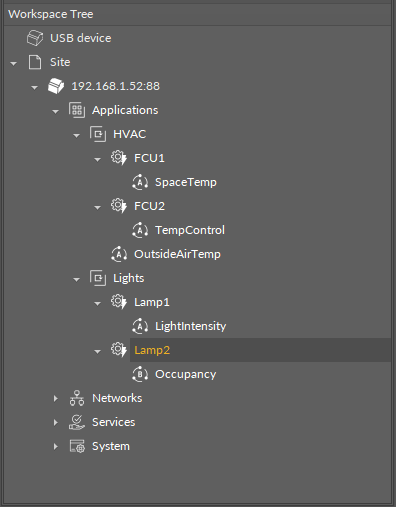
The user may create as many applications as needed—as long as the overall number of Data Points used within user applications does not exceed the device license.
Note: For top performance, it is recommended to use up to three different applications.
Reordering
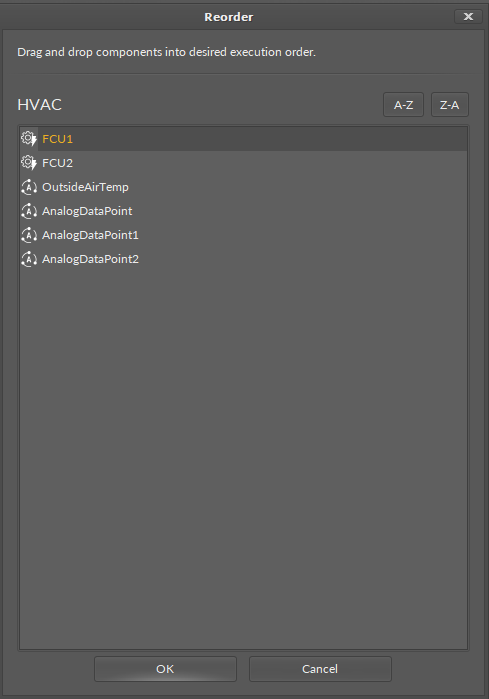
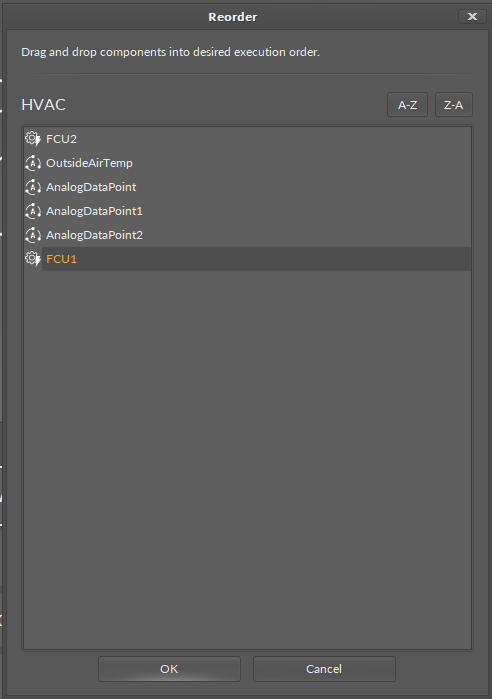
Reordering of components changes the execution sequence of components in the application. Reordering components in the nano EDGE ENGINE devices works in the Applications container. The option is available in the context menu of the Application and Equipment/Folder components. After invoking the Reorder option from the context menu, the dialog window pops up. In the dialog window, all components added under the Application/Equipment component are listed.
Note
If the reordering is invoked on the Application component, which includes other components grouped inside the Equipment components, only the Equipment-level components will be listed and available to reorder (as depicted on the figure above). To reorder components under the Equipment component, invoke reordering on the Equipment component directly.
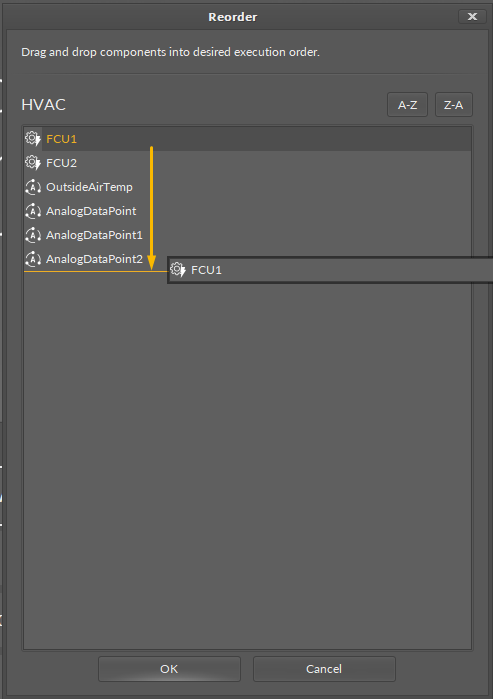
To reorder components, drag and drop them to a required position. Confirm reordering with OK.
Applications Libraries
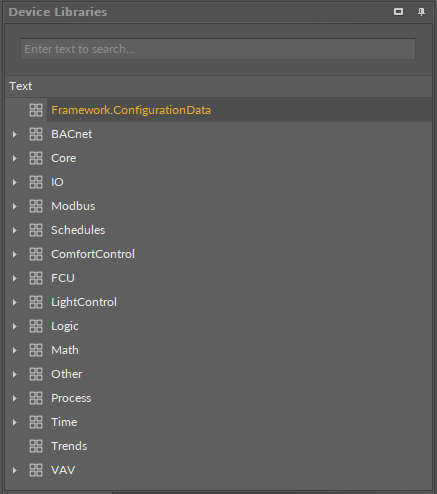
The nano EDGE ENGINE Applications libraries provide sets of components (service and basic) that allow to create HVAC applications. Libraries are grouped by specific functionalities, for example, by families of algorithms, etc. This section provides information about the nano EDGE ENGINE libraries designed for the Applications container, their functionalities and elements.
-
Core library;
-
Logic library;
-
Math library;
-
FCU library;
-
Process library;
-
Time library;
-
Other library;
-
Schedules library;
-
VAV library;
-
ComfortControl library;
-
LightControl library.
Remember - Great Licensing Scheme
The Applications container includes the only elements subject to license in the nano EDGE ENGINE devices. The license for the new generation of iSMA CONTROLLI controllers driven by the nano EDGE ENGINE is constructed against the number of Data Points: each device based on the nano EDGE ENGINE is granted a specified number of license points (Data Points in this case), which can be used within applications. Therefore, the licensing system is only of quantitative, not functional, character–only the real number of Data Points in applications is taken into account, regardless of how many communication protocols are used to expose them, or how many network points are controlled. With the nano EDGE ENGINE-generation devices it is possible to create as big an application (or applications) as the number of licensed Data Points. No elements in the Networks, Services, or System containers are subject to license limitations, other than Data Points in the Applications container. Note: In order to check the number of license points, please refer to the License in the device. |