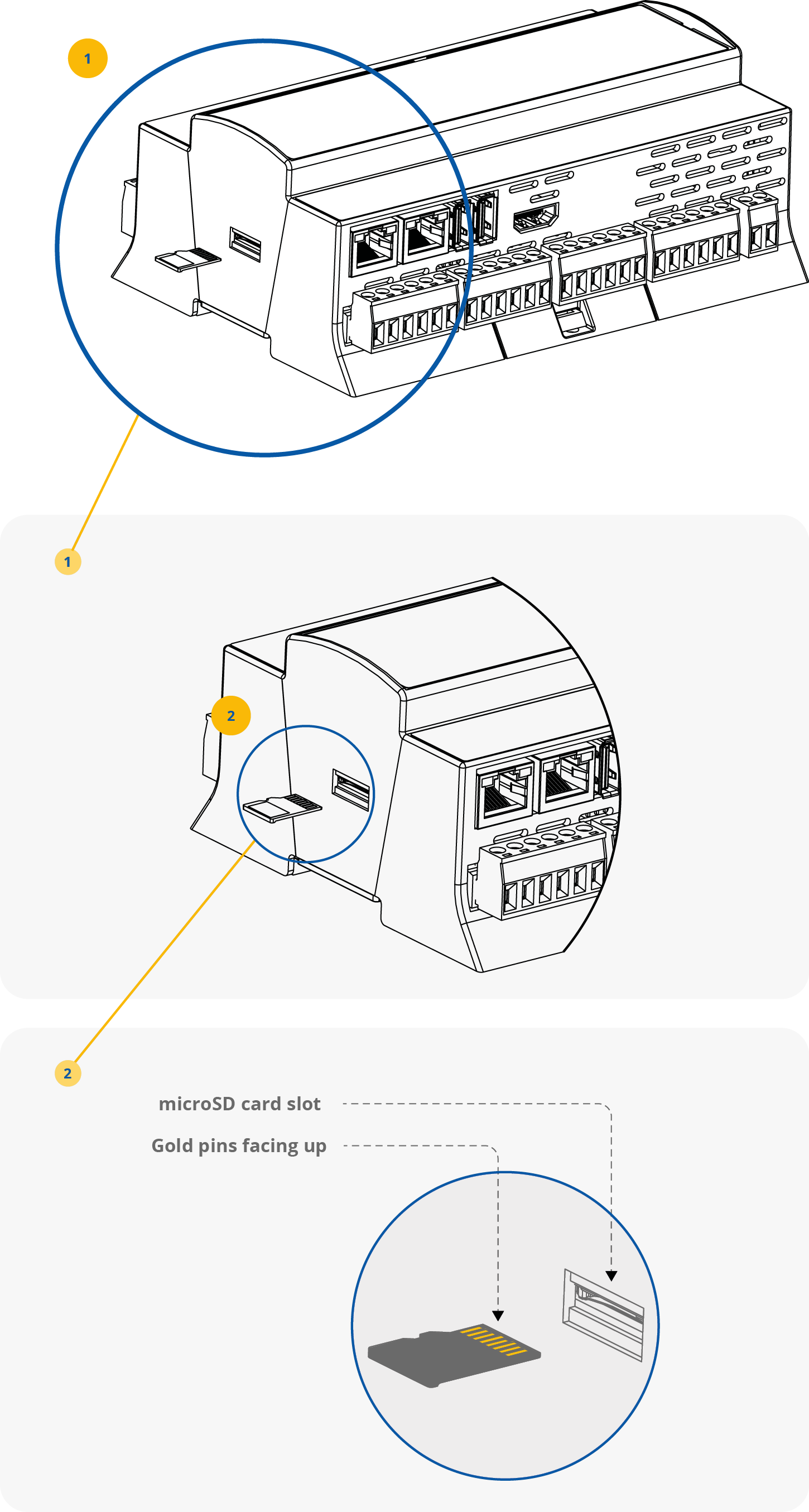
All MAC36 controllers are equipped with a dedicated slot for a microSD card. The industrial-grade SD card is used for system storage, user station data, and is required for a proper controller operation. It is also used for licensing purposes as it also carries the host ID.
The controllers are compatible only with SD cards officially marketed by iSMA CONTROLLI. The following product codes shall be ordered if an SD card needs replacement:
-
iSMA-B-SD-NL: for use with MAC36NL controllers,
-
iSMA-B-SD-PRO: for use with MAC36PRO controllers.
Without the microSD card the device cannot operate properly.
The microSD card contains all main software parts, which are crucial for the device functioning:
-
Linux operating system,
-
Java Virtual Machine,
-
Niagara N4.
The card slot is placed on the left side of the device, as it is shown in the figure below.
The microSD card must be inserted into the unit prior to the mounting process.
Proper SD card installation
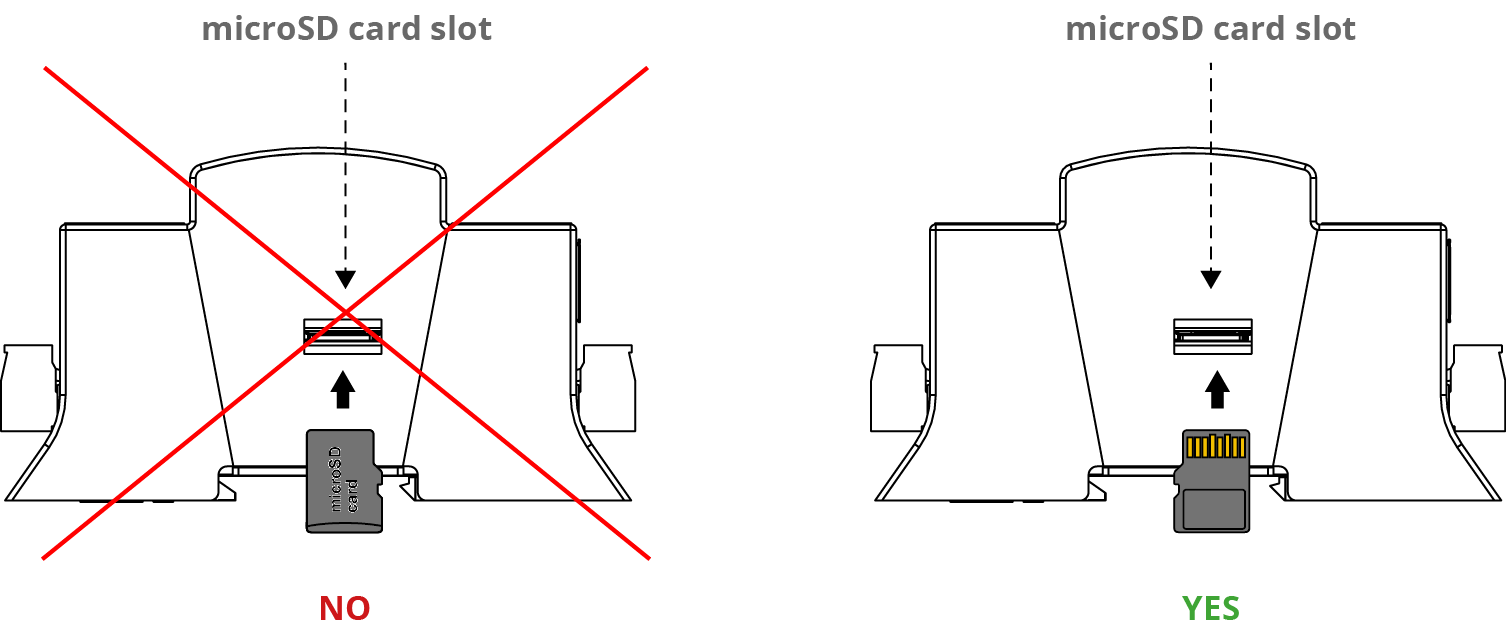
Warning!
The microSD card must be inserted upside-down, with the gold pins facing up, as illustrated on the controller front sticker. Incorrect installation may result in the controller malfunction. Always verify the card orientation before inserting it into the slot.
It is possible to move the SD card from one unit to another (the microSD card is not assigned to the particular hardware MAC36 unit). For example, the SD card may be removed from a unit that suffered a hardware failure and used it in a replacement unit.
Safe SD card replacement
-
All power to the controller needs to be shut down before inserting/removing the micro SD card; otherwise equipment damage may occur.
-
The controller needs to be unmounted from any DIN rail or screw tab mounting, as accessing the card requires access to the space behind the mounting base.
-
Discharge any static electricity, which may have been accumulated, by touching a known, securely grounded object.
-
Remove the micro SD card by pushing the card in, until the spring release pushes the card partially out of the card socket. Grasp the card, and pull it completely out of the unit. Store the micro SD card in a static-free protective case.