
iSMA-B-MAC36NL LocalIO User Manual
Introduction
This user manual describes local I/O that iSMA-B-MAC36NL controllers are equipped with.
Revision History
| Rev. | Date | Description |
|---|---|---|
| 1.0 | 1 Oct 2018 | First edition |
| 1.1 | 31 Oct 2019 |
|
| 1.2 | 31 Mar 2020 | Rotary and DIP switches support added |
| 1.3 | 16 Dec 2020 | Document corrections |
| 1.4 | 25 May 2022 |
|
Revision history
LocalIO Hardware Specification
The iSMA-B-MAC36NL has built-in different types of I/O. The specific local I/O set 16 UI, 8 AO, 4DI, and 8 DO allows using the device in different applications.
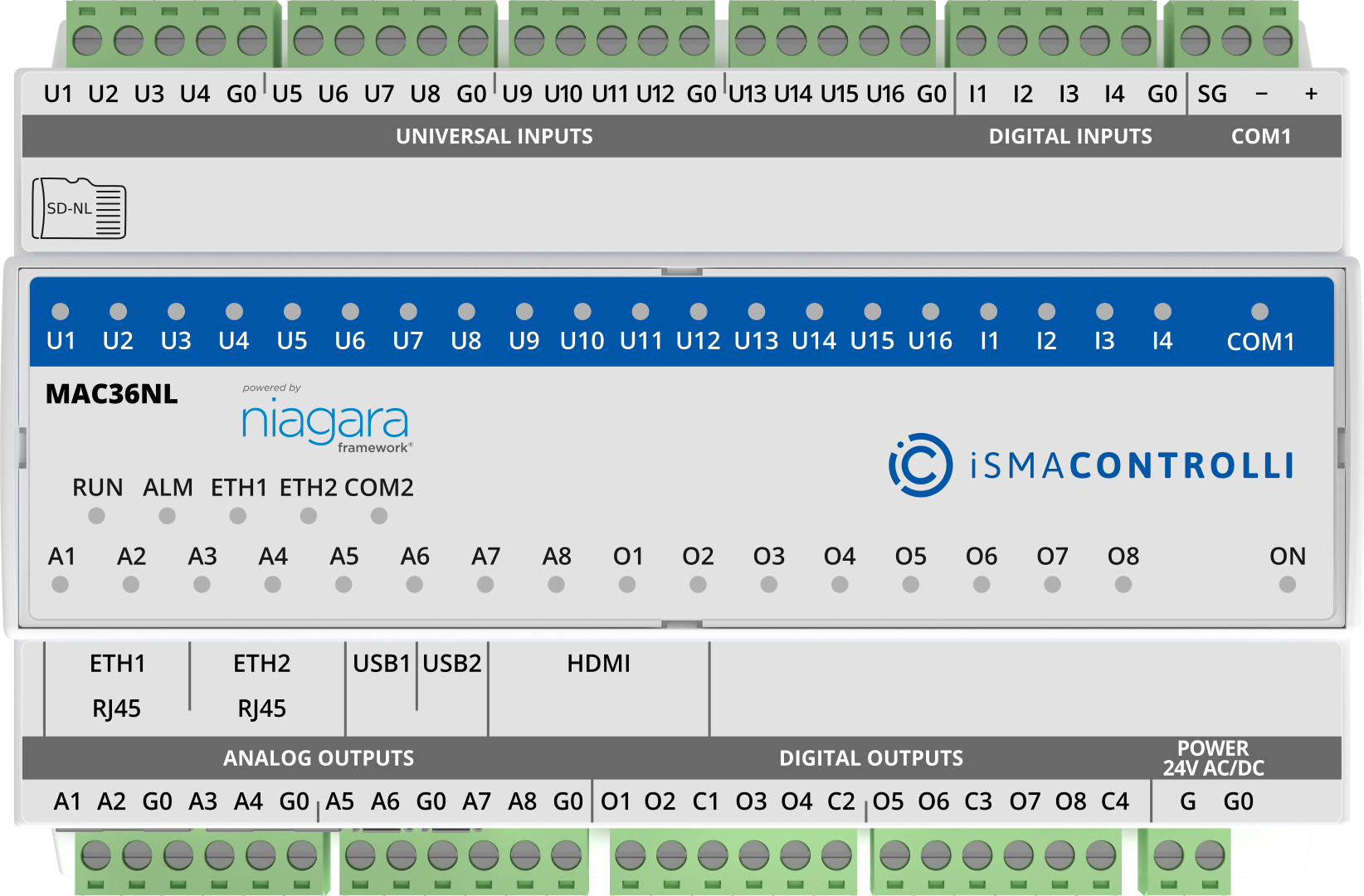
MAC36NL controller
Terminals and Internal Connection Diagram
The iSMA-B-MAC36NL controller is supplied by 24 V AC/DC. The power supply block is separated. The grounding pin, located next to power supply terminals, must be connected to the ground.
The device has 36 local I/O on board:
- 8 digital outputs (8 DO), relay output with max. load 3 A @ 230 V AC/30 V DC;
- 8 analog outputs (8 AO), voltage output 0-10 V DC maximum load up to 20 mA;
- 16 universal inputs (16 UI), temperature, voltage, current, resistive, or dry contact;
- 4 digital inputs (4 DI), dry contact inputs or fast counter up to 100 Hz.
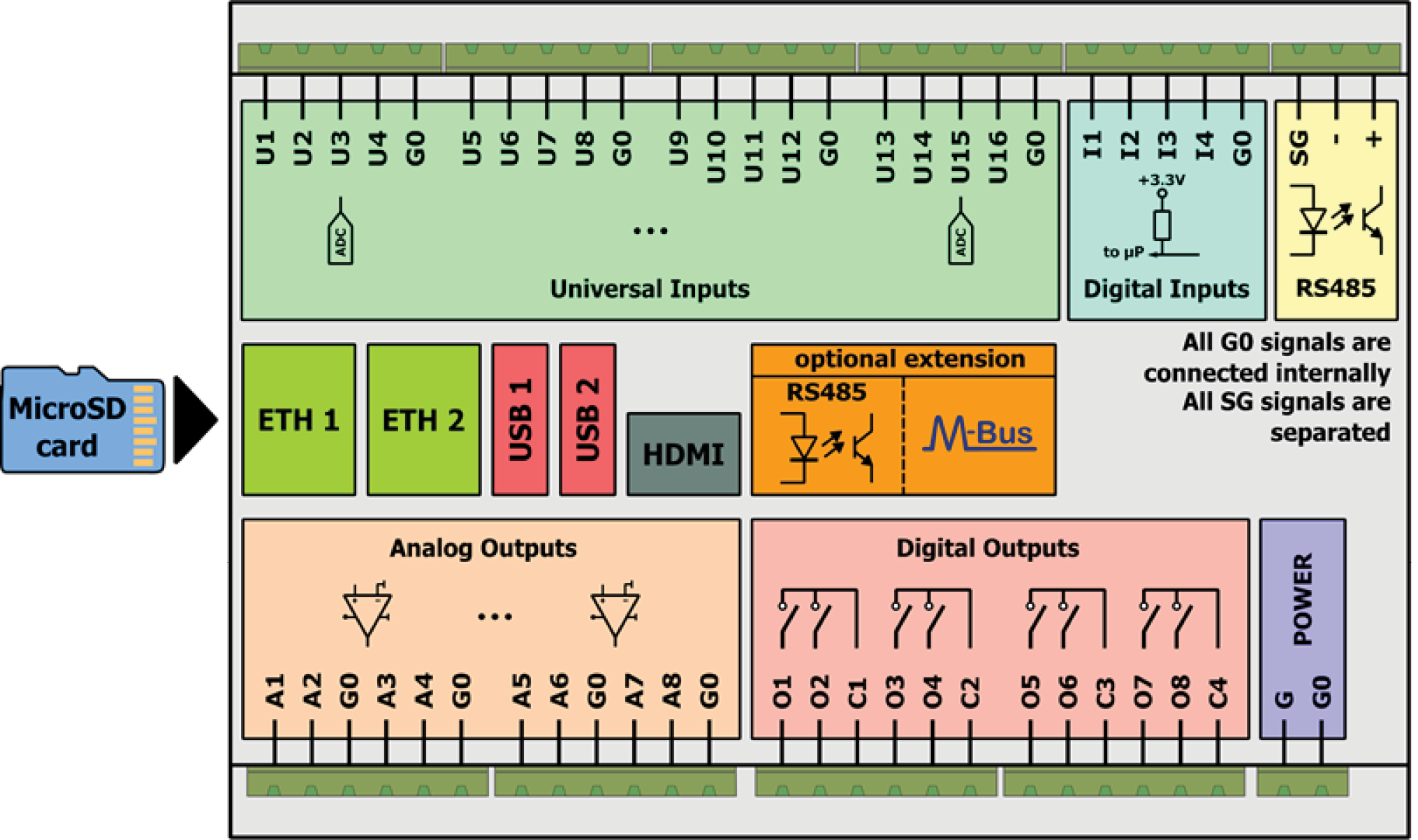
Block diagram
LED Indicators
The device is equipped with LEDs for quick status checking and diagnostics:
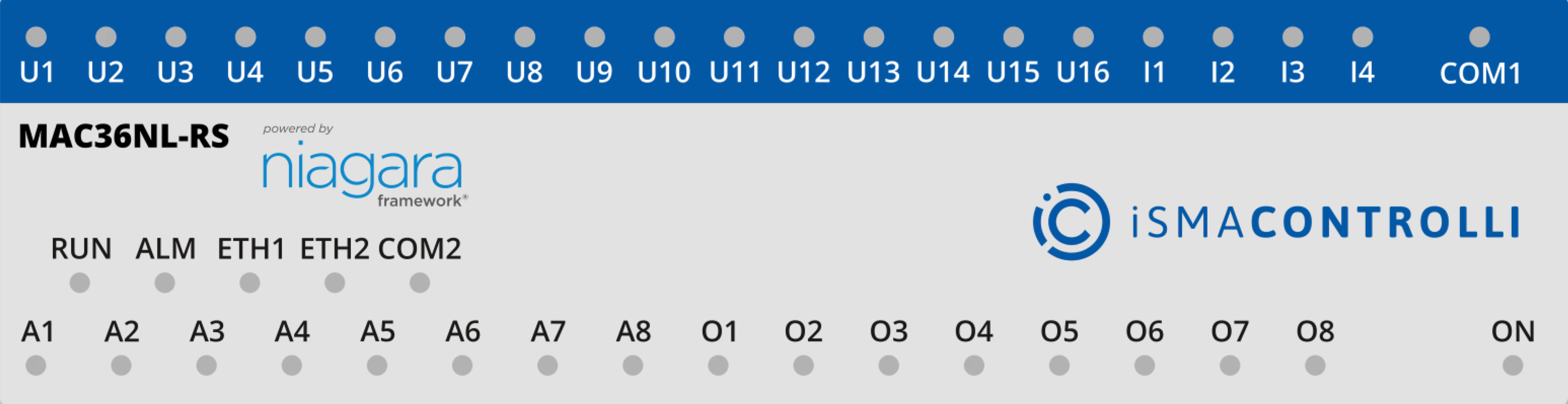
LEDs of a front panel of the iSMA-B-MAC36NL-RS
- The universal inputs LEDs U1-U16 indicate the statuses of the universal inputs. If the LED is ON, the resistance value connected to the input is lower than the switching threshold value (dry contact input is active).
Note: The LED also lights up if the voltage connected to the input has a very low potential.
- The digital inputs LEDs I1-I4 indicate the statuses of the digital inputs. If the LED is ON, the input is active (resistance value connected to the input is lower than the switching threshold value).
- The analog outputs LEDs A1-A8 indicate the statuses of the analog outputs. If the LED is ON, the output voltage or PWM factor is different than 0.
- The digital outputs LEDs O1-O8 indicate the statuses of the digital outputs. If the LED is ON, the output is active (closed circuit).